137
Using the Drum Kits
Section 4
Copying drum sounds from other
drum kits
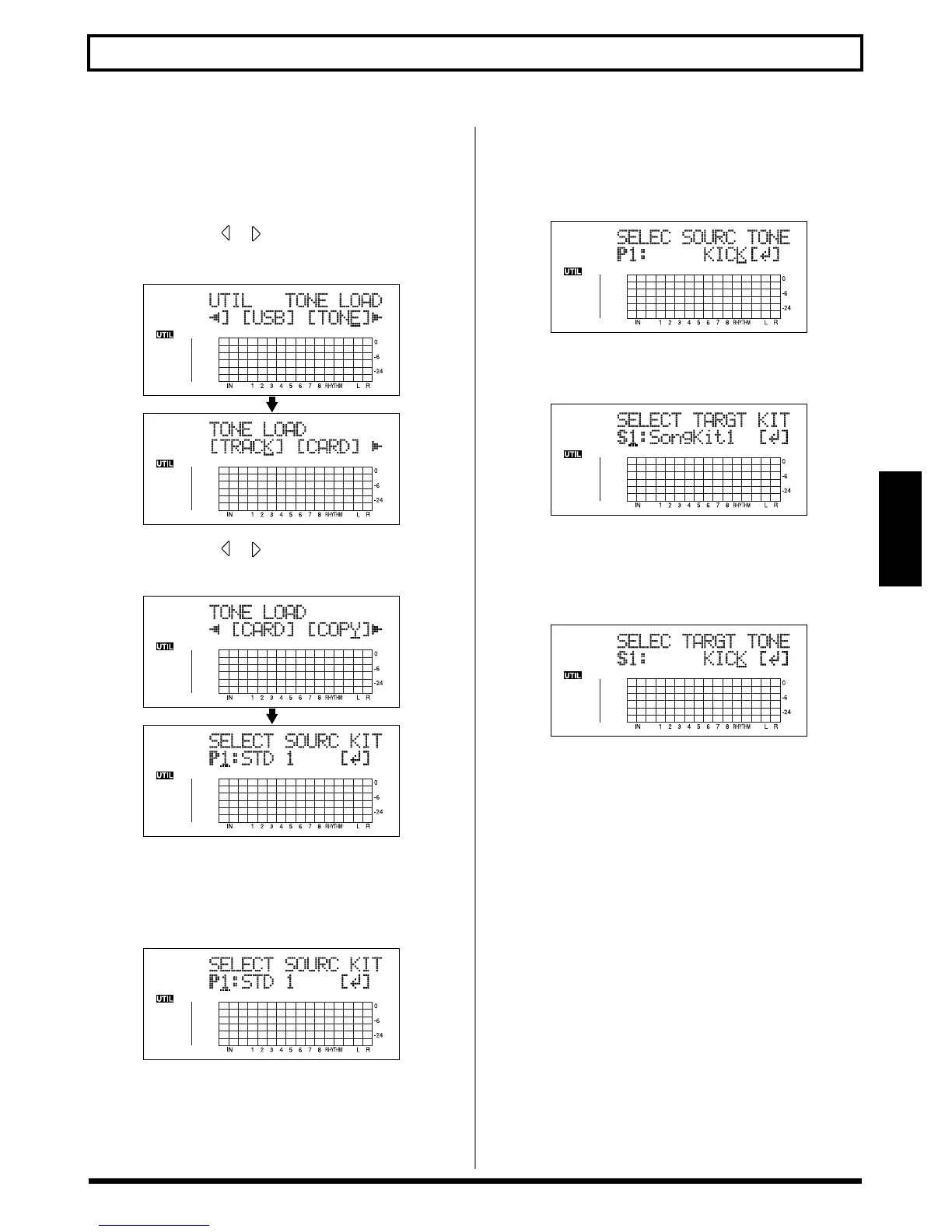
1. Press [UTILITY].
2. Press CURSOR [ ] [ ] to move the cursor to
“TONE,” and press [ENTER].
fig.03-505d
3. Press CURSOR [ ] [ ] to move the cursor to
“COPY,” and press [ENTER].
fig.03-519d
4. Turn the TIME/VALUE dial to specify the copy-
destination drum kit, then press [ENTER].
P1–9: Preset Drum Kit 1–9
S1–5: Song Drum Kit 1–5
fig.03-520d
5. Turn the TIME/VALUE dial to specify the copy-
destination drum sound, then press [ENTER].
* Select “ALL” if you want to copy all of the drum sounds in the
kit.
fig.03-520d
6. Turn the TIME/VALUE dial to specify the copy-
destination drum kit, then press [ENTER].
fig.03-521d
7. Turn the TIME/VALUE dial to select the copy-
destination song drum sound, then press [ENTER].
Copying is executed.
To cancel, press [EXIT].
fig.03-522a
* During updating, “Keep power on!” appears in the upper line
of the display, while the lower line shows what is being
processed.
8. Press [EXIT] to return to the Play screen.



 To Next Page