173
With Windows
Section 7
Using the BR-864 / BR-532’s Data
You can use the BR-900CD to play BR-864 (or BR-532) data.
* First be sure to back up the BR-864 / BR-532’s “ROLAND”
folder to the computer.
1. Initializing the memory card on the BR-900CD (p. 196).
2. Connect your computer and the BR-900CD with a USB
cable.
3. Confirm that the recorder is stopped, then press
[UTILITY].
4. Press CURSOR [ ] [ ] to move the cursor to “USB,”
and press [ENTER].
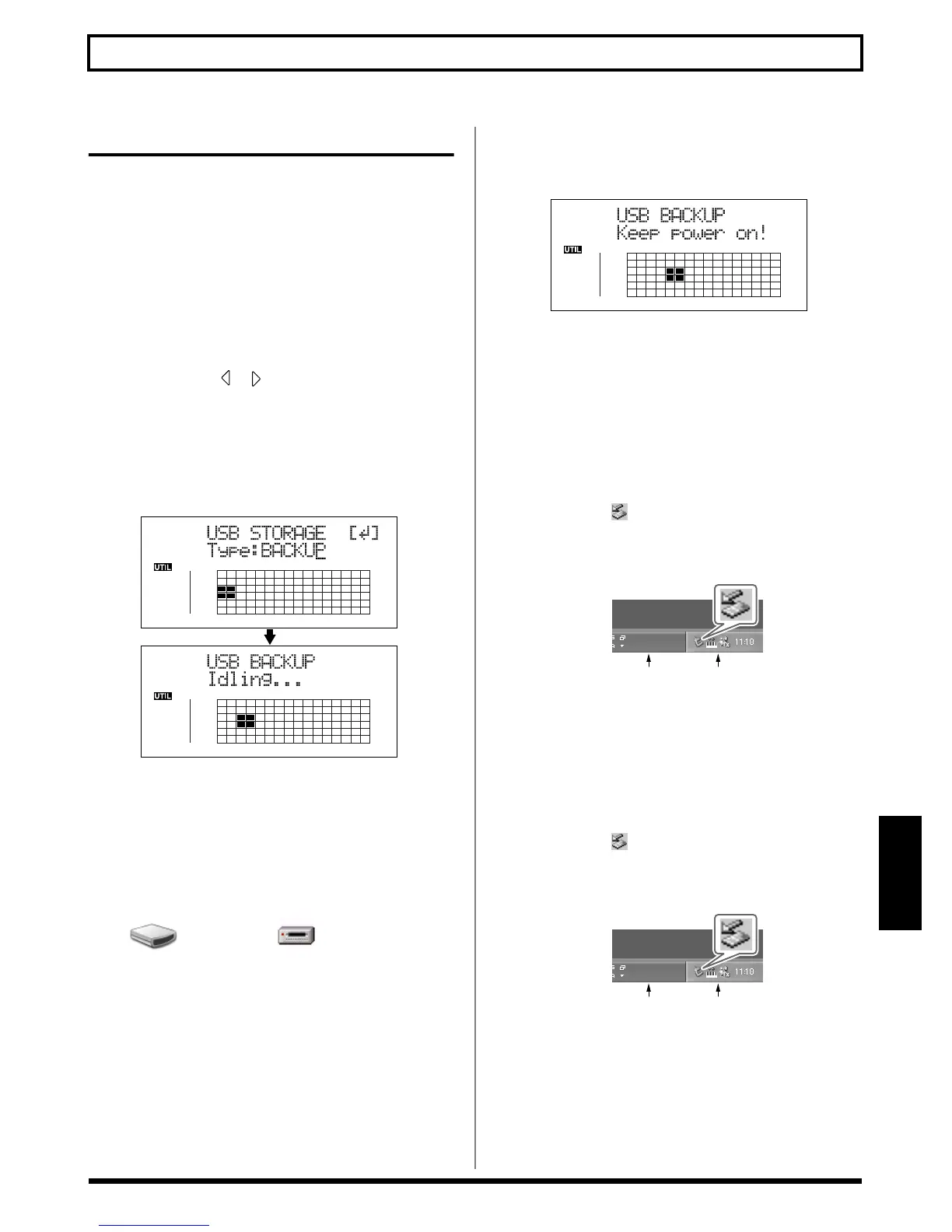
The USB screen appears.
5. Select “BACKUP” with the TIME/VALUE dial, then
press [ENTER].
The Idling screen appears in the display.
fig.06-110ad
* You cannot carry out the following procedure unless the Idling
screen is displayed. Refer to p. 212 for instructions on
resolving this problem.
The “BOSS_BR-900” (or “Removable disk (*:)”) icon is
added to the computer.
fig.06-104
6. Delete the BR-900CD “ROLAND” folder.
1) Click the “BOSS_BR-900” (or “Removable disk
(*:)”) icon, and delete the “ROLAND” folder.
7. Drag the previously backed up BR-864 / BR-532
“ROLAND” folder to the “BOSS_BR-900” (or
“Removable disk (*:)”) icon and drop it there.
fig.06-110bd
When you have finished backing up the data, the Idling
screen returns to the display.
8. Quit the connection to the computer.
With Windows XP
In My Computer, right-click on the “BOSS_BR-900”
icon (or “Removable disk (*:)” icon) to “Eject” the disk.
* If this procedure fails to eject the disk, use the procedure below.
1) Click the icon in the task tray, then click the
“Stop USB Disk—drive (*:)” message displayed
there.
fig.06-105a
2) Click [OK] in the “Safe To Remove Hardware”
dialog box that appears.
With Windows 2000/Me
1) In My Computer, right-click on the “BOSS_BR-
900” icon (or “Removable disk (*:)” icon) to “Eject”
the disk.
2) Click the icon in the task tray, then click the
“Stop USB Disk—drive (*:)” message displayed
there.
fig.06-105a
3) Click [OK] in the “Safe To Remove Hardware”
dialog box that appears.
BOSS_BR-900
Removable Disk (*:)
(Ex.)
Task Tray
Task Bar
Task Tray
Task Bar



 To Next Page