19
Convenient Functions
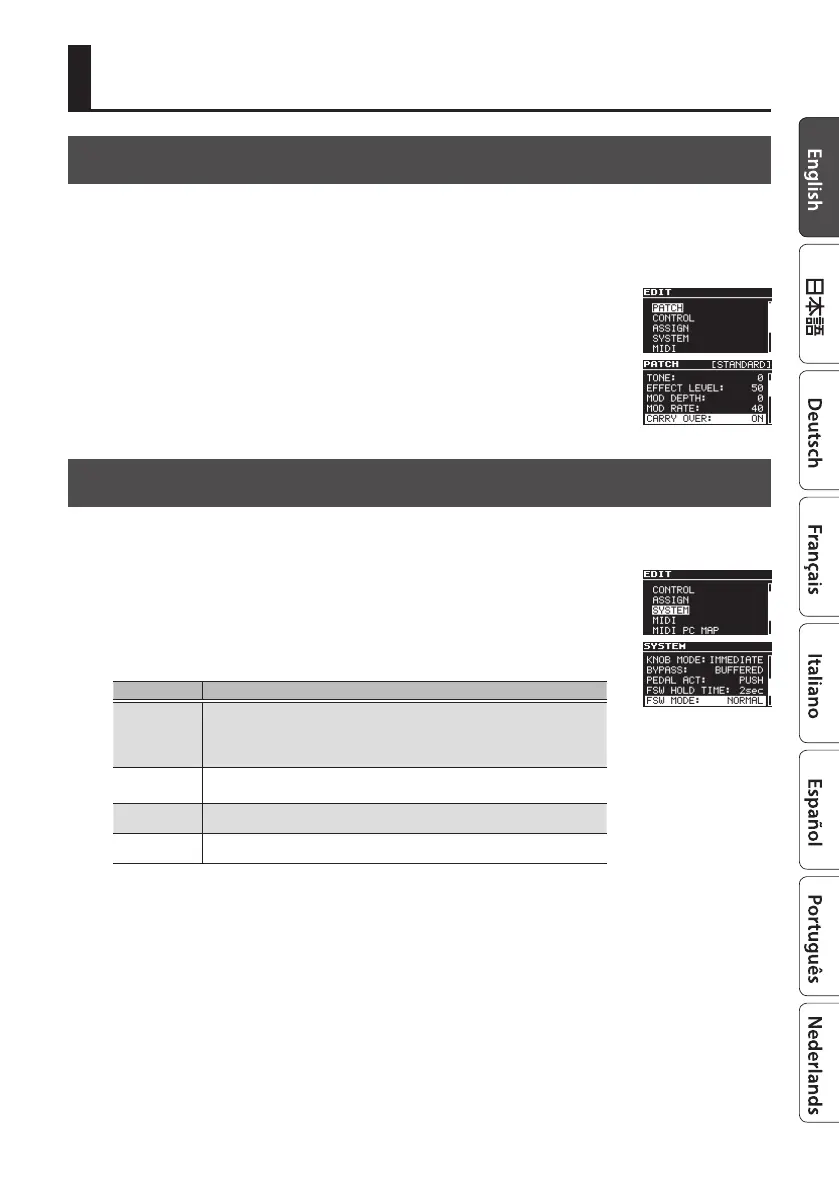
Specifying Whether to Carry-Over the Delay Sound
You can specify whether the eect sound is carried-over (ON/OFF) when you switch patches or
turn the delay o.
1. Press the [EDIT] button.
2. Use the [
H
] [
I
] buttons to select “PATCH,” and then press the
[EDIT] button.
3. Use the [
H
] [
I
] buttons to select “CARRY OVER,” and use the [TIME/
VALUE] knob to select ON / OFF.
4. Press the [EXIT] button to return to the top screen.
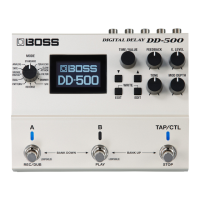
Assigning the Functions of the [A], [B], and [TAP/CTL] Switches
1. Press the [EDIT] button.
2. Use the [
H
] [
I
] buttons to select “SYSTEM” and then press the
[EDIT] button.
3. Use the [
H
] [
I
] buttons to select “FSW MODE,” and use the [TIME/
VALUE] knob to select the mode.
Mode Explanation
NORMAL
Use the [A] and [B] switches to select patch A or patch B, and use the [TAP/CTL]
switch for tap input.
* If you want to use the [TAP/CTL] switch as the CTL, set the “TAP/CTL FUNC”
to “CTL” (p. 8).
A/B/C
Use the [TAP/CTL] switch to select patch C.
* In this case, you can't use the [TAP/CTL] switch for the TAP or CTL functions.
A/B SIMUL
Patches A and B can be used simultaneously. Press the unlit [A] or [B] switch to
make both light.
SW DN/UP
Use the [A] switch to turn delay on/o, and use the [B] switch and [TAP/CTL]
switch to change patches.
4. Press the [EXIT] button to return to the top screen.


 To Next Page