8
Basic Operation
Using the [TAP/CTL] Switch to Control the Delay
With the default settings, the [TAP/CTL] switch is used for tap input, but you can change this
setting to make the switch aect the delay in various ways.
1. Press the [EDIT] button.
2. Use the [
H
] [
I
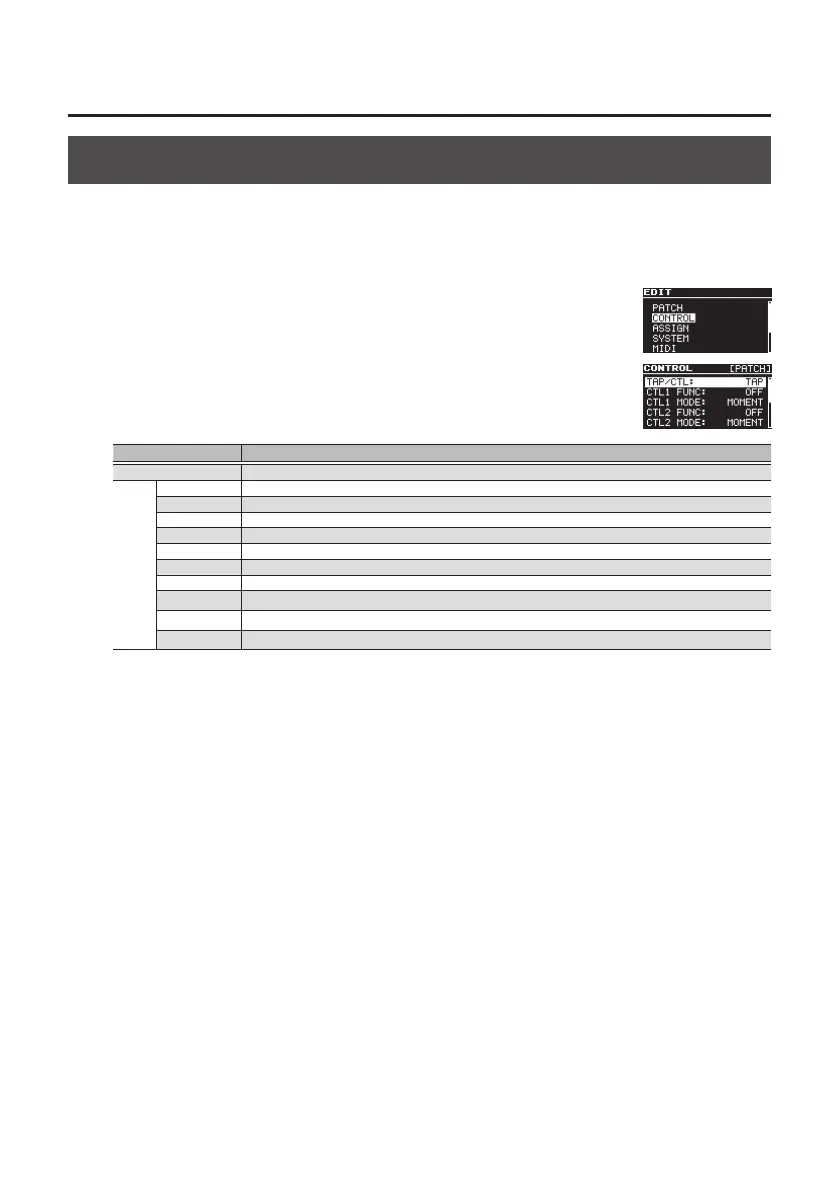
] buttons to select “CONTROL” and then press the
[EDIT] button.
3. Use the [
H
] [
I
] buttons to select “TAP/CTL,” and use the [TIME/
VALUE] knob to assign a function.
Value Explanation
TAP Use the switch for tap input.
CTL
HOLD Repeats the delay sound while you hold down the switch.
WARP Simultaneously controls the delay sound’s feedback level and volume to produce a totally unreal delay.
TWIST A new type of delay that produces an aggressive, spinning sensation.
MOMENT Outputs the delay sound only while you hold down the switch.
ROLL 1/2 Cuts the delay time to 1/2 the setting only while you hold down the switch.
ROLL 1/4 Cuts the delay time to 1/4 the setting only while you hold down the switch.
ROLL 1/8 Cuts the delay time to 1/8 the setting only while you hold down the switch.
FADE IN Fades-in the delay sound.
FADE OUT Fades-out the delay out.
ASSIGN Select this if you’re using the ASSIGN 1–8 setting (p. 15).
4. Press the [EXIT] button to return to the top screen.



 To Next Page