19
Setting the Mode for Stereo Delay
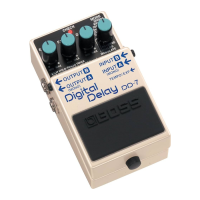
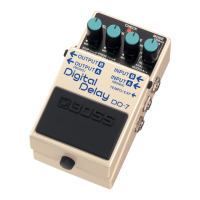
When using the DD-7 as a stereo delay, you
can choose among three different operation
modes. Each mode provides a different type
of stereo delay effect.
* For detailed information on how to make the connec-
tions for stereo delay, refer to “Stereo”(p. 17).
1.
Make the connection to the INPUT-A
(MONO) jack and leave nothing con-
nected to the INPUT-B jack
2.
Hold down the built-in pedal and insert
the plug to INPUT-B jack
The setting mode for stereo delay is en-
abled, and the CHECK indicator lights in
orange.
3.
Select the stereo delay effect
Use the MODE knob to select the mode
for stereo delay.
3200ms:
This is a completely indepen-
dent delay for A and B.
800ms:
This is panning delay.
200ms:
This is a stereo delay that im-
parts spatial broadness to re-
verberant sound.
4.
Save the settings
Press the built-in pedal switch to make
the CHECK indicator rapidly flash in or-
ange and save the settings.
After the settings have been saved, the
unit returns to normal operation.
* Never switch off the power while the CHECK
indicator is flashing rapidly.
* This setting is retained even while the power is
turned off.
DD-7_e.book 19 ページ 2008年3月7日 金曜日 午前11時18分


 To Next Page