11
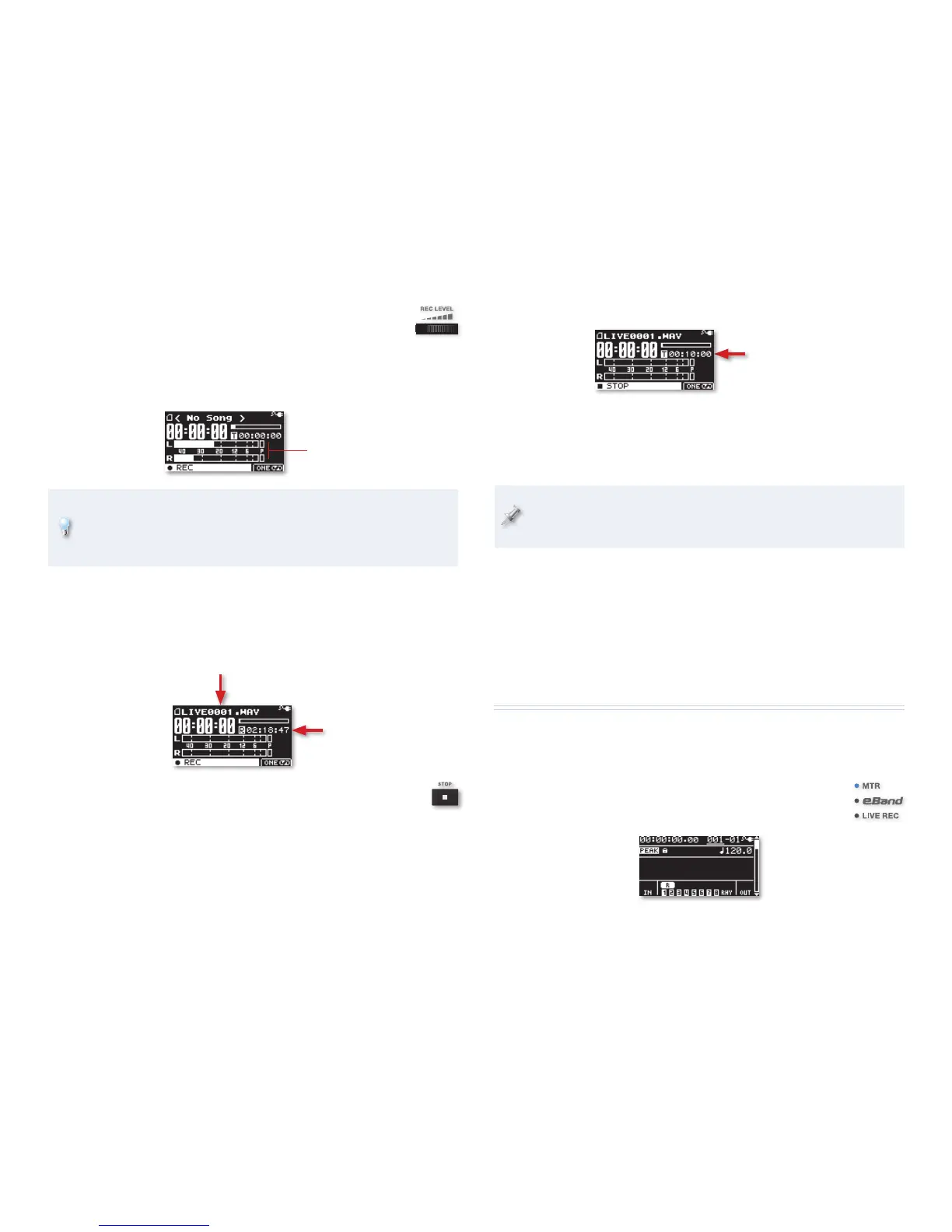
When it’s done, you’ll see something like this:
After recording, this
shows the length of your
recording, with “T, for
“Time,” in front.
8 To hear what you’ve recorded, turn up the BR-80’s volume using the
VOLUME wheel on its left side panel, and then press the PLAY button.
9 Press STOP to end playback. To jump back to the top, press STOP
again.
The Play Mode feature provides lots of ways you can listen to the
current LIVE REC recording, or any others you have on your card. Page
48 in the Owner’s Manual explains how to use it.
What You Can Do with Your LIVE REC Recordings
• Listen to them for enjoyment or as reference
• Import them into a song in MTR mode
• Play them in eBand mode
• Copy them onto your computer for use there
The BR-80 Multitrack Recorder—MTR Mode
Let’s explore MTR mode—it’s where you’ll construct full song arrangements
using the BR-80 as a multitrack recorder. We’ll start by listening to the BR-80
demos on the factory-installed SD card.
Switch over to MTR mode by briefly pressing the power
button once so the MTR indicator lights, and the MTR-mode
home screen appears.
4 Turn the REC LEVEL wheel on the right side panel of the
BR-80 to set your recording level as you produce some
sound at your loudest expected volume—the onscreen
meter shows your level.
5 Set your level as loud as possible without letting either peak indicator
light. The peak indicators are the little boxes labeled with a “P.”
Peak indicators
To keep your rhythm tight, you can record along with a metronome.
To do this, press RHYTHM. The metronome starts—playing a bell at the
first beat of each measure—and the METRONOME screen appears so
you can configure the metronome. Press RHYTHM again to turn it off.
The BR-80 records onto SD/SDHC cards. Since it ships with a card
already installed, we’re good to go.
6 When you’re ready to record, press the PLAY button and sing, speak,
etc.
During recording, this
shows the available
recording time, with an “R”
in front.
The BR-80 assigns your
new recording a name.
7 Press the STOP button when you’re done—the BR-80 takes
a moment to store your new recording on its SD card.



 To Next Page