7
To perform a search, highlight it in the list , and then press ENTER.
When you search for: the BR-80 finds:
ALL SONGS songs that were recorded on the
BR-80, and that have Song List
Editor Album or Artist tags attached.
USER songs recorded in eBand mode, or
that you’ve tagged as User songs in
the Song List Editor.
BEST 30 your favorite eBand songs. (We’ll
discuss this in the next section.)
ALBUM songs that have an Album tag.
ARTIST songs that have an Artist tag.
RHYTHM rhythm loops on the SD card that
came with your BR-80, and any of
your imported WAV or MP3 beat
loops you’ve identified as rhythms in
the Song List Editor.
MASTERING songs you’ve mastered using the
BR-80 mastering tools.
LIVE REC all of your onboard LIVE REC mode
recordings.
PREVIOUS SONG the last song you had selected for
eBand.
Once you’ve performed your search, turn the Value dial to select the desired
song. To find the eBand songs built-into the BR-80, you can use the ALL
SONGS search. These songs are arranged in style categories.
• ROCK • Metal • Pop
• Ballad • Blues • Country
• Surf • Soul • Jazz
• Latin • Electro
2 To load a song, highlight it, and then press ENTER.
Playing with eBand
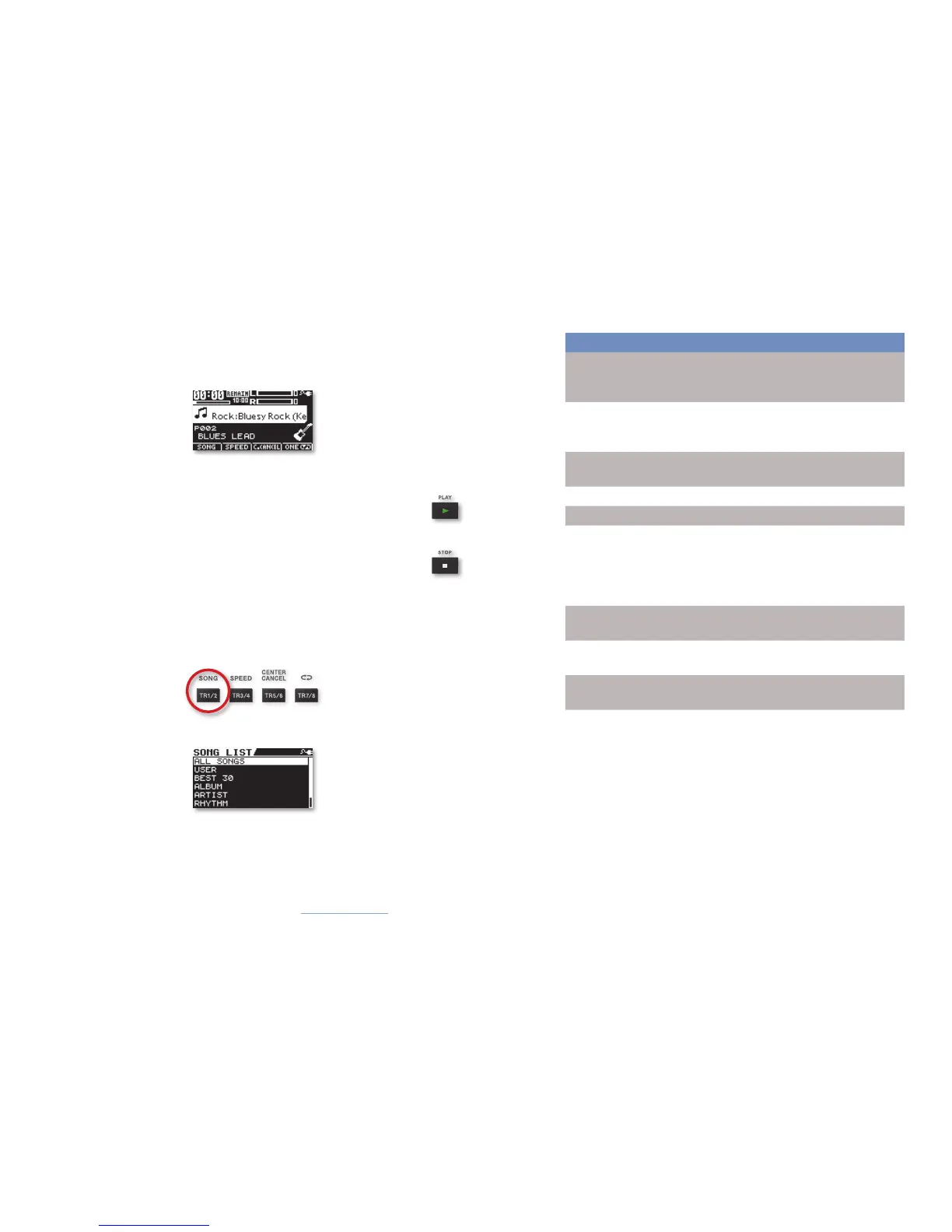
As you can see on the eBand home screen, the BR-80’s got a song selected
for you to jam with—its name and information continually scroll across the
screen.
The default song is called “Bluesy Rock.” The BR-80 also shows you the song’s
key to make playing along that much easier.
1 Press PLAY 4.
2 Play along on your guitar for as long as you want.
(We’ll wait here.)
3 Press STOP when you’re done.
Selecting Other Songs
To select eBand songs:
1 Press the TR1/2 (SONG) button beneath the display.
The SONG LIST screen appears.
Since eBand can play such a wide variety of songs, we’ve pre-
configured searches to help you find them quickly. The BR-80 can
hunt for songs based on how they were made, and can also look
for album and artist tags attached to songs using the BR-80’s Song
List Editor software. (You can find the software on the SD card that
shipped with your BR-80 and on the RolandUS web site.)



 To Next Page