4
When we refer to a soft button in this booklet, we’ll put its current job in
parentheses, except when you’re selecting the button’s corresponding track.
The EXIT and ENTER Buttons
The ENTER and EXIT buttons each serve multiple purposes.
• The ENTER button
• selects options—when you have a list of them. You highlight the
option you want, and then press ENTER.
• executes an operation—you’ve set up to be performed.
• confirms your intentions—when the BR-80 asks you if you want
to proceed with something you’re asking it to do.
• The EXIT button
• gets you out of screens—returning you to the previous screen, or
to the current mode’s home screen.
• cancels operations—when the BR-80 asks you if you’re sure you
want to do something, and you decide you don’t.
The Value Dial and Cursor Buttons
Use the 3, 4, 5, and/or 6 cursor buttons located around the Value dial to
highlight, or “select,” items onscreen.
Change the currently selected setting by turning the Value dial inside the
cursor buttons.
Given the compactness of the BR-80, you may want to use your
fingernail tip to press the 3, 4, 5, and 6 buttons.
Basic BR-80 Navigation
In this booklet, we’ll take you through some of the BR-80’s controls—and of
course, the Owner’s Manual explains them all in detail. The BR-80 really has
a very simple set of controls, but let’s pause for a quick explanation of some
basics.
The Display and Its Buttons
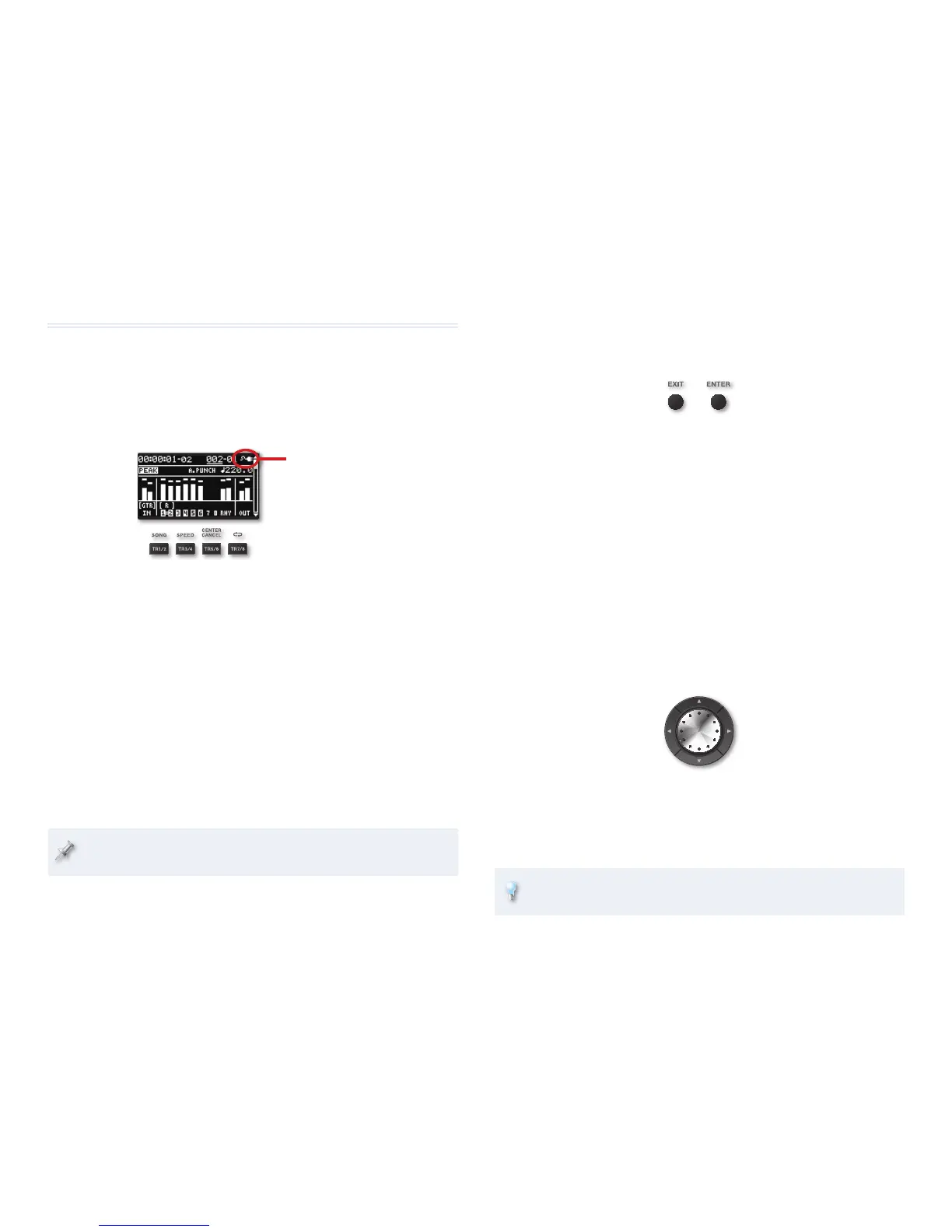
This AC-plug icon shows that
we’re using AC power at the
moment. When you’re running
off batteries, you’ll see a battery
icon that keeps track of the
battery’s strength for you.
Central to everything you do on the BR-80 is its display. The display shows
information about what’s going on, presents options and settings, and even
asks you questions from time to time.
Beneath the display are four “soft buttons”: TR1/2, TR3/4, TR5/6, and TR7/8.
We call these “soft buttons” because their function changes, depending on
the mode you’re in.
• In MTR mode—each button selects its corresponding stereo pair of
tracks.
• In eBand mode—pressing TR1/2 displays the SONG LIST screen, pressing
TR/3/4 displays the SPEED & PITCH screen, pressing TR5/6 displays the
CENTER CANCEL screen, and pressing TR-7/8 toggles between playback
methods.
• When you’re in LIVE REC mode—you can select a playback method using
the TR7/8 button.
We’ve put labels above the buttons that show their most important
alternate jobs.



 To Next Page