16
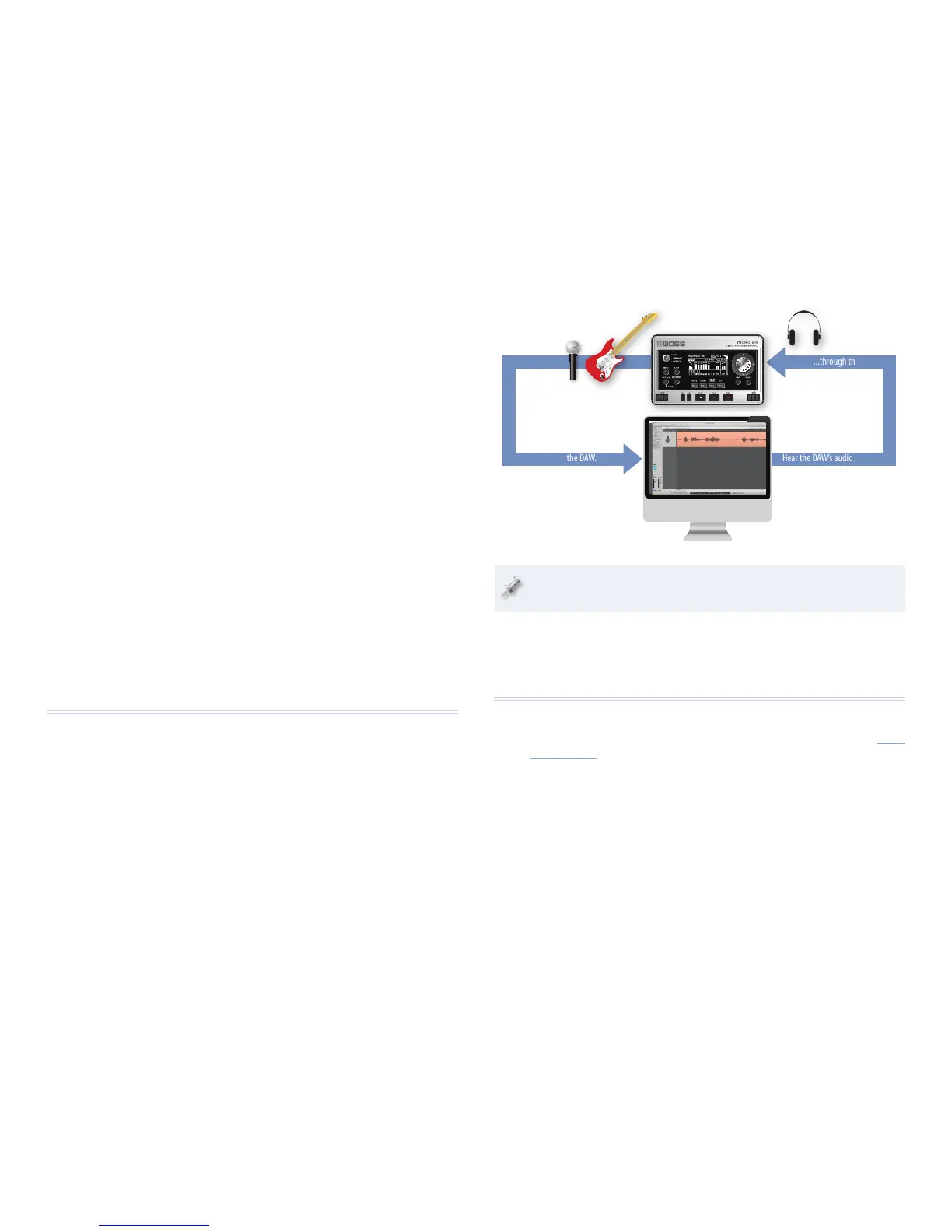
Live audio...
U
S
B
...is recorded in the DAW.
Hear the DAW’s audio output...
U
S
B
...through the BR-80.
The BR-80 ships with a free copy of Cakewalk by Roland’s popular
SONAR X1 LE for Windows.
To learn how to install the necessary drivers and get the BR-80 up and
running as your computer’s audio interface, see p 109 of the Owner’s Manual.
The End
We hope you’ve found this workshop helpful. Keep an eye out for other
MICRO BR® BR-80 Workshop booklets available for downloading at www.
Rolandus.com.
2 At this point, you can repeat the steps in “Recording Your First Track”
above to record your next track.
As You Develop a Song
Mixing Your Tracks
As you get more tracks in your song, you can mix them using the screens you
see when you press the 6 on the MTR home screen.
Use or Lose the Rhythm Track
If you’d like to customize the rhythm track for your song, check out p 69 in
the Owner’s Manual to learn how to build a rhythm. Or, if you don’t want to
hear the rhythm track in your song at all, you can turn down its volume on
the LEVEL screen, or mute it altogether on the MUTE&SOLO screen.
Get to Know the BR-80 Effects
While we’ve given you a quick tour using the same effect on both tracks,
the BR-80’s powerful and flexible BOSS effects system provides everything
you need for making each of your song’s tracks—and the final mix—sound
just the way you want. To learn all about the BR-80 effects, see p 67 of the
Owner’s Manual.
One More Thing...
If you use a digital audio workstation, or “DAW,” on your Mac or Windows
computer, you need a way to get audio from your mics and instruments into
your computer.
The BR-80’s got you covered: It can act as a compact audio interface for your
computer. Connect it to your computer via USB and plug your mics and
instruments into the BR-80. You can even send them through the BR-80’s
assortment of insert effects on their way to the computer. And you can listen
to your DAW through headphones connected to the BR-80.



 To Previous Page