3
AC Power and the BR-80
If you have access to a grounded AC outlet, you can power the
BR-80 using a Roland PSA-series adapter, sold separately.
Powering Up the BR-80
1 Turn the VOLUME wheel on the left side panel all the way
down to lower the BR-80’s output volume.
2 Press the BR-80’s Power button for a couple of seconds—
the BR-80 boots up to the home screen of the mode you
were last using. (We’ll explain modes in the next section.)
3 We’ll need your BR-80 turned on for this booklet from here on.
Turning Off the BR-80
This isn’t something you need to do now, but just so you know: To power
down the BR-80, hold down its POWER button for a couple of seconds.
About The BR-80 Modes
The BR-80 operates in three different modes:
• MTR mode—in which the BR-80’s a multitrack recorder.
• eBand mode—in which you’ll jam along with the BR-80’s eBand songs.
• LIVE REC mode—in which the BR-80 acts as a stereo recorder.
Switch between modes using the BR-80’s Power button—
each press switches between modes, as shown by the lit
indicator next to the Power button. (Here, it’s MTR mode.)
It takes a moment for the BR-80 to switch modes. Don’t hold down the
Power button for too long—that’s how you turn off the BR-80.
Using Batteries in the BR-80
You can power the BR-80 with akaline batteries (such as the ones
that ship with the BR-80) or rechargeable nickel-metal hydride
batteries. Obviously, batteries are the way to go when you want
to take advantage of the BR-80’s portability.
Installing Batteries
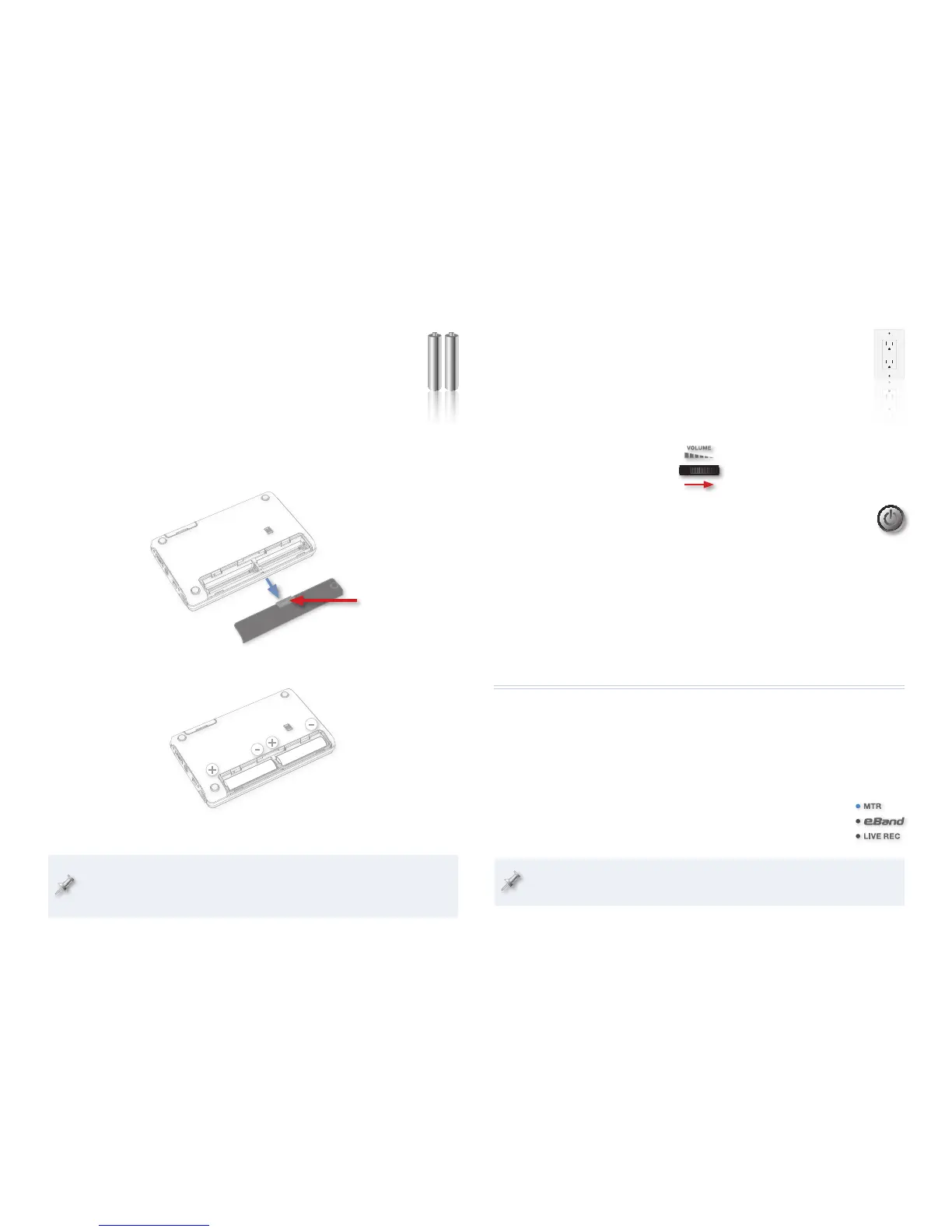
1 With the BR-80 turned off, turn it over to view its bottom panel.
2 While pressing the grip on the battery compartment cover, slide the
cover away from the BR-80’s body to reveal the battery compartment.
Press here.
3 Insert the batteries with their + and – ends arranged as shown here.
4 Slide the battery cover back in to pop it into place.
If you’re using rechargeable batteries, you’ll need to let the BR-80
know by selecting these batteries as the BATTERY value, as explained
on page 114 of the Owner’s Manual.



 To Next Page