14
Editing the Settings of a Patch
4. To save the patch, press the [ENTER]
button.
* If you decide to cancel, press the [EXIT] button.
Once the patch has been saved, you are
returned to the Play screen.
Exchanging Patches
Here’s how to exchange the currently selected
patch with a patch that you specify.
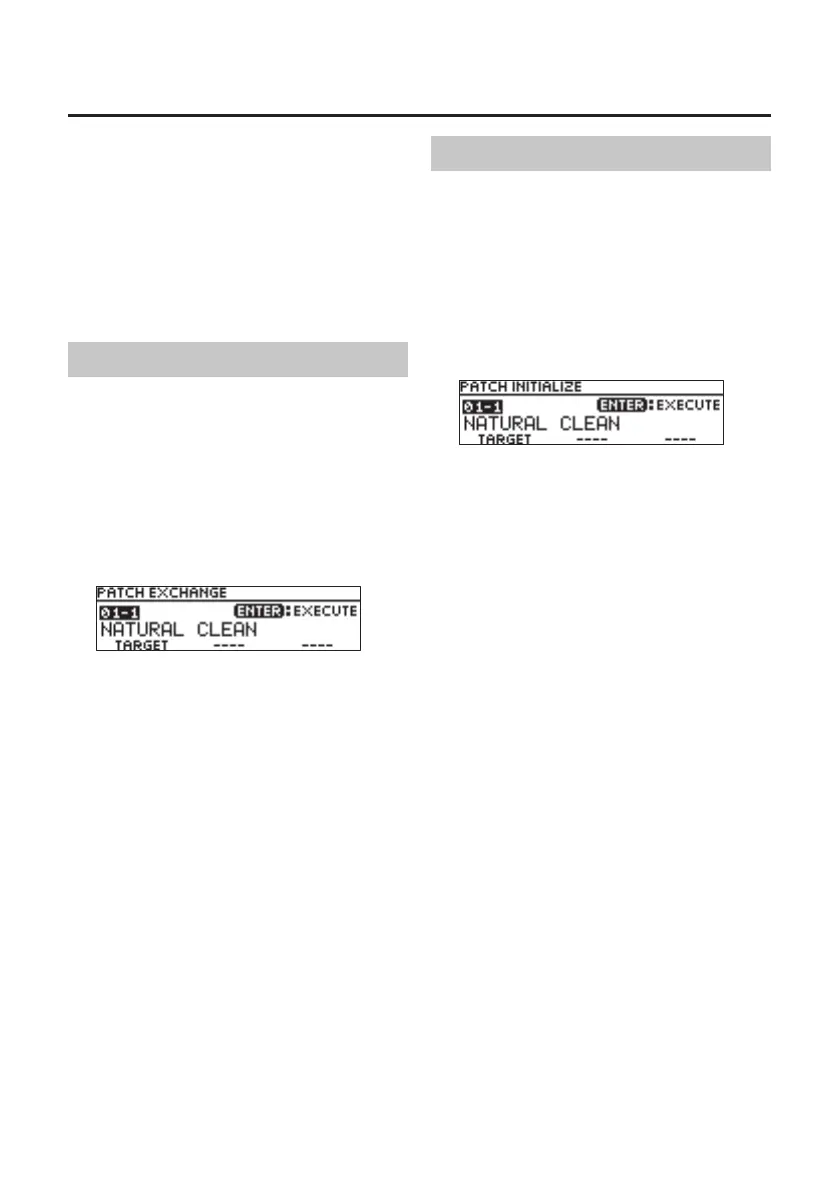
1. In the WRITE UTILITY screen, choose
“EXCHANGE” with the [1]–[3] knobs, and
press the [ENTER] button.
2. Choose the exchange-destination patch
with the [1] knob.
3. To exchange the patches, press the
[ENTER] button.
* If you decide to cancel, press the [EXIT] button.
Once the patches has been exchanged, you are
returned to the Play screen.
Initializing a Patch
Here’s how to return the selected patch to the
default values.
1. In the WRITE UTILITY screen, choose
“INITIALIZE” with the [1]–[3] knobs, and
press the [ENTER] button.
2. Choose the initialize-destination patch
with the [1] knob.
3. To initialize the patch, press the [ENTER]
button.
* If you decide to cancel, press the [EXIT] button.
Once the patch has been initialized, you are
returned to the Play screen.



 To Next Page