4
Getting Ready
Rear Panel (Connecting Your Equipment)
CTL OUT jack (CTL 1/2)
You can connect this jack to the control jack of your
external device.
It can be used to control things such as switching
channels of an amp, turning reverb on/o, or setting
tap tempo.
By using a TRS plug with this jack, you can separately
control two targets (TIP: CTL 1, RING: CTL 2).
* If 1/4” plug cable is connected, only CTL 1 is available.
To use these as EXP 1, 2 jacks
Connect an expression pedal (such as
the Roland EV-5).
To use these as CTL 1/2, 3/4 jacks
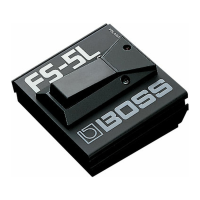
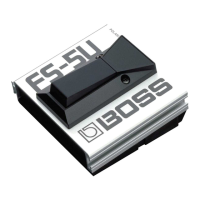
Connect a footswitch.
FS-5U x 2
RINGTIP
Stereo 1/4” phone type
.
/
1/4” phone type x 2
FS-6 FS-7
CTL 2
FS-5U x 1
FS-5U
FS-6
Mode/Polarity switch
FS-7
1/4” phone type
.
/
1/4” phone type
Stereo 1/4” phone type
.
/
Stereo 1/4” phone type
Stereo 1/4” phone type
.
/
Stereo 1/4” phone type
CTL 1
CTL 2 CTL 1CTL 1CTL 1 CTL 2
TIP RING
CTL 1 CTL 2
SEND
RETURN
CTL IN jacks
You can connect separately sold expression pedals or
footswitches to these jacks, and use the expression
pedals or footswitches to control a variety of functions.
CTL 3 CTL 4 CTL 3 CTL 4 CTL 3
CTL 4
CTL 3
Use only the specied expression pedal (FV-500H, FV-
500L, EV-30, and Roland EV-5; sold separately).
By connecting any other expression pedals, you risk
causing malfunction and/or damage to the unit.
MIDI OUT connector
You can connect this to a MIDI-compatible eect unit
and control it from the MS-3.
Clock out, program change, and control
change messages are supported.
For details, refer to the parameter guide
(PDF).
O (USB ) port
You can connect your computer via this port, and
use your computer to edit and manage patches
(p. 17).
Pin assignment of CTL OUT
and CTL IN jacks



 To Next Page