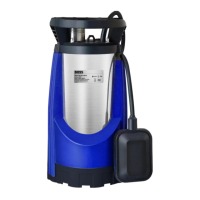
Service mechanical float valve
Access valve via weir hole in the tank. Hint: it's often easier and
faster to remove the valve from the tank to service.
1.Isolate water supply
2.Check float is free to move
3.Unscrew the valve nut inside the tank (not the securing nut on the
exterior of the product)
4.Carefully take the float assembly and diaphragm out (note the
orientation of the
diaphragm.
5.Unclip the filter tool from the top of the valve and use it to extract
the filter inside
the valve.
6.Clean the filter and diaphragm
7.Reassemble in reverse order
General condition check
Remove the front cover and check inside and out:
1.Water connections, valves and pipes etc for signs of leaks and
corrosion
2.Wiring for any signs of wear and tear. Signs of overheating, loose
wiring, etc. Any signs of damage require a replacement of the
wiring.
3.Refit cover
Vessel Maintenance
If not already done as part of general system maintenance then:
1.Isolate and drain down vessels - caution water may be very hot!
2.Check the air charge matches the Set Pressure in the menu.
3.Open vessel to system
Restart the unit
Follow the startup procedure in chapter 9 Operation
Check the controller for warnings and alarms and clear
Check float valve for correct operation
11.2. Test unit operation
The best way to test the operation of the pressurisation unit is to drain some water from the
system, creating a pressure loss, allowing the pressure to drop slowly. Once the pressure falls
0.2 bar below the set pressure the pump will activate to refill. As soon as the pump activates,
close the drain point and allow the system pressure to rise. Once the set pressure is reached,
the device will stop filling the system.


 To Next Page