9
Feature Names and Functions
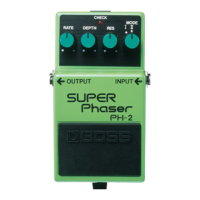
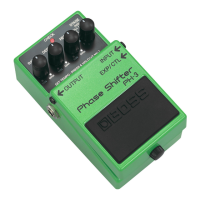
8. RATE Knob
Adjusts the speed at which the filter chang-
es. When set to MIN, the filter remains off.
9. DEPTH Knob
Adjusts the depth of the filter change.
The filter effect stops when this is set to
MIN with the STAGE switch set to any-
thing besides FALL or RISE.
10. RES (Resonance) Knob
Adjusts the strength of the filter effect.
The effect sound becomes stronger the
further the knob is turned clockwise.
* Raising the RES setting (turning it
clockwise) makes it easier for the sound to
become distorted. If it appears that the
sound is becoming distorted, try lowering
the RES setting.
11. STAGE Switch
Selects the number of phase steps and the
phase type. The higher the number, the
more depth the phaser effect has.
4:
4-stage phaser; a light, vintage
phaser effect with a classic feel.
8:
8-stage phaser that gives a bal-
anced phaser sound.
10:
10-stage phaser providing a deep
phaser effect.
12:
12-stage phaser, with two six-
stage phasers connected in series
for a powerful phaser effect.
FALL:
Phase effect featuring a continu-
ously falling sensation.
RISE:
Phase effect that imparts a contin-
uously rising sensation.
STEP:
Phase effect whereby filter modifi-
cations occur in a non-consecutive
manner. This can provide some re-
ally unique, illusional effects.



 To Next Page