Parallel Software Settings
Parallel Enable
Modbus Add
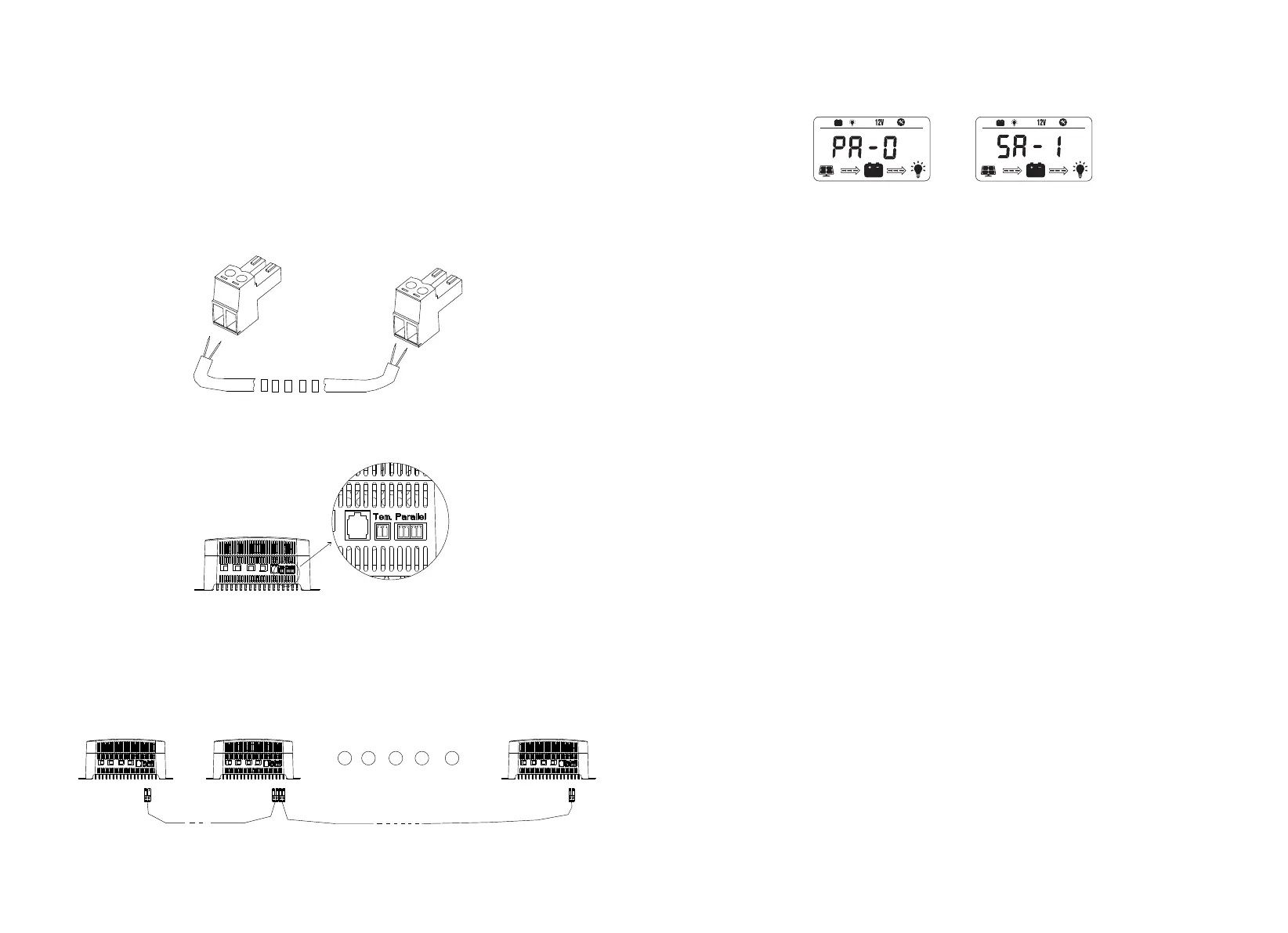
1. Parallel operation enabled, by switching between PA-0 and PA-1, PA-1 starts the
parallel function, otherwise the parallel function is turned off.
2. After activating the the parallel function function, users also needs to set the master
and slave machines. SA-1 represents the host with address 1, and the range can be set
from SA-1 to SA-9. 2-9 represents the modbus address of the starter machine as 1-9,
and the corresponding modbus communication address should also be adjusted
accordingly.
15. Lithium Battery Setting
Note: The charging voltage of lithium batteries cannot be set based on the theoretical
voltage parameters value of the battery, because the charging voltage and
overcharging voltage of the battery manufacturer are the same. For example, for a 12V
system, the theoretical charging voltage is 12.6V, if it is actually set to 12.6V, it may cause
the battery BMS/protection board to activate and protect the battery.
The charge and discharge characteristic curve of Lithium iron phosphate is shown in
the figure below, which is a single 18650.
The area enclosed by the dotted lines 1-4 is the battery capacity. As shown in the figure,
under the condition of charging with 3.55V and discharging with 2.8V, the battery
capacity accounts for more than 95%. Therefore, it is recommended that customers set
the charging settings according to the table parameters.
16 17
14. Parallel Settings
The controller supports up to 9 parallel operations. During the process of parallel
operation, the user needs to manually activate the parallel switch and set the parallel
machine address, which is the same as the Modbus address.
1. The parallel connection cables are ready as shown in the picture. Please make sure
that the wire sequence is consistent.
red
black
red
black
2. The parallel ports are as follows
3.The parallel connection is as shown in the diagram below (n must be less than 10).
Host address (1)
Starter address (2) Starter address (n)


 To Next Page