12 13
Setting Battery Mode
Enter SET mode by long pressing the SET key in any view page other than Load Mode.
Use the up and down arrow keys to select battery mode, then long press SET key to save.
12. Key Functionality Chart
Abbreviations
Battery Types
Description
FLD
SEL
GEL
LI
USE
Flooded Battery
Sealed/AGM Battery
Gel Battery
Lithium Battery
Advanced User Mode
Auto-recognition with default
parameters set for each type of batteries.
Some parameters can be customized.
Most parameters can be customized.
For Battery Type: Li
Battery Type: Li
System Voltage
Charge Voltage
Parallel enable
Over-discharge
SET SET
SET
SET
SET
Over-discharge Voltage
SETSET
ModBus Add
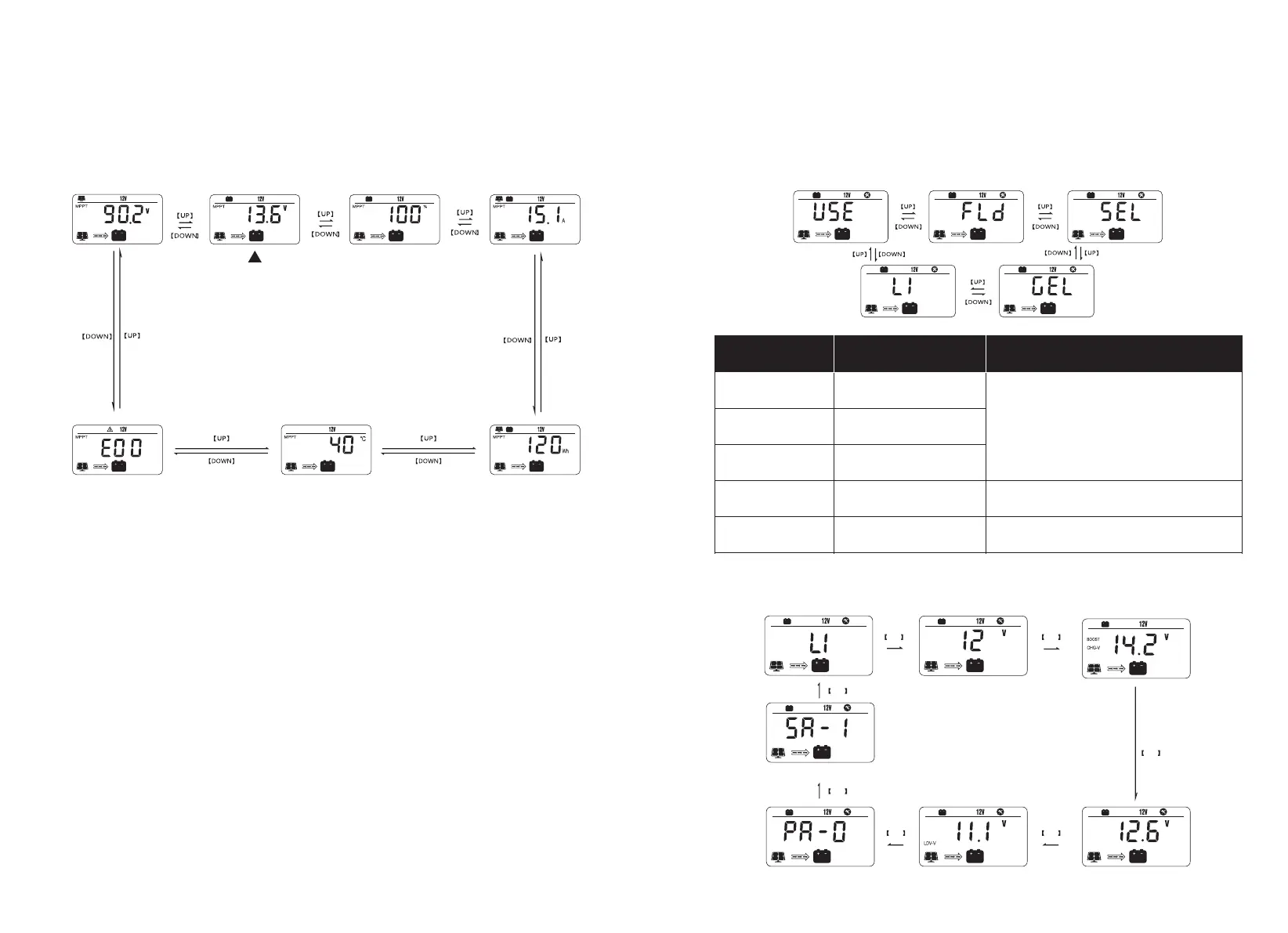
LCD Screen Display Cycle
The battery voltage view will be displayed by default. Use the up and down arrow keys
to cycle through different views. The battery voltage view will resume upon 30seconds
of inactivity. The error code view will be displayed when an error is detected.The
backlight in the screen will be on for 20 seconds with any button operation.
11. Introduction to the menu and settings
Charging PV Voltage Charging Amperage
Charging Watt-hour
Controller Temperature
Battery Voltage
Battery Capacity
Error Code
Default Page


 To Next Page