103
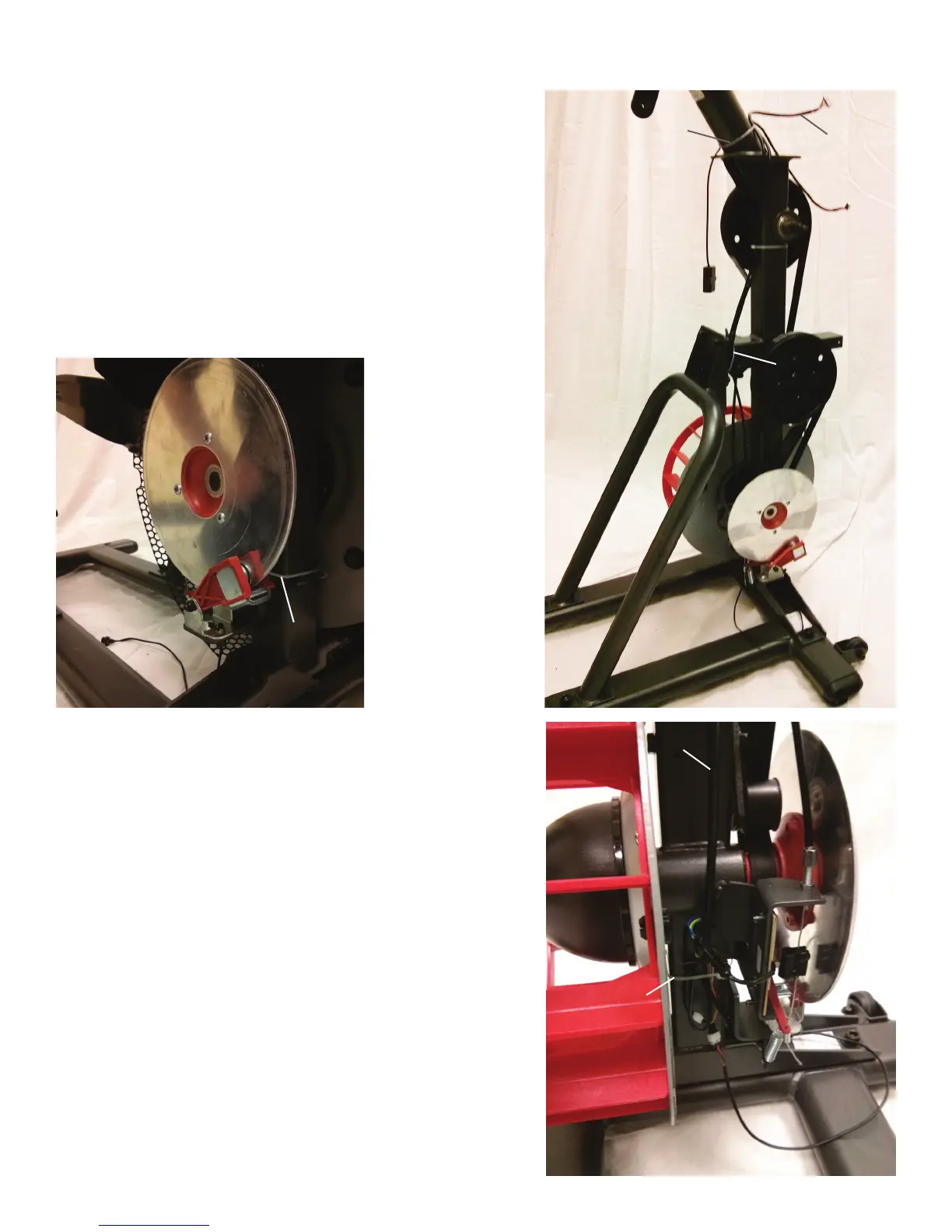
Note: Shrouds are removed for clarity.
19. Note how each of the three Zip-Ties secure the Cables to the Frame.
20. Starting with the Lower Zip-Tie, cut it without damaging the Cables.
21. Disconnect all the Cables that connect to the lower part of the I/O
Cable.
22. With the new I/O Cable in place of the old I/O Cable, secure the
Cables to the Frame with a replacement Zip-Tie. Be sure that the new I/O
Cable is placed with the same length and end as the old I/O Cable.
Drive Belt
Lower Zip-Tie
Middle Zip-Tie
Upper Zip-Tie
I/O Cable
I/O Cable
Lower Zip-Tie
23. Cut the Middle Zip-Tie. Remove the old I/O Cable from the bundle and
replace with the new I/O Cable.
24. Secure the Cables with a replacement Middle Zip-Tie.
25. Cut the Upper Zip-Tie and remove the old I/O Cable from the bundle.
Replace with the new I/O Cable, and secure the Cables with a replace-
ment Upper Zip-Tie.
26. Connect all the Cables to the new I/O Cable near the Lower Zip-Tie.













 To Next Page