128
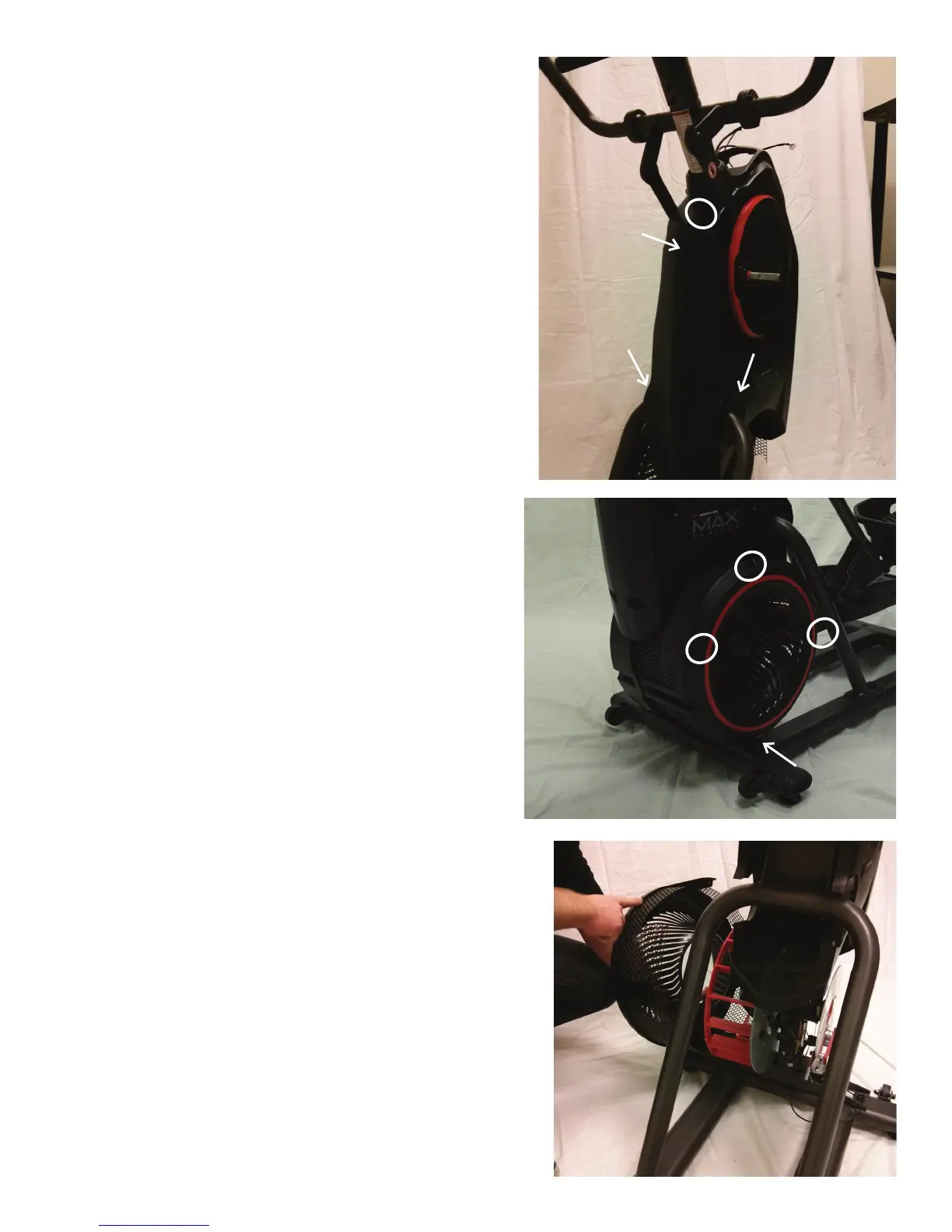
10. Using a #2 Phillips screwdriver, remove the indicated screw from the
Rear Shroud.
11. Carefully remove the Rear Shroud from the machine. Place a standard
screwdriver behind and near the middle of the Rear Shroud and gently pry
until it releases. Then move the screwdriver to the bottom and gently pry
until the Rear Shroud comes off.
12. Remove the Caps from the machine.
13. Using a #2 Phillips screwdriver, remove the indicated (by ovals)
screws and only loosen the lowest indicated screw (arrow) from the Left
Fan Cover.
14. The Left Fan Cover Assembly has a tab that needs to be pushed
upward to clear the loosened screw. While pushing up on the tab, remove
the Left Fan Cover Assembly.
15. Remove the Left Fan Cover Assembly from the machine. Be sure to
note how the fan screens are set into the Left Fan Cover to assist with the
replacement procedure.
Cap
Cap
Rear Shroud













 To Next Page