59
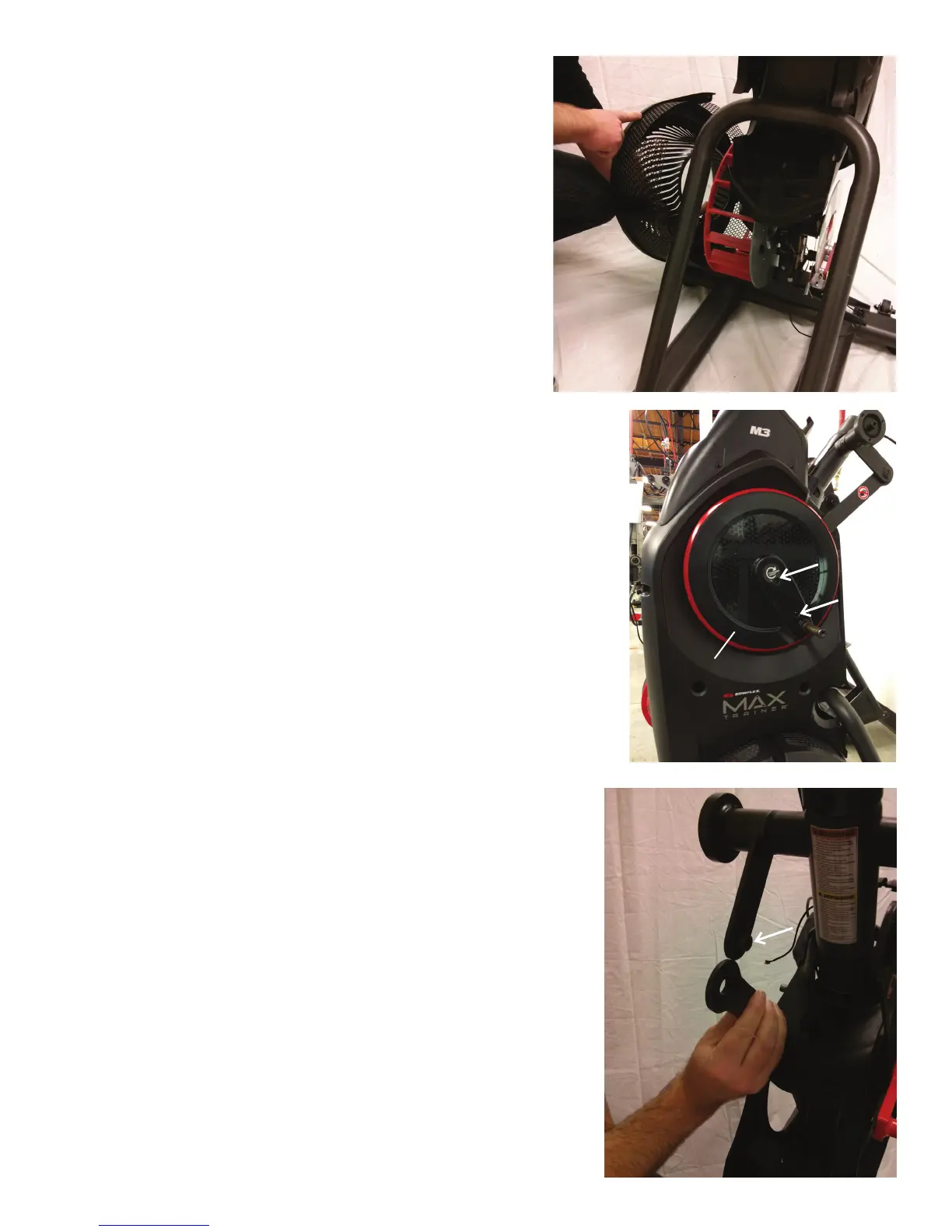
16. Remove the Left Fan Cover Assembly from the machine. Be
sure to note how the fan screens are set into the Left Fan Cover
to assist with the replacement procedure.
17. Using a #2 Phillips screwdriver, remove the 2 indicated
screws from the Left Crank Cover.
Note: The image displays the Right Crank Cover being removed.
18. Remove the Left Crank Cover from the machine.
19. Place a rag or protective material below the Left Connector
Arm to protect the Shroud from potential scratches from the Con-
nector Arm.
20. Using a 6mm hex wrench, remove the hardware that con-
nects the Left Connector Arm and the Pivot Arm.
Note: The Connector Arm will pivot downward if not lowered
slowly onto the rag protecting the Shroud.
Pivot Arm
Connector Arm
Crank Cover













 To Next Page