User’s Manual
11
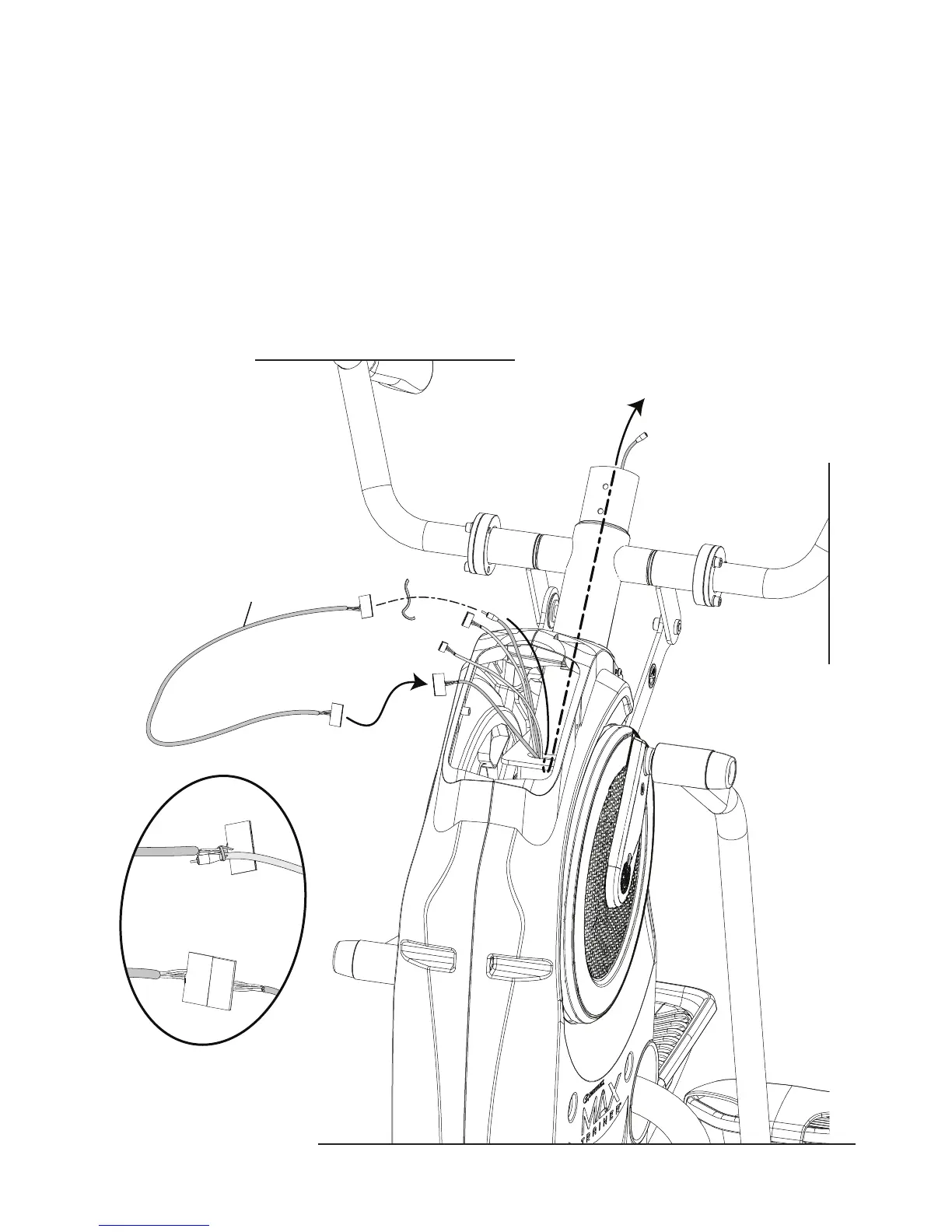
6. Connect the supplied Input/Output (I/O) Extension Cable to the end of the I/O Cable.
Note: The I/O Cable has the largest connector.
7. Using the supplied fastening wire, secure the loose end of the I/O Extension Cable to the Headphone Cable.
8. Pull the loose end of the Headphone Cable, routing the I/O Extension Cable through the Frame Assembly.
Note: Do not crimp any of the Cables.
9. Disconnect the Headphone Cable from the I/O Extension Cable.
Note: Dispose of the Headphone Cable.
4














 To Next Page