User’s Manual
20
Workout with Other Apps
This tness machine has integrated Bluetooth
®
connectivity which allows it to work with a number of digital partners. For our latest list of supported
partners, please visit: bow ex.com/max-trainer-app.html
USB Charging
If a USB Device is attached to the USB Port, the Port will attempt to charge the Device. The power supplied from the USB Port may not be enough to
operate the Device and charge it at the same time.
Secure Your Device for a Workout
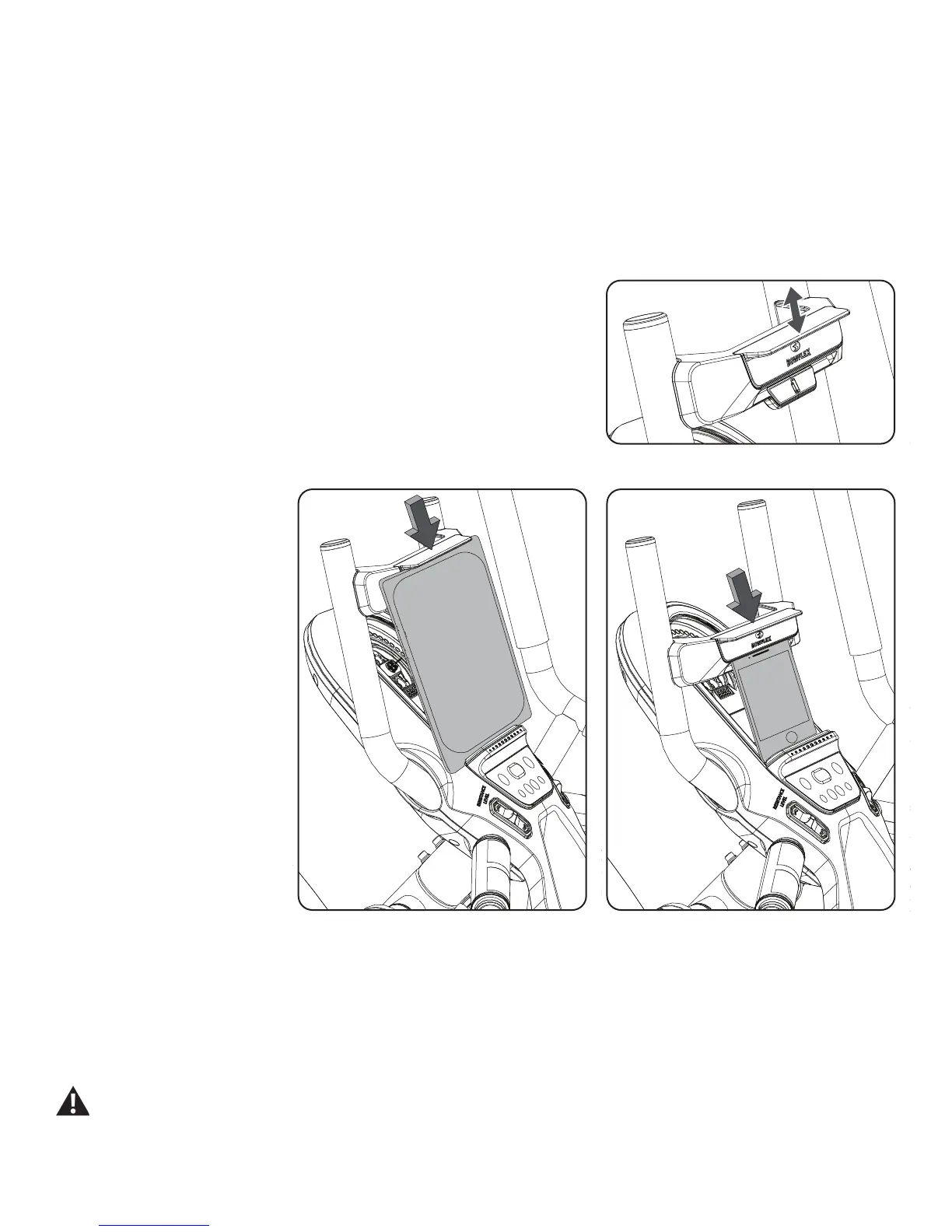
This tness machine is equipped with a Media Capture Bar that secures a variety of sized
devices to the Media Tray. The Media Capture Bar has two tabs to use depending on the size of
your device. The upper, or large device, tab is used for devices such as a tablet or larger phone.
The lower, or small device, tab is used for smaller devices such as a phone or mini tablet.
To secure your device, place the lower edge of your device in the Media Tray. Then shift the
Media Capture Bar downward until your device is captured securely in the appropriate tab and
the Media Tray.
Note: Smaller devices that are placed on their side may not be able to be secured. Rotate the device and secure it in the upright position.
Bluetooth
®
Heart Rate Enabled
Your tness machine is equipped to be able to receive a signal from a Bluetooth
®
Heart Rate device. When connected, the Console will display the
Bluetooth
®
Connected icon. Be sure to follow the described method to sync your device.
If you have a pacemaker or other implanted electronic device, consult your doctor before using a Bluetooth
®
strap or other
Bluetooth
®
heart rate monitor.













 To Next Page