User’s Manual
26
2. Push and hold the USER button for 3 seconds to begin the Edit User mode.
3. The Console will display the DISPLAY UNITS prompt ( “LBS” or "KG"). Use the Resistance Level/Increase or Decrease buttons to adjust the
value, and push ENTER/START to set the value.
4. The Console will display the WEIGHT prompt with the current weight value. Use the Resistance Level/Increase or Decrease buttons to adjust
the value, and push ENTER/START to set the value. Push and hold down the Resistance Level/Increase or Decrease buttons to change the
value quickly.
Maximum user weight limit: 136 kg (300 lbs.). Do not use if you are over this weight.
5. The Console will display the ENABLE BLE HR prompt with the current value ( “NO” or "YES"). If necessary, use the Resistance Level/Increase
or Decrease buttons to adjust the value. Push ENTER/START to accept the value.
6. The Console will display the ERASE WORKOUTS prompt with the current value ( “NO” or "YES"). If necessary, use the Resistance Level/In-
crease or Decrease buttons to adjust the value. Push ENTER/START to accept the value.
7. The User Prole review is complete, and the Console will display the GET READY screen.
To exit the Edit User mode, push the PAUSE/STOP button. The current values will be saved to the User Prole.
Workout Programs
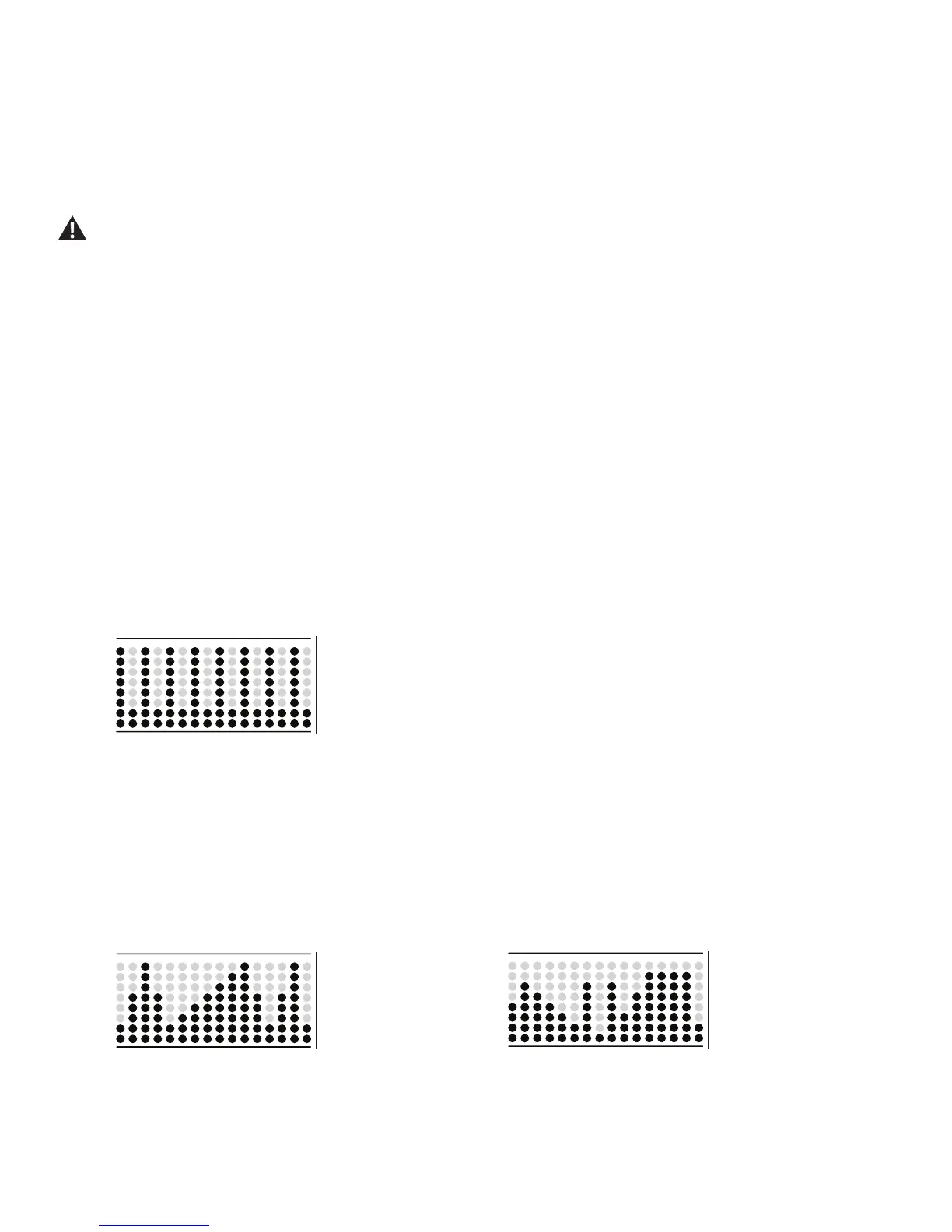
Max 14 Minute Interval
The Max 14 Minute Interval Program alternates from intense bursts of output ( “SPRINT” ), to a slower paced, ‘catch your breath’ time period (
“RECOVER” ), both of which are repeated over the number of intervals. The Workout Prole display shows the Burn Rate Target for the Interval
program. For additional details, reference the "MAX 14 MINUTE INTERVAL Program" section of the manual.
Max 14 Minute Interval (8 Intervals)
Calorie Burn, Fat Burn, and Stairs Programs
The Calorie Burn, Fat Burn, and Stairs Programs show the course prole of the program in Resistance Levels. Each column in the prole shows one
workout segment. The higher the column, the higher the resistance level. Each workout is for 15 minutes.
The ashing column shows the currently active segment. The Console will adjust the Resistance Level to follow the Workout Prole Display.
Note: If the Resistance Level is adjusted during a workout, the prole of the Workout Program will change.
Calorie Burn (4 segments) Fat Burn (4 segments)













 To Next Page