www.boyue.com
Copyright 2019 © Shenzhen Boyue Technology Co. Ltd. All rights reserved.
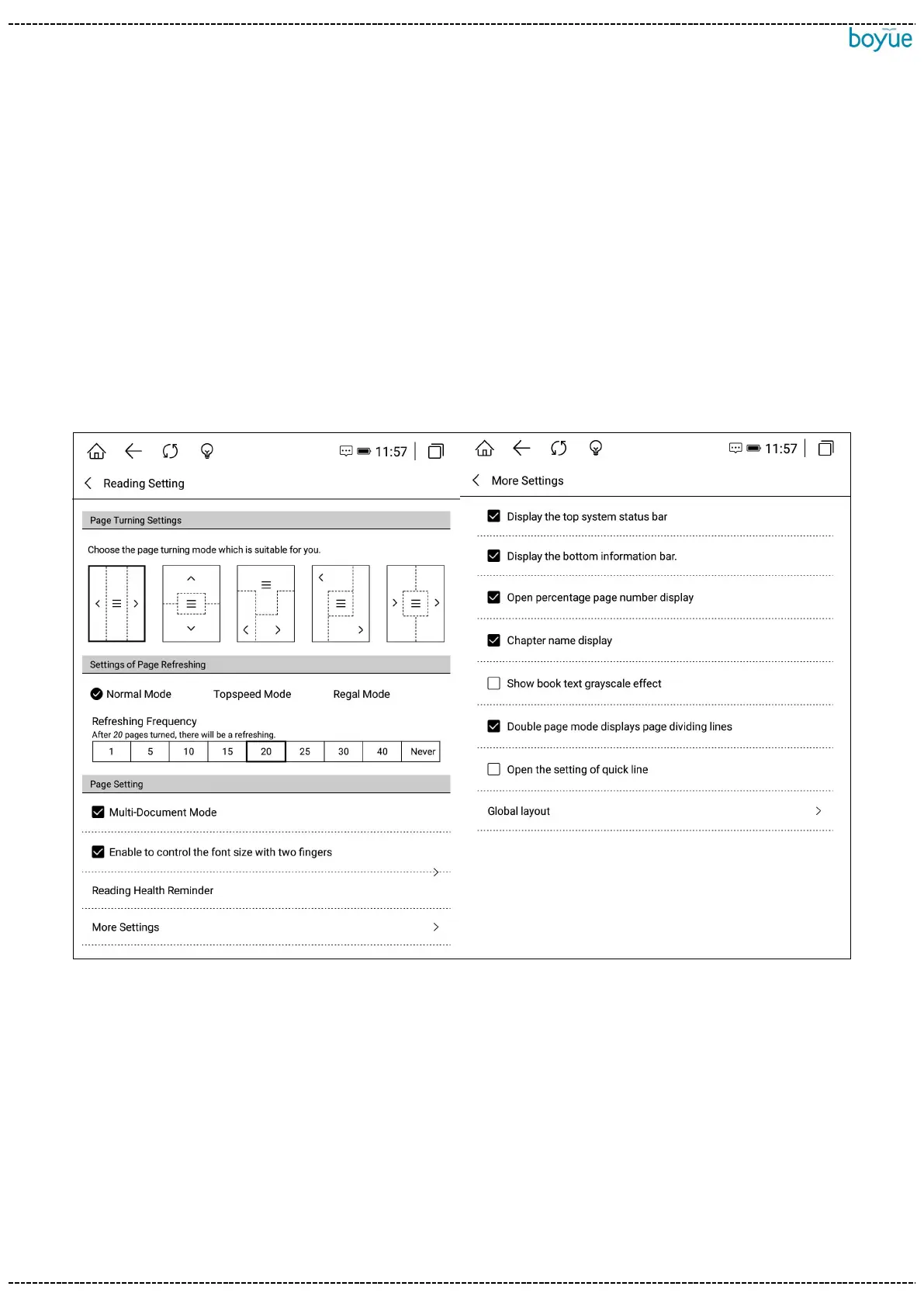
7.4. reading settings
You can set page turning mode, page refresh mode, switch multi-document mode,
switch two-finger zoom function, read health time setting, restore default settings, more
settings include the status bar at the top of the switch, the information bar at the
bottom of the switch, and the switch percentage Display page number, switch chapter
name display, display book text gray-scale effect, switch double page mode to display
page dividing line, switch shortcut marking, global setting layout.
7.5. PDF book reading
PDF layout functions include: contrast, layout settings, column division, watermark
removal, rearrangement, and other functions are the same as those of EPUB books.
[Contrast]: Click the more button on the right side of the menu to adjust the



 To Next Page