- 17 -
4.4.3 Output frequency setting
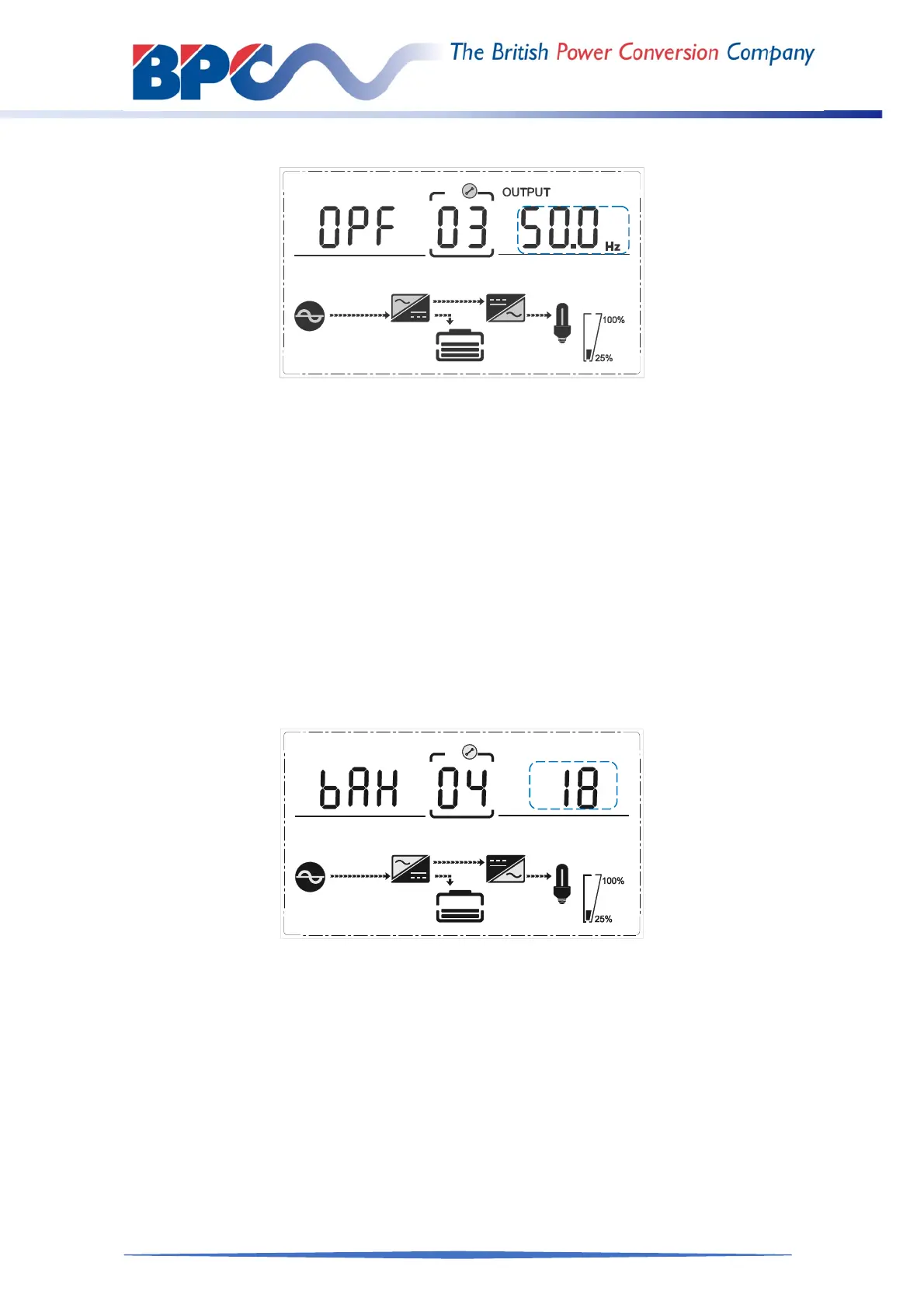
Frequency setting
(Note: Inside the broken-line is the flashing part.)
When under the output voltage setting press DOWN or when under battery capacity
setting press UP, it goes to the frequency setting. The frequency line flashes as in above
picture.
Use button ENTER/ON to choose the different frequency. There are 2 different
frequency---50/60Hz.
Press ESC/OFF button to exit the frequency setting (save the frequency setting)
and goes to output voltage setting or battery capacity setting.
Note: When powered by inverter, it is necessary to turn off the inverter before setting
voltage and frequency level.
4.4.4 Battery capacity setting
Battery capacity setting
(Note: Inside the broken-line is the flashing part.)
When under the frequency setting press DOWN or when under battery quantity setting
press UP, it goes to the battery capacity setting. The battery capacity line flashes as in
above picture.
Use button ENTER/ON to choose the different battery capacity. Battery capacity
range is 1-200Ah. (Note: long-press of UP or DOWM can adjustment battery
capacity quickly.)
Press ESC/OFF button to exit the battery capacity setting (save the capacity
setting) and goes to frequency setting or battery quantity setting.



 To Next Page