DIP-SWITCH SETTINGS
DIP-SWITCH AUDIO SYSTEM VIDEO VIDEO
SYSTEM 100 SYSTEM 200
SW1 ON ON ON
SW2 OFF OFF ON
SW3 ON OFF ON
SW4 ON OFF ON
SW5 OFF ON OFF
SW6 ON OFF ON
The jumper SW1 is only set to OFF during the PROGRAMMING procedure.
28
ENGLISH
PRIOR TO OPERATION
The unit enables connections to the fol-
lowing BPT system types:
- conventional audio entry control system
- audio entry control system with conversa-
tion privacy
- system 100 video entry control system
- system 200 video entry control system
- electronic or coded call
It features 6 dip-switches (fig. 2) whose set-
tings depend on the type of system (fig. 3).
Apart from the setting of the dip-switches,
the unit must also be programmed using
the telephone to set the system type (see
section entitled PROGRAMMING).
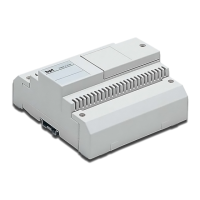
The unit is designed to be installed in
system 200 video entry control systems.
IMPORTANT INSTALLER NOTE. When
setting up for audio system 200, in addition
to setting the dip-switches as shown above,
carry out the programming shown overleaf
for Conversation Privacy and set for 0 mode
(see page 29).
Fig. 3


 To Next Page

