PROGRAMMING
29
ENGLISH
Default settings
• Flash detection mode: type approved.
• Conversation privacy: on.
• Conversation length: 60 s.
• Door lock release triggering time: 1 s.
• Mode: systems with analogue call.
• Programmed code for connection in
systems with coded call: 80155.
• Flash interception: disabled.
• Type of monitor combined with the
telephone: XV/200.
Entering and exiting the
programming functions
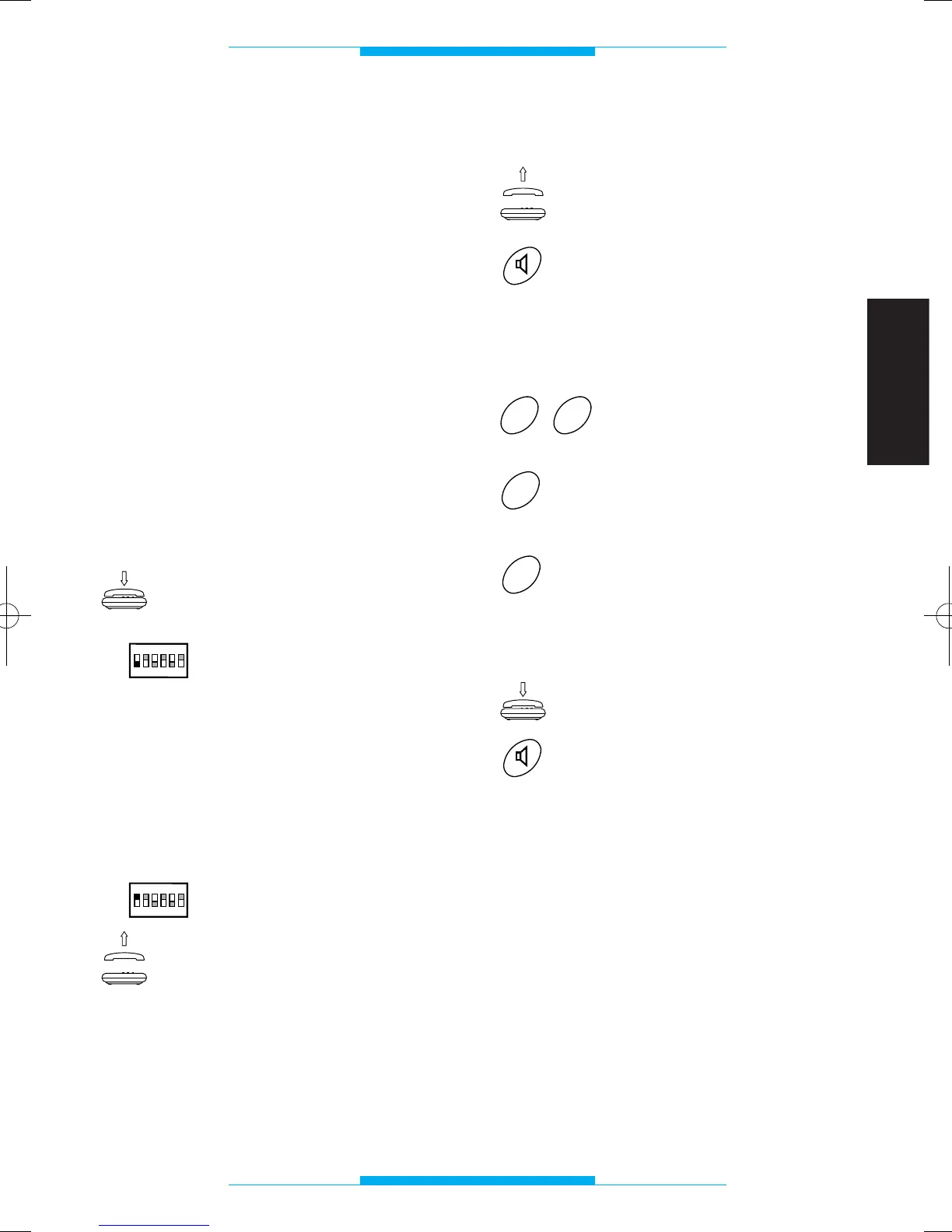
In order to enter programming mode via
the telephone connected to the telepho-
ne interface:
Make sure the receiver is
hung up.
Set dip-switch 1 to OFF.
During this phase, one or more program-
ming procedures can be carried out in a
row.
The programming codes must be entered
during the pause in the programming tone.
In order to exit programming mode:
Set dip-switch 1 to ON.
Once finished, when the
receiver is lifted or hands-
free button pressed, the
dial tone must be heard.
Conversation privacy mode
Lift the receiver
or
press the hands-free key.
Following this operation, a double tone
should sound, prompting you to commence
programming.
Key in 29.
Press 0 for the no-privacy
mode
or
1 for the privacy mode.
Once finished, you should hear a triple tone
confirming the setting.
Replace the receiver
or
press the hands-free key.


 To Next Page