Loading the Ribbon and Material
23
Loading the Ribbon and Material
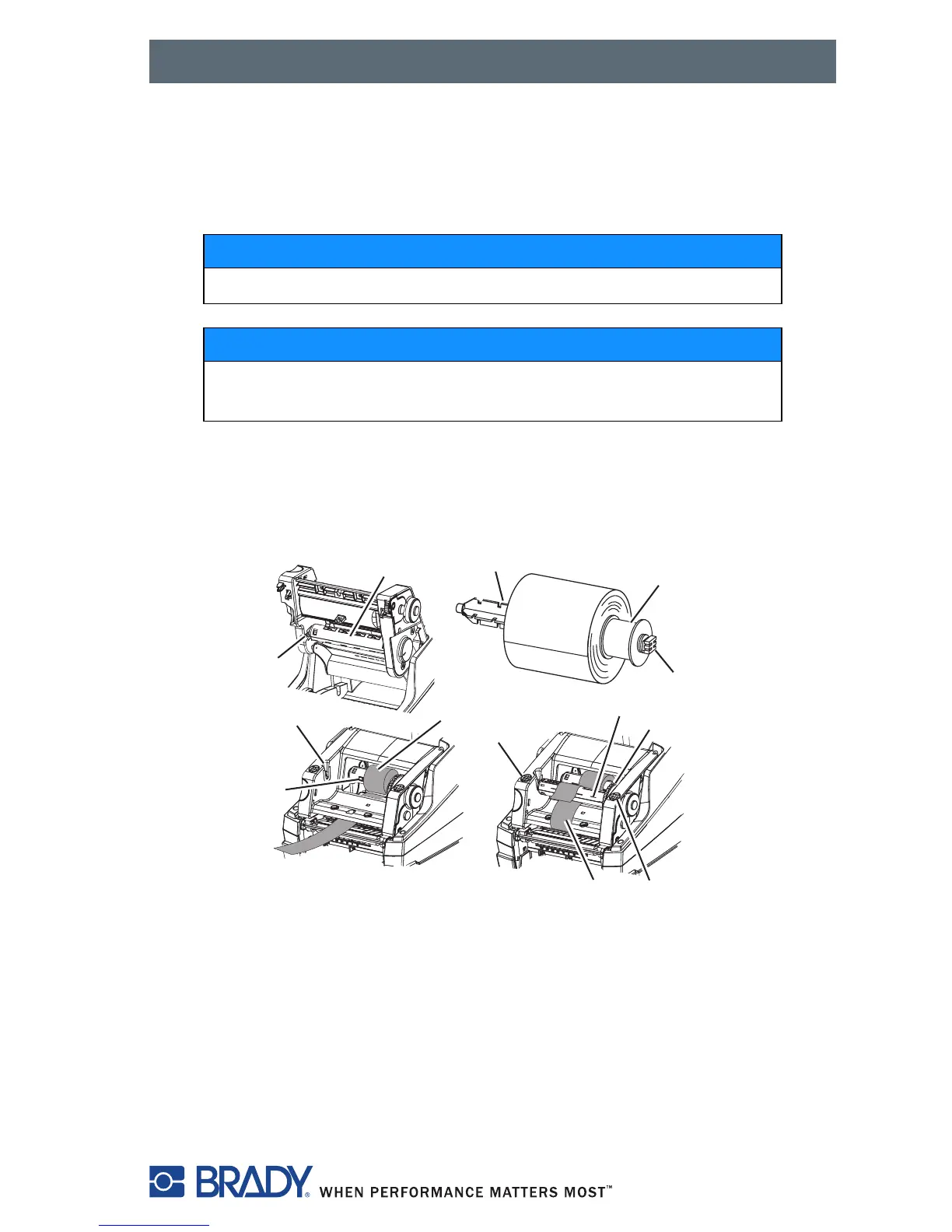
Loading the Ribbon
1. Open the cover (Figure 1, 9) lower the control panel (Figure 1, 17) , and
press the green print module release button (Figure 1, 15).
Figure 18, Loading the Ribbon
NOTICE
Do not use a ribbon for direct thermal printing.
NOTICE
When inserting a ribbon, ensure that the coated side faces
the labels, otherwise the printhead can become dirty.
1. Guide slot
2. Transfer ribbon spindle
3. Spacer
4. Square end
5. Guide slot
6. Coated side of ribbon
7. Close points
8. Ribbon take-up spindle
9. Adjustment wheel
10. Ribbon path
2
5
2
10
8
7
7
6
9
1
2
3
4



 To Next Page