CAP. 9 - SETUP 40 / 73 ENGLISH
U
NIT OF MEASURE
• by selecting this entry, it will be possible to change the measure unit relative to the
pressure (switching from Bar to PSI)
CLOCK ADJUSTMENT
• by selecting this entry, date and time may be changed.
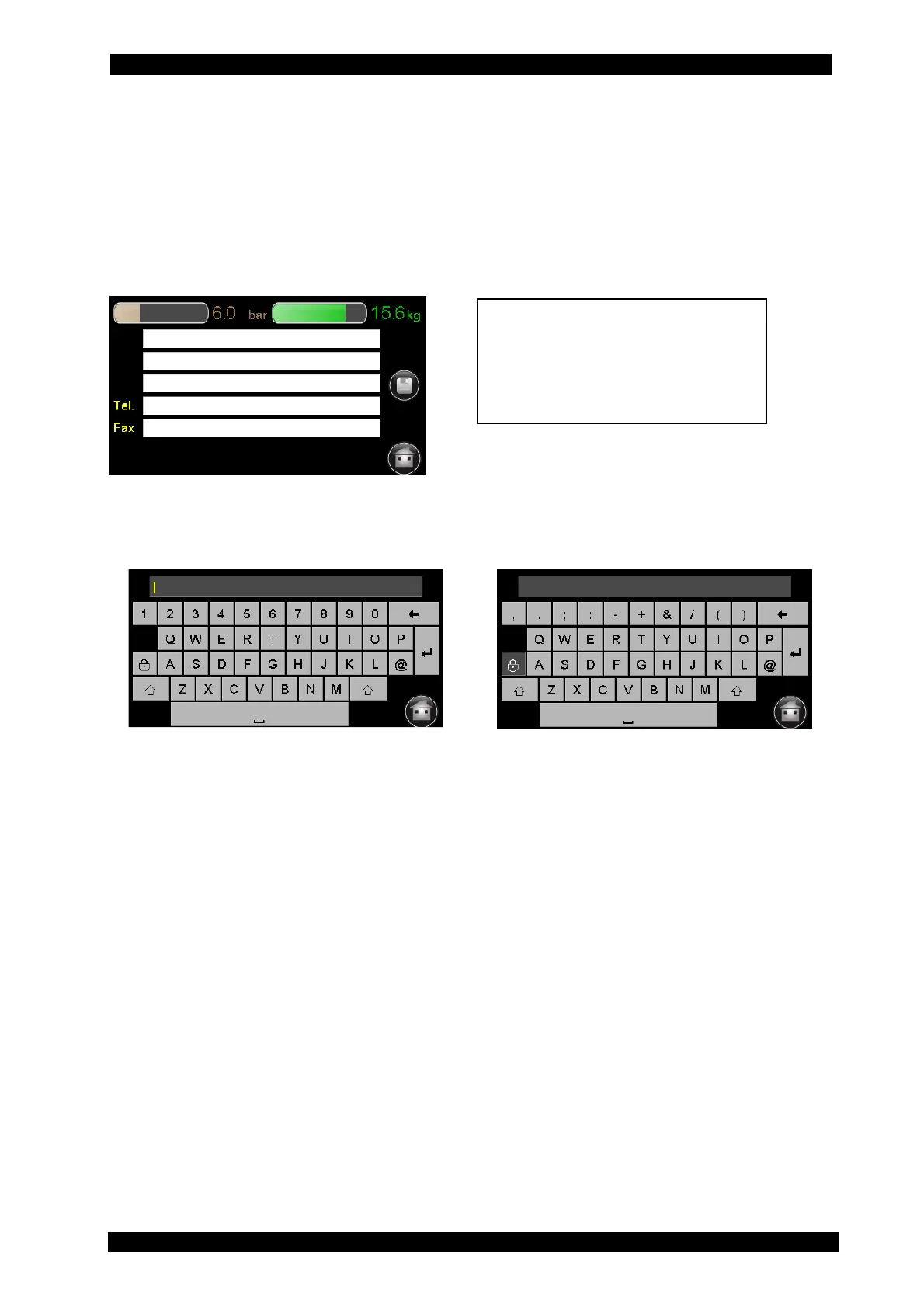
GARAGE DATA
• The type of data shown in the print-out are the following
Follow the instructions below:
When you click a line, the keyboard is displayed. Through this keyboard, you can enter values
and confirm with the button „Enter“. The screen-page automatically changes. When the data are
entered, save them through the disk icon.
LANGUAGE
• By selecting this entry, you can set the service station language. If you choose a language
with unintelligible characters you can turn the power off and on again while pressing the
screen with your finger, it will go directly to the menu language setting.
RIGHT/LEFT-HAND DRIVE
• It allows setting the database for operations on A/C systems of vehicles with right-hand or
left-hand drive and return the exact value of gas and oil to be injected.
STARTUP SCREEN
• selecting this entry, you can decide whether the startup screen of the unit will be the last
automatic cycle performed or the main menu page for functions selection.
DATABASE ACTIVATION
• by selecting this entry, you will receive the “database activation request code” to be
provided to your distributor in order to be able to buy the database update and
subsequently receive the “database activation code”.
GAS TYPE:
• by selecting this entry, you can learn the type of gas the unit is set for, to change the type
of gas contact an Authorised Brain Bee Service Centre.
Row 2: Address
Row 3: Postcode and city
Row 4: Telephone Number
Row 5: Fax number


 To Next Page