CAP. 13 - MAINTENANCE 56 / 73 ENGLISH
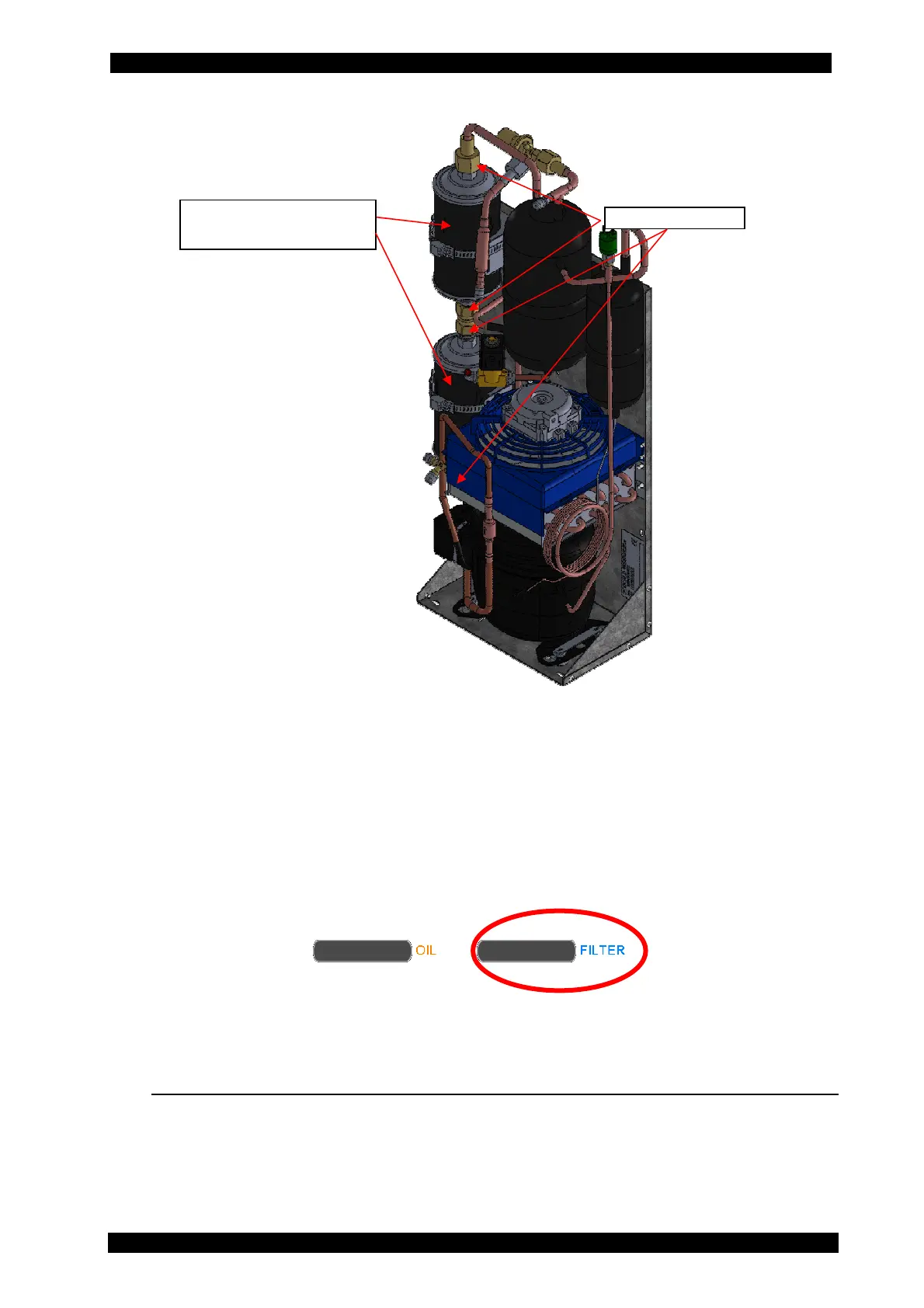
8. Install the new filter paying attention to the position of gaskets and to the direction of the
arrow indicating the fluid flowing direction.
9. Screw the two connection nuts of the filter.
10. Carry out the automatic leak test requested by the software when switched on again after
the filter replacement.
13.4.2 MESSAGE FOR FILTERS ALMOST EXHAUSTED
When 9000 BUS PLUS is switched on, if the filterable amount of 150 kg is coming to an end
(that is 15 % of the amount) a black bar is displayed as shown below.
When the 150 kg filterable amount is over, the operator will have to replace the dryer filter.
If the messages are ignored, it will not be possible to start a manual or automatic recovery
anymore.
13.5 COUNTERS
In the COUNTERS menu, at any time, the vacuum pump and compressor hours of life can be
displayed; besides, remaining time before replacement of vacuum pump oil and dryer filter can
also be displayed.


 To Next Page