CAP. 13 - MAINTENANCE 54 / 73 ENGLISH
Required equipment:
Medium crosshead screwdriver
Hexagon wrench (6 mm)
funnel
Exhausted oil tank
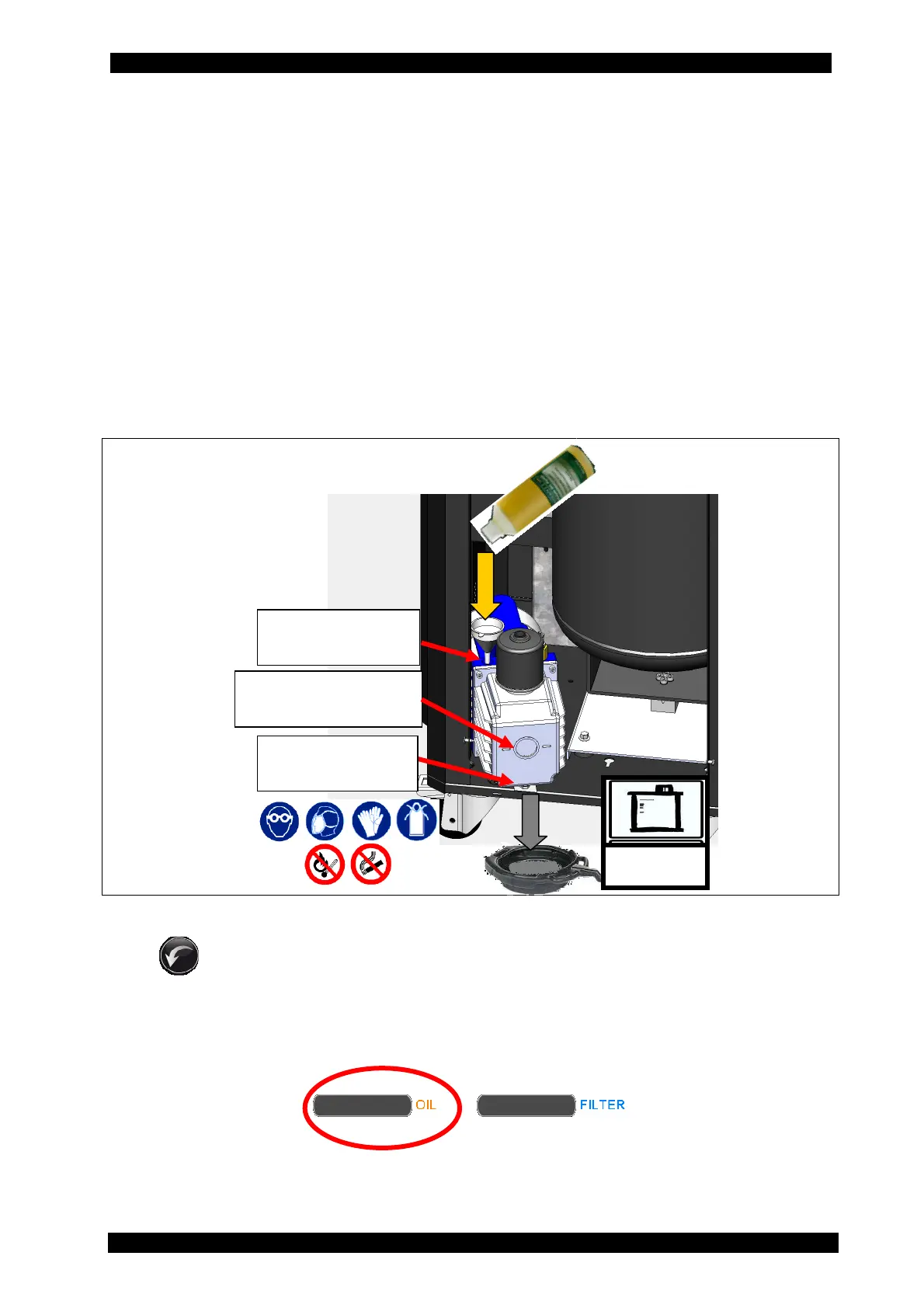
For the replacement (for the picture see the next page) follow the instructions indicated below:
1. Disconnect the equipment from the mains.
2. Remove bolts securing the front door and remove it.
3. Place a container under the pump oil drain hole. Open the upper plug and then the lower
plug to drain the exhausted oil contained within the vacuum pump.
4. Once the pump is emptied, rescrew the bottom plug.
5. Fill the pump with new oil via the filler cap; use a funnel if necessary. Bring new oil level
halfway through the oil inspection window.
6. Once the pump is full, close the top cap.
Now switch the unit on and in the MAINTENANCE menu select PUMP OIL REPLACEMENT: press
RESET to reset the counter. (For the touchscreen use, see chap. 5.8)
When 9000 BUS PLUS is switched on, if the expiry of the 60-hour period is coming (9 hours
before, that is 15 % of the period), a black bar as in the picture below is displayed.
Upon the 60-hour period expiry, the LONG LIFE PUMP function will be proposed to the operator
or the need to replace the oil.
RECOVER
ED OIL
Oil inspection
window
Upper filling
plug
Lower drain
plug


 To Next Page