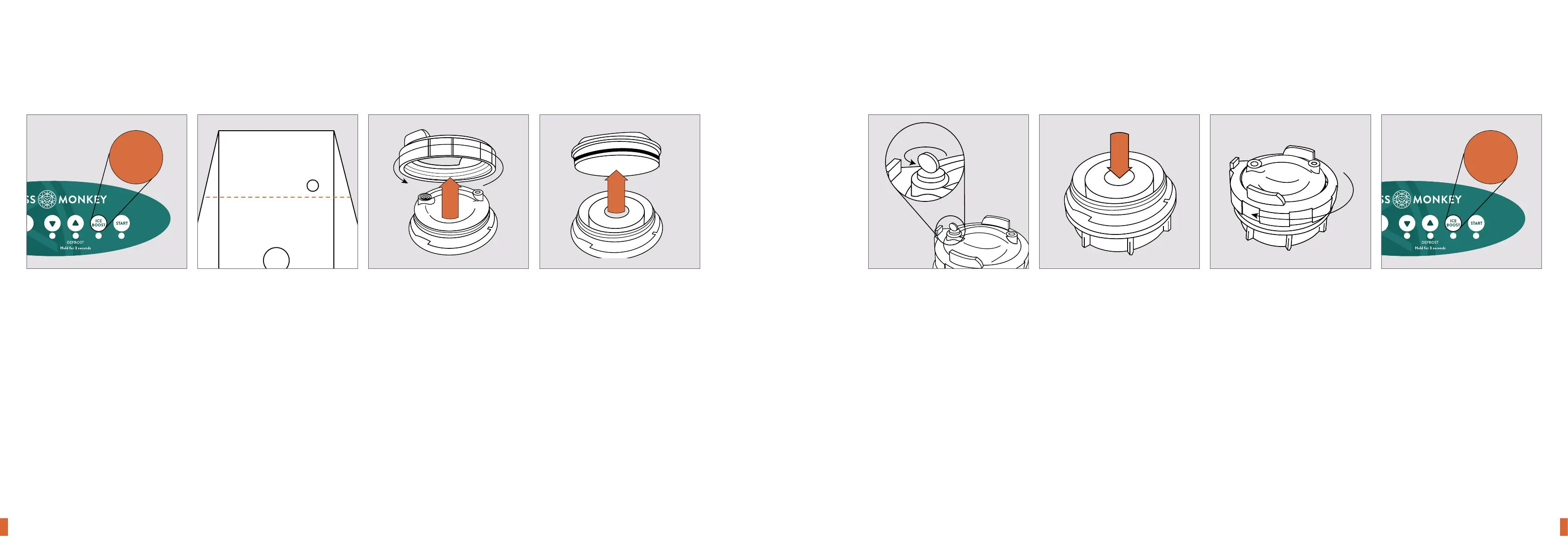
Step one
Put the bath into maintenance
mode by pressing and holding
“Ice Boost” for 3 seconds
(everything will switch o).
Step two
Partly drain the water with a
submersible pump so that it is
below the water inlet level.
Step three
Remove the lid of the filter housing -
lift the tab and unscrew the
outer collar.
Step four
Pull firmly on the handle to release
the lid and remove the current filter
3 sec
Changing the lter
Step ve
If it is tight release air by slightly
unscrewing the air relief key.
Do not remove it.
Step six
Replace the filter with a clean
one ensuring it is securely located
to the fitting at the base of the
filter housing.
Step seven
Replace the collar by rotating the
outer ring clockwise until the tab
clicks into place.
Step eight
Exit maintenance mode by pressing
and holding “Ice Boost” for 3 seconds
The bath will now begin running again.
3 sec
14 Ice Bath Quickstart Guide 15Ice Bath Quickstart Guide



 To Next Page