RS-232 Data Commands for SBI Protocol
The RS232 can be set so a bidirectional connection can be established between the indicator and the host. To
establish this connection, set parameter P4 to 7 and configure setting P5 (baud) and P6 (parity) to host device.
Commands can then be sent from the host to the indicator using the following commands (ensure the letters
entered are in CAPS) (<CR> - Enter)
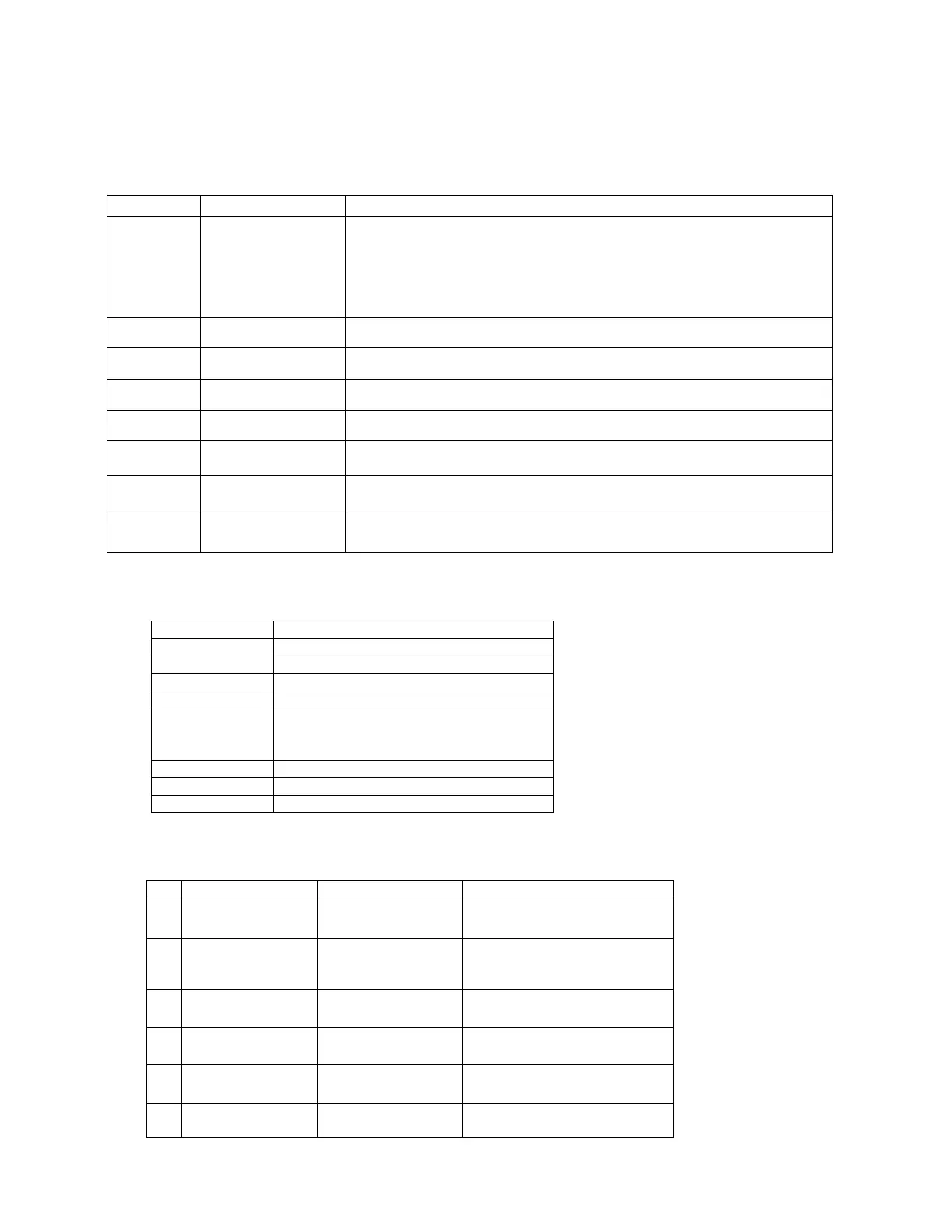
Command Action Response
W<CR> Takes a reading
Over capacity -
Under capacity -
Zero point error -
Reading (kg or lb)
<LF>^^^^^^^^^u1u2<CR><LF>H1H2H3<CR><ETX>
<LF>_______u1u2<CR><LF>H1H2H3<CR><ETX>
<LF>----------u1u2<CR><LF>H1H2H3<CR><ETX>
<LF><p>w1w2w3w4w5w6<dp>w7u1u2<CR><LF>H1H2H3<CR><ETX>
S<CR> Prints status bytes <LF>H1H2H3<CR><ETX>
Z<CR> Zeros the scale <LF>H1H2H3<CR><ETX>
T<CR> Sets up a tare <LF>H1H2H3<CR><ETX>
U<CR> Changes the units <LF>u1u2<CR><LF>H1H2H3<CR><ETX>
L<CR> Activates the hold
function
<LF>H1H2H3<CR><ETX>
X<CR> Switches off the
scale
Indicator switches off.
? Unrecognised
command
<LF>?<CR><ETX>
Key Symbols:
<LF> Line feed
<CR> Carriage return
<ETX> End of text character
<SP> Space
H1H2H3 3 status bytes
<p> Polarity character, including minus sign
for negative weigh, and a space
character for positive
W1-W7 Weight data
<dp> Decimal point
U1U2 Unit measure (kg, lb or oz)
Output Status Bit Meaning:
Bit Byte 1 Byte 2 Byte 3
0
0 = Stable 0 = Not under
capacity
00 = Not defined
1 = Unstable 1 = Under capacity 01 = Normal working mode
1
0 = Not at zero
point
0 = Not over
capacity
10 = Hold working mode
1 = At zero point 1 = Over capacity 11 = Not defined
2
Always 0 Always 0 0 = Gross weight
1 = Net weight
3
0 = eprom OK
1 = eprom error
Always 0 Always 0



 To Next Page