Other RS-232 Output Strings
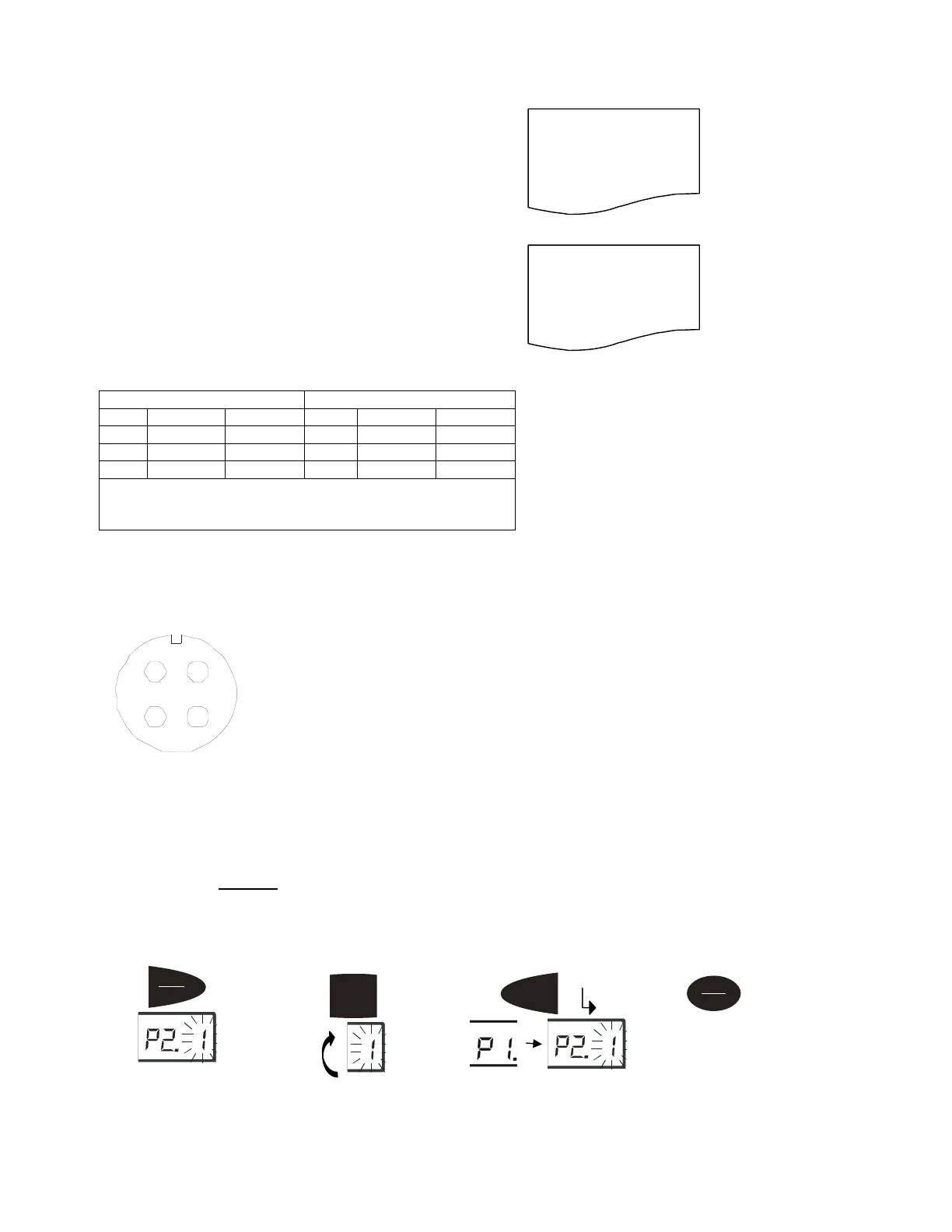
P4-1 = Output Displayed data @ print key:
Format:
<LF>< reading, minus, decimal point, weight unit><CR><EXT>
P4-2 = Output Gross, Tare, Net at print key
Format:
<LF><Gross: reading, minus, decimal point, unit><CR><EXT>
<LF> <Tare: reading, decimal point, unit><CR><EXT>
<LF> <Net: reading, minus, decimal point, unit><CR><EXT>
RS232 Serial Interface Wiring
DE-9 Female Scale DE-9 Male Host
Pin Name Direction Pin Name Direction
2. TXD Out 2. RXD In
3. RXD In 3. TXD Out
5. SG - 5. Ground -
Pins 1, 4, 6, 7, 8, 9 not used
Load cell cable interface wiring
4
2
3
1
1RED
2RED
3RED
4RED
1. Red Excitation+
2. Black Excitation-
3. Green Signal-
4. White Signal+
Scale Calibration
Calibration Configuration Settings
The scale is configured from the factory to match the specified settings for each unit, as defined by the product
specifications and sales brochure. Modification of the settings can be accomplished by altering user configuration
settings P7-P10. Caution: Calibration and/or configuration of calibration settings of your scale should be carried
out by a trained service technician, using certified weights, to ensure proper operation and accuracy. Calibration
is not covered under warranty.
Setup Controls
Example:
xxxxx0.18lb
Example:
Gross: xxxxx0.36lb
Tare: xxxxxx0.18lb
Net: xxxxxxx0.18lb
Hold
Print
kg
Moves flashing digit
Units
Changes flashing digits
Tare
kg
Saves data and move down
to next Parameter setting
.
On/Off
Zero
Exits setu
mode
1. Red Excitation +
2. Black Excitation -
3. Green Excitation -
4. White Signal +



 To Next Page