Config
Menu
Available
Settings
Default Definition Detailed Setting
P7 00-31
10
Displayed Resolution (00) = 500 (08) = 2400 (15) = 7000
(01) = 600 (09) = 2500 (16) = 7500
(02) = 750 (10) = 3000 (17) = 8000
(03) = 800 (11) = 3500 (18) = 10,000
(04) =1000 (12) = 4000 (19) = 12,000
(05) =1200 (13) = 5000 (20) = 15,000
(06) =1500 (14) = 6000 (21-31) = N/A
(07) = 2000
P8 0, 1, 2
0
Division Increment 0 = 1 ; 1 = 2 ; 2 = 5
P9 0-5
0
Decimal Position 0 = 123456; 1 = 12345.6; 2 = 1234.56;
3 = 123.456; 4 = 12.3456; 5 = 1.23456
P10 0, 1
1
Calibration Weight 0 = KG ; 1 = LB
You may choose to configure your scale for a higher resolution. The factory does not recommend increasing the
resolution above 3,000 divisions for a stable weight reading. Certain environments may cause the scale to be
unstable at factory settings, reduce the number of division settings to increase your stability.
Calibration settings when configuring an SBI 100 Indicator to a remote base
If you are configuring the SBI 100 Indicator to be used with a scale other than the PS3000 base, you will need to
alter the configuration setting in P7- P10 manually.
In order to configure the indicator, follow the steps defined below:
1. Determine the full capacity of your scale. Example: 3000 pounds
2. Determine the displayed division of your scale. Example: 1 pound (this is your P8, P9, and P10 setting)
3. Divide the capacity by the displayed division to determine the displayed resolution of your scale. Example:
3000/1 = 3000 (this is your P7 setting)
You are now able to configure P7 – P10 as follows.
Primary Capacity Displayed Resolution Units Selectable Capacity P7 P8 P9 P10
3000 x 1 lbs 3000 1500 x 0.5 kg
10 0 0 1
If primary capacity is 1500 x 0.5 kg, configure P7-P10 as follows:
Primary Capacity Displayed Resolution Units Selectable Capacity P7 P8 P9 P10
1500 x 0.5 kg 3000 3000 x1 lbs
10 2 1 0
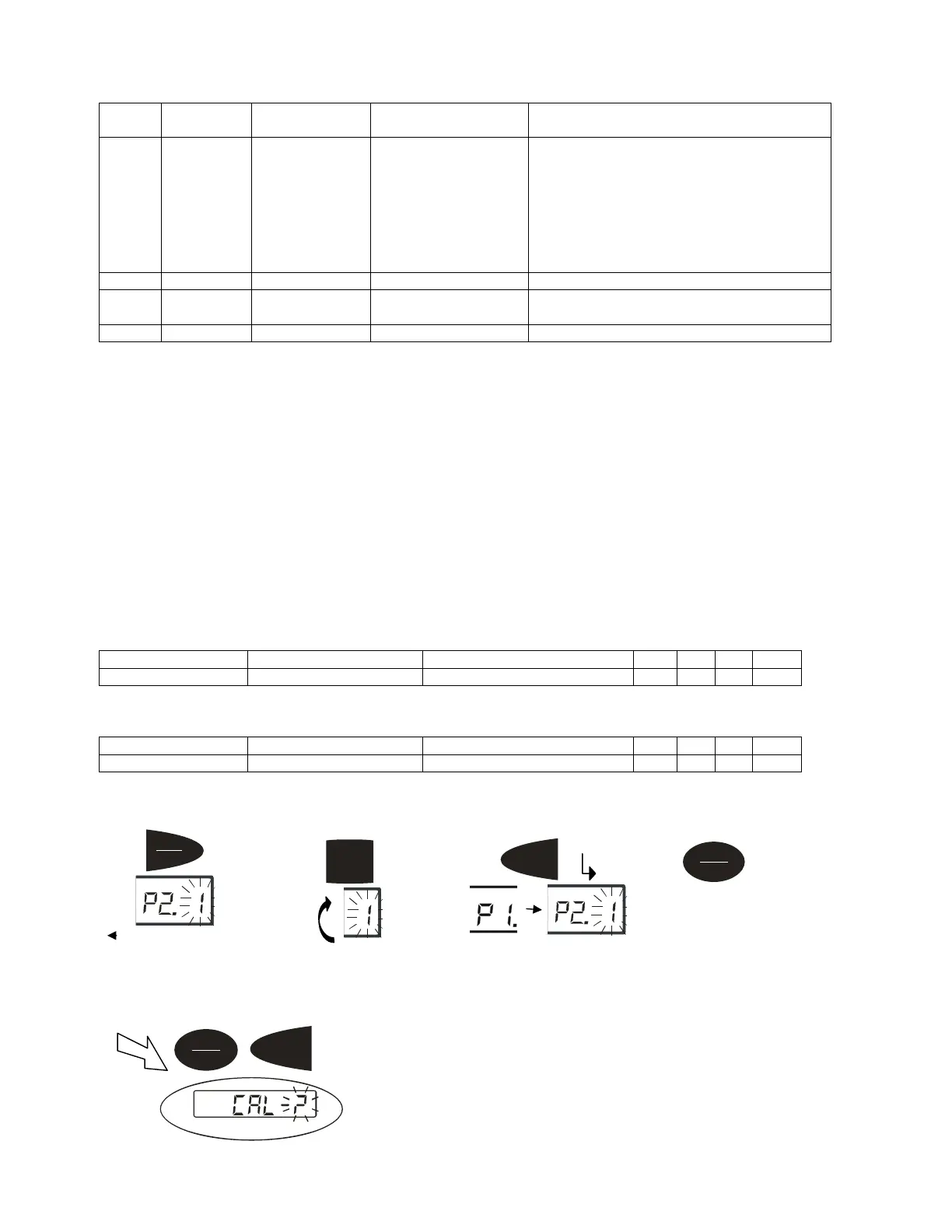
Calibration Menu
Calibration can be done with 10% to 100% of requested load and can be calibrated with 1 or 2 calibration points
1.
On/Off
Zero
+
Tare
Units
Chan
e flashin
di
its
Tare
kg
Saves data and move down
to next Parameter setting
.
On/Off
Zero
Exits setup mode
Hold
Print
kg
Moves flashing digit



 To Next Page