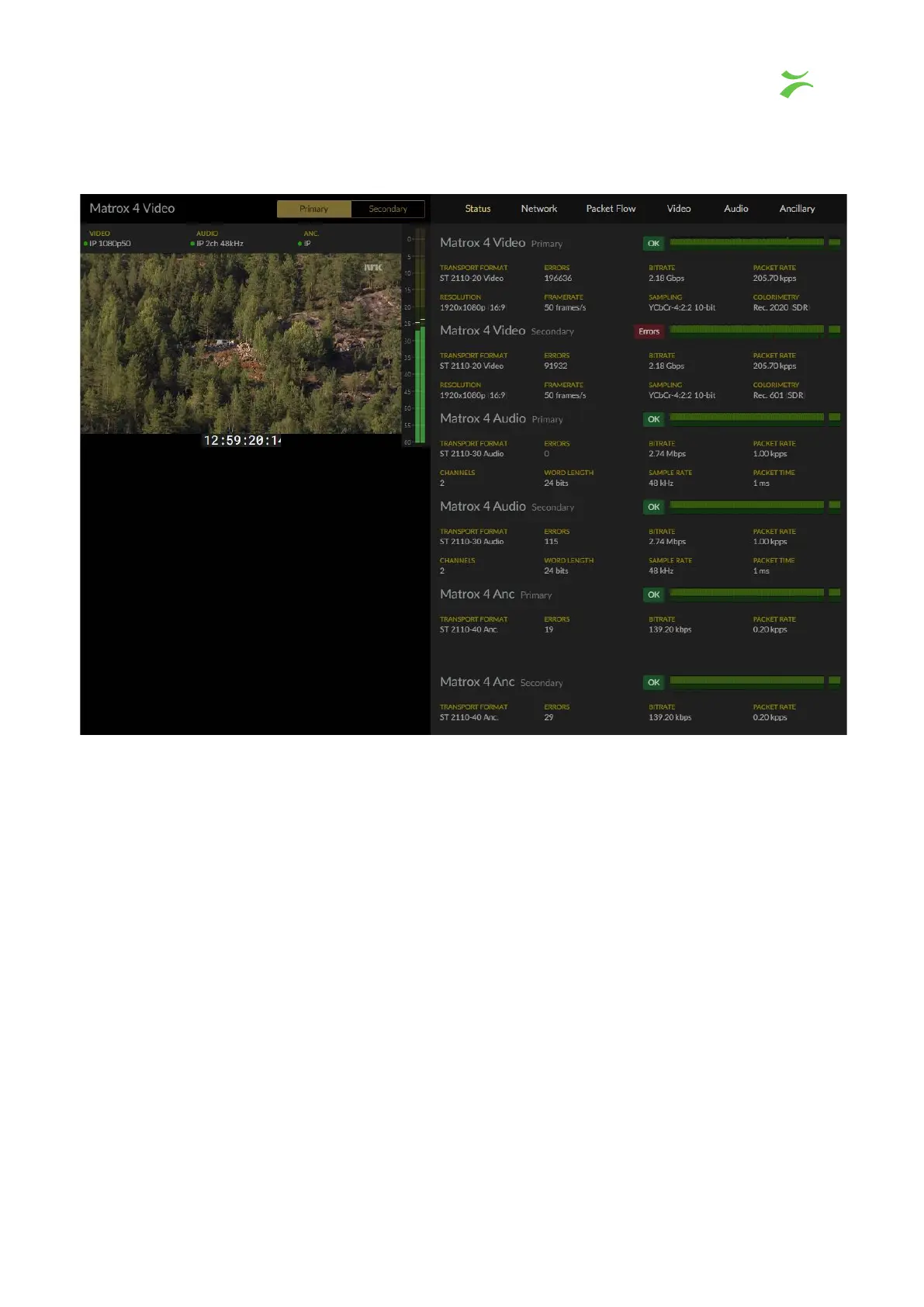
Status
If you have configured and joined more than one class of flows for a service, you have the
option to view both classes, in this view named “Primary” and “Secondary”. Note that the
class names are configurable and can be named as preferred. For more information, see
section “Naming and configuration of flows”
.
On the right side of the live transmitted video flow you will find the audio bars (if available).
To watch the preferred stream, use the buttons at the top left, in this view named “Primary”
and “Secondary”. The selected stream will be marked yellow. To the right, each flow is
listed with information associated with each flow. Depending on the status of the stream,
the green “button” showing OK in this view, either shows OK or ERRORS. The media
window is showing a combined IAT / packet loss graph.
Network
The network view offers three tabs, Flow, Capture and Timing.
VB440 Studio Probe User’s Manual v6.0 © Bridge Technologies Co AS 21



 To Next Page