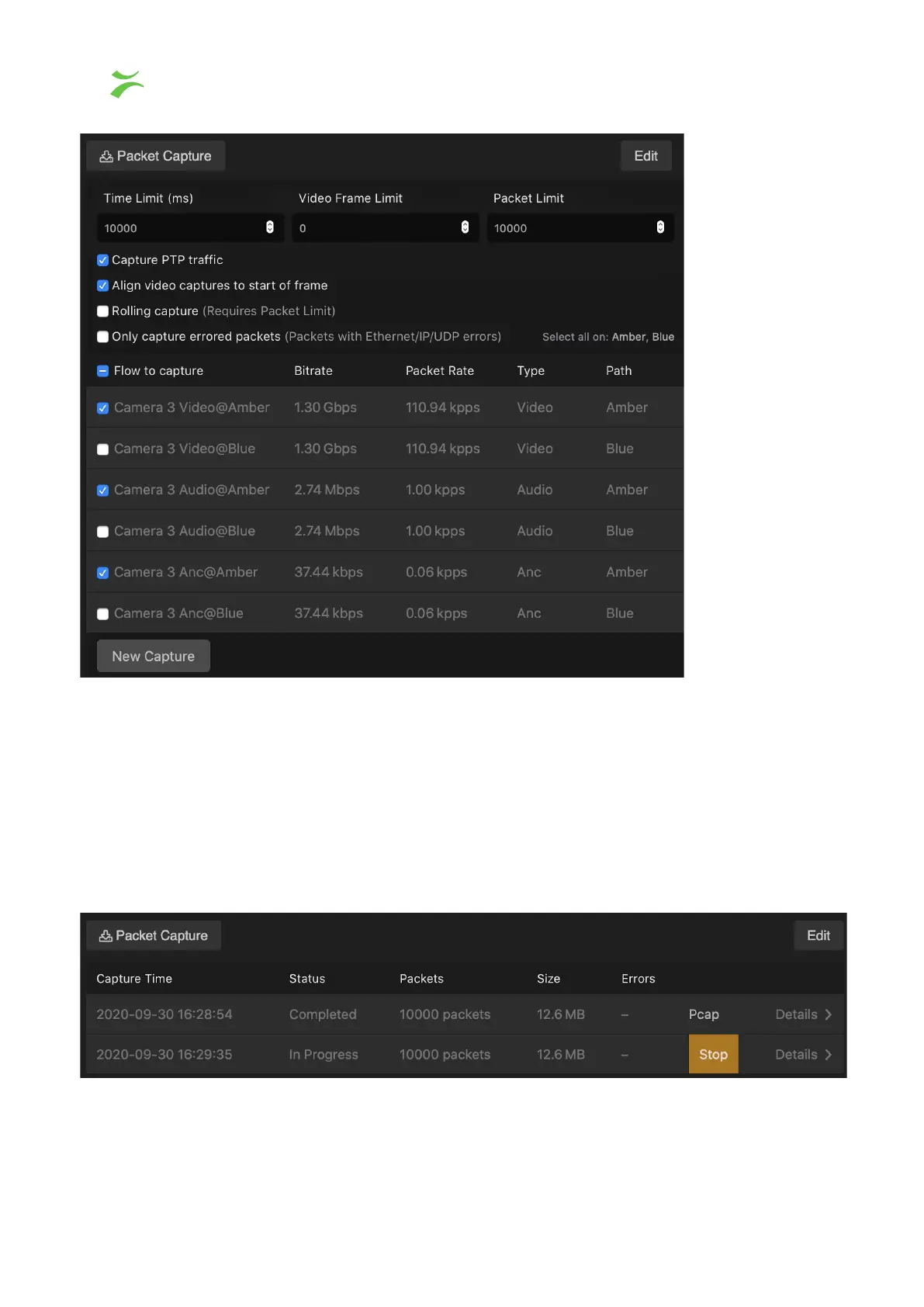
The selected settings in the view above are the default settings. Adjust the settings to your
preference and press “New Capture” when the settings are correct. Please note that
Rolling Captures will continuously capture the stream until manually stopped by the user.
When it is stopped, it will write out the last packets received up to the packet limit put into
the Packet Limit
field, or the time limit in the Time Limit
field. This feature is useful for
capturing events after-the-fact. Please note that the probe has limited space, so an
arbitrarily long buffer can not be used. The following picture shows how the view is during a
rolling capture.
In the main view all captures are listed. For a detailed view, click Details >. The window will
be extended as shown in the screenshot below. To download a complete capture click
24 VB440 Studio Probe User’s Manual v6.0 © Bridge Technologies Co AS



 To Next Page