Software Updates
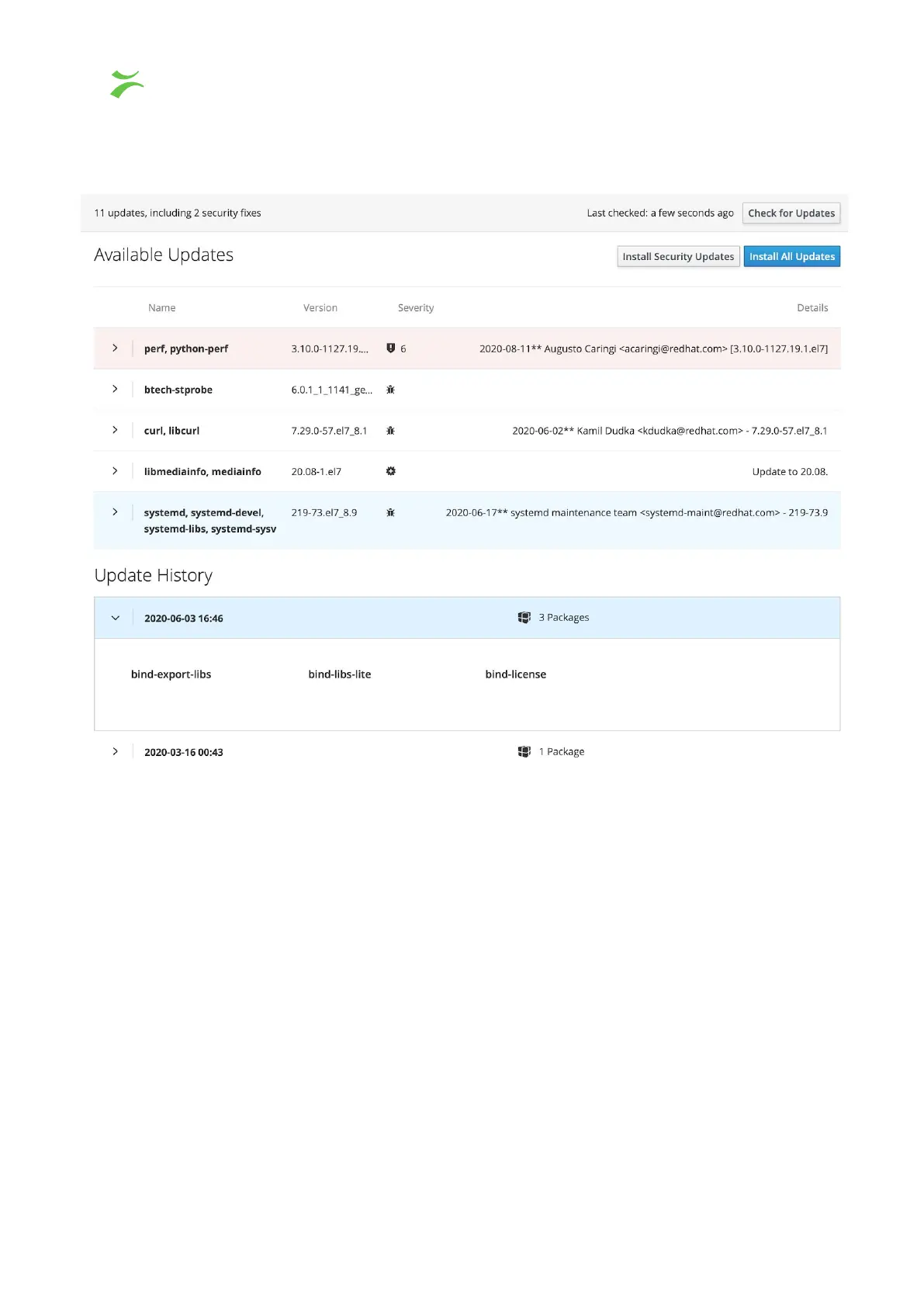
At the top of the page information about the number of updates and security fixes are
displayed together with when the system last checked for updates.
There is the possibility to choose between, Install all updates
or to install security updates
only
. We recommend that you keep the Probe up to date with all updates.
Available updates
Lists the packages that require updating. Each package is listed with name, version,
severity and details. Security fixes are usually marked with a pink color. By clicking > you
can expand the package window to see what the release contains.
Also updates the Probe software, it's important to update frequently.
Update History
Shows the time, date and the number of packages for past updates.
44 VB440 Studio Probe User’s Manual v6.0 © Bridge Technologies Co AS



 To Next Page