7
OPERATIONS
5. +/-
• Use +/- button to adjust speaker volume.
- Press
- to decrease speaker volume.
- Press
+ to increase speaker volume.
• Use
+/- button to select the options in SETUP MENU mode.
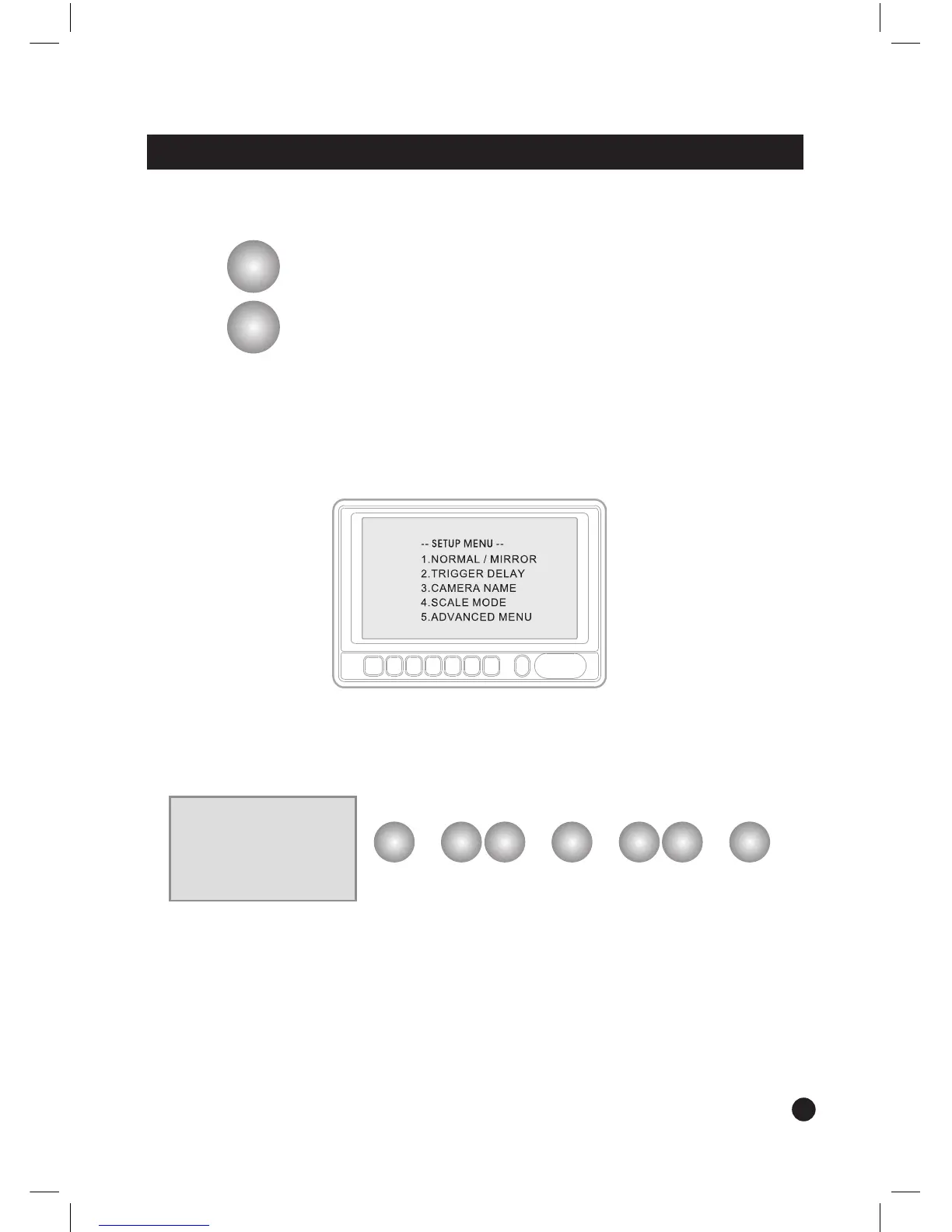
• SET UP MENU
- Press MENU button for a while (over 2 sec.) to enter SET UP MENU.
- Selectable OSD menu disappears within 5 seconds if there is no new button pressed.
1 NORMAL / MIRROR
- Each camera’s Normal / Mirror view can be selected.
1 NORMAL/MIRROR
CAM 1: [NORMAL/MIRROR]
CAM 2: [NORMAL/MIRROR]
–
+
MENU DN UP SELECT
–
+
MENU
➟ ➟ ➟ ➟
option setting exitselect
up/down move
enter


 To Next Page