121
8
8
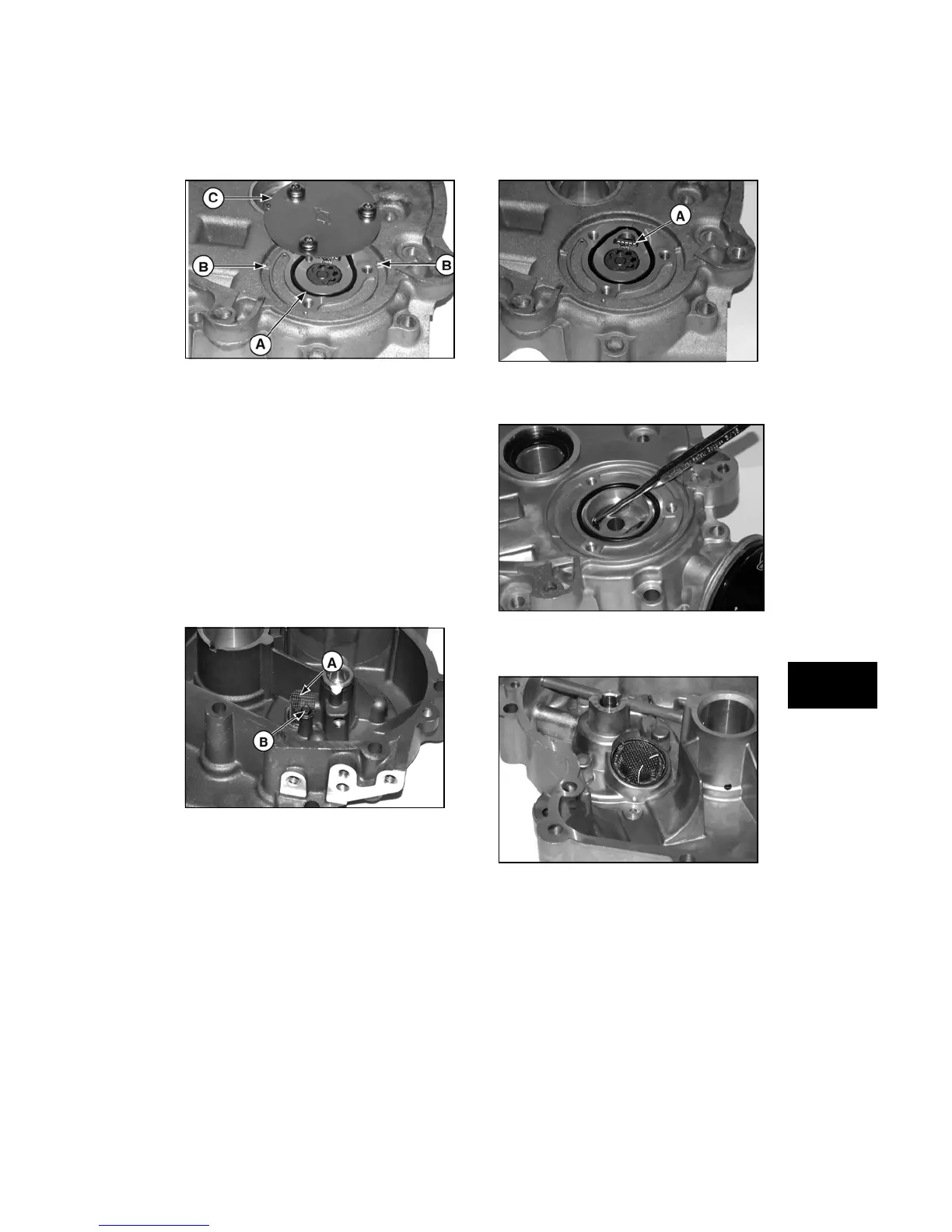
Figure 15
2. Carefully remove inner (C) and outer
rotors (D).
NOTICE: Depending on Model Series, inner
rotor may include the drive shaft or the drive
shaft may be a separate part. Remove shaft,
when it is a separate part.
Remove Pump Screen
Three types of oil pump screens have been used
on models 280000, 310000, 330000.
Early oil pump screens (A, Figure 16) (before
date code 94110700) were mounted inside the
sump and held with one screw (B).
Figure 16
The intermediate screen (A, Figure 17) (after
date code 94110600) can be removed at the
same time as the oil pump.
Figure 17
Current oil pump screen must be driven out from
inside the sump (Figure 18).
Figure 18
Install oil pump screen, until seated (Figure 19).
Figure 19



 To Next Page