EN
39
DESCRIPTION
PACKAGE CONTENTS
1. Robot vacuum cleaner
2. Charging station
3. Remote control (battery sold separately)
4. Mains plug
5. Cleaning tool
6. Operating instructions
7. Side brushes, 2x
8. Dust container
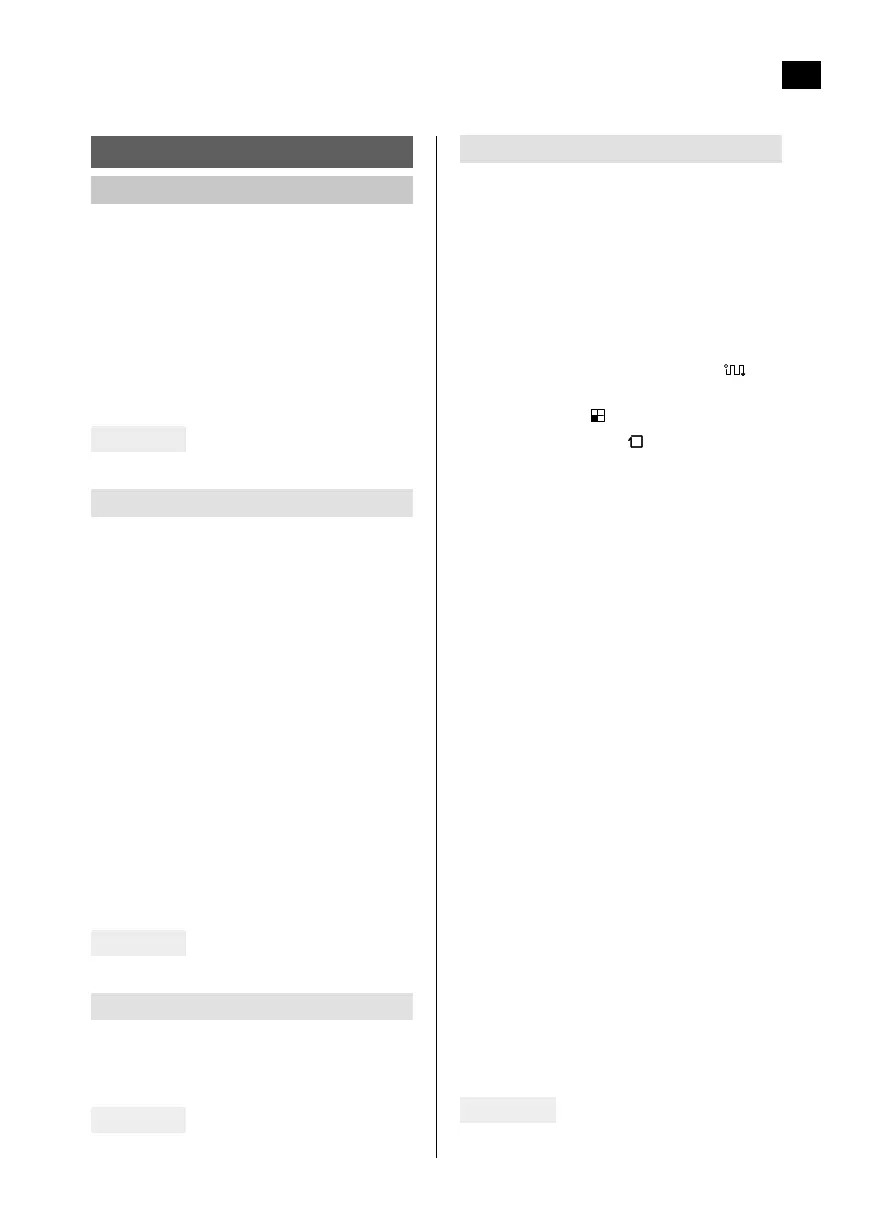
FIG. 1
Robot vacuum cleaner
1. Infrared receiver
2. Bumper
3. Control panel
4. HEPA lter
5. Primary lter
6. Dust container cover
7. Dust container bottom
8. Charging contact
9. Side brush
10. Roller brush
11. Battery cover
12. Universal wheel
13. Side brush
14. Wheels
15. Dust container
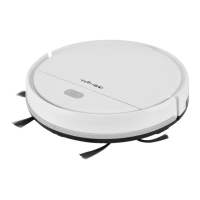
FIG. 2
Charging station
1. Signal window
2. Status light
3. Charging contact
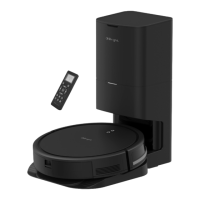
FIG. 3
Remote control
1. Suction power.
Choose either M or L.
2. Setting a cleaning schedule
Press this button to go to cleaning
schedule setting. Press and hold the
button to cancel a set cleaning schedule.
3. Display
4. Mode button
– Scheduled vacuum cleaning
– Button for spot cleaning/room
cleaning
– Edge cleaning
5. Start/stop button
– Push this button to switch from
standby mode to automatic vacuum
cleaning.
– Push this button to switch from sleep
mode to standby mode.
– Push this button to stop the vacuum
cleaner when it is cleaning.
6. Direction buttons
– 5Forward - Push this button to run
the vacuum cleaner forwards when it
is in standby or cleaning mode.
– 6Backward - Push this button to run
the vacuum cleaner backwards when
it is in standby or cleaning mode.
– 3Left - Push this button to run the
vacuum cleaner to the left when it is
in standby or cleaning mode.
– 4Right - Push this button to run the
vacuum cleaner to the right when it
is in standby or cleaning mode.
7. Clock
Setting the time.
8. Charging button
Push this button to get the vacuum
cleaner to go automatically to the
charging station for charging when it is in
standby or cleaning mode.
FIG. 4


 To Next Page