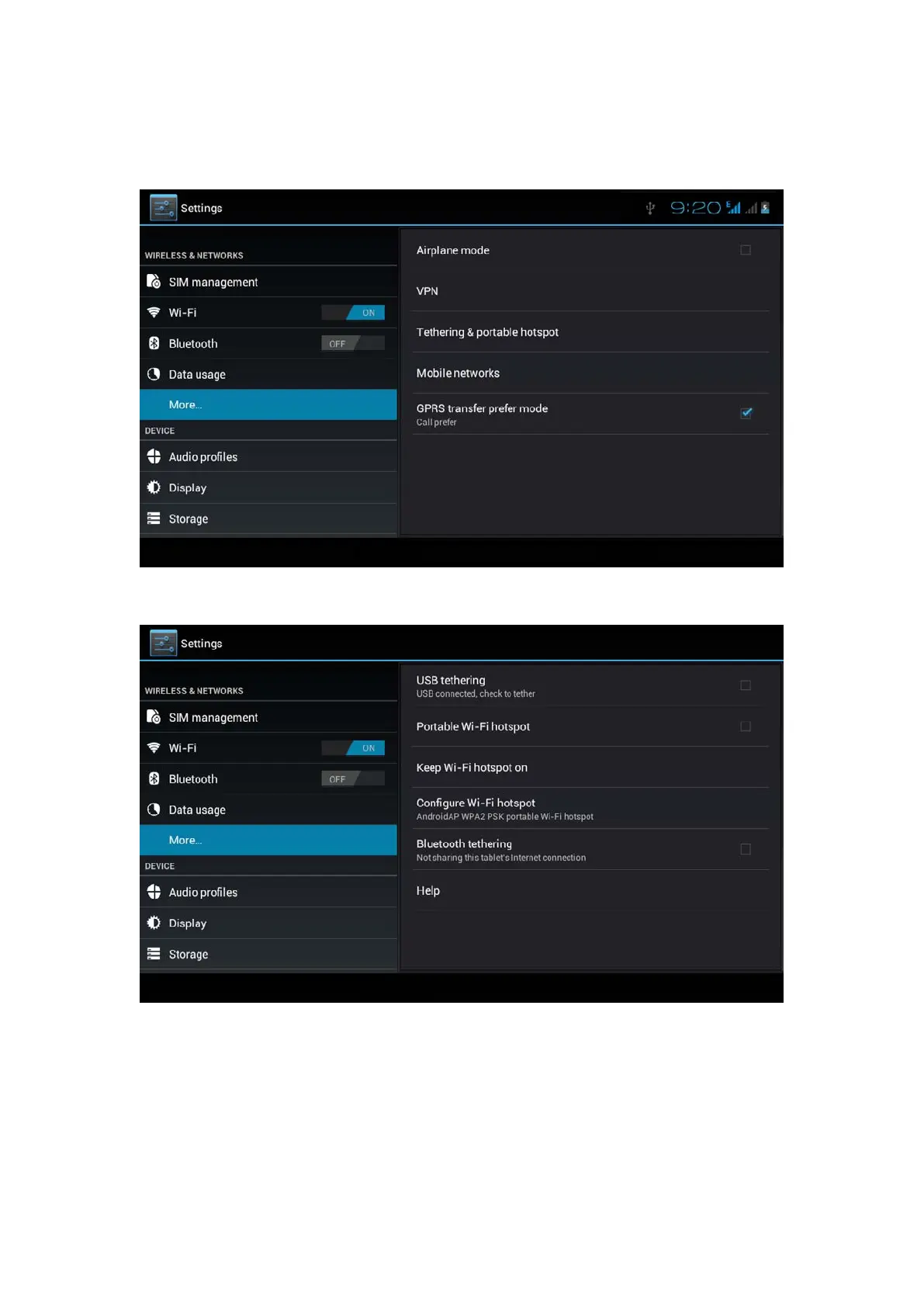
1. Click setting application in main menu.
2. Click more when wifi is well connected, open network share
and portable hotspot
Picture 4.19
Picture 4.20
3. Click keep WI-FI hotspots on, choose open time.
4. Return to previous menu, open portable WLAN hotspots,
click configure WI-FI hotspots.



 To Next Page