Broadcom Confidential 5880X-PS225-UG101
11
PS225 User Guide Quick Start Guide
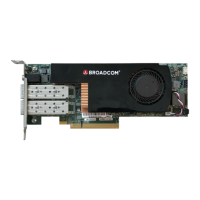
Figure 5: Connecting the PS225 Cables
3.3 Setting Up the Serial Console (Optional)
To setup the optional serial console:
1. Insert one end of the 3.5 mm jack of the provided cable to the card and the other end of the cable (USB-A) into a PC with
an installed terminal emulator program.
2. Install the appropriate UART-USB driver:
– For a Windows OS, the driver for the UART-USB transceiver is downloaded from the FTDI driver download site
(2.12.28 , http://www.ftdichip.com/Drivers/CDM/CDM21228_Setup.zip).
– For a Linux OS, the device is automatically enumerated as one of the USB tty (/dev/ttyUSBx).
– If another operating system is used, see the FTDI website for available drivers.
3. Access the ARM A72 console using a terminal emulator and configure the UART as follows:
– Baud rate: 115200
– Data: 8-bit
– No parity
– Stop bit
– No flow control
A typical Linux setup for Minicom is shown in the following screen capture:



 To Next Page