Broadcom Confidential 5880X-PS225-UG101
8
PS225 User Guide Quick Start Guide
2 Checklist
The following list of major steps must be completed to complete the setup of the PS225:
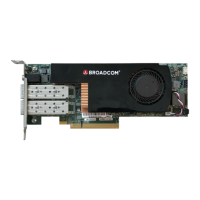
1. Install the PS225 card in a host machine (see Initial Board Setup and Connectivity).
2. Obtain the documentation listed in Table 1.
3. Install the latest binary/image package for the PS225. Upgrade if the PS225 card received has an old image.
NOTE: To check the image version information, refer to docSAFE (the Broadcom documentation portal) to download the
binary package required for the specific card type.
Package name format : NXS_SN-<release type>_<release version>_<card type>_bin.tar.gz
Example: NXS_SN-BM-Beta_1.1.8.0_H08GB_bin.tar
4. Become familiar with the following PS225 basic information:
– PS225 software version:
On PS225 Stingray (MAIA) console:
root@bcm958802a8048c:~# uname -a
Linux bcm958802a8048c 4.14.79+g5bb1623 #1 SMP Tue Nov 27 01:48:50 UTC 2018 aarch64
aarch64 aarch64 GNU/Linux
– PS225 board/card type (8 GB, 4 GB, 16 GB):
On PS225 Stingray (MAIA) console:
root@bcm958802a8048c:~# hostname
bcm958802a8048c
– Check the Nitro profile configuration.
NOTE: By default, the card is upgraded with 2 x 25G port mode and 8 + 8 PFs profile configuration with eight PFs
on the Stingray (MAIA) side and eight PFs on the host (x86) side.
Table 1: List of Reference Documentation
Document name Document number Description
SmartNIC Configuration Guide 5880X-PS225-AN1Xx Application note for configuring OVS+DPDK on the
PS225.
BCM5880X High Performance Ethernet System on Chip 5880X-DS1Xx BCM5880X Data Sheet
BCM5880X Hardware Design Guide 5880X-DG1Xx Hardware design guide
BCM5880X SmartNIC Solution 5880X-UG3Xx BCM5880X SmartNIC solution
PS225 SmartNIC Adapters Dual-Port 25 Gb/s PCI
Express
5880X-PS225-DS1Xx PS225 Advanced Data Sheet




 To Next Page