BRONKHORST®
Page14FlowDDE 9.17.067
4.4.2 Editparameters
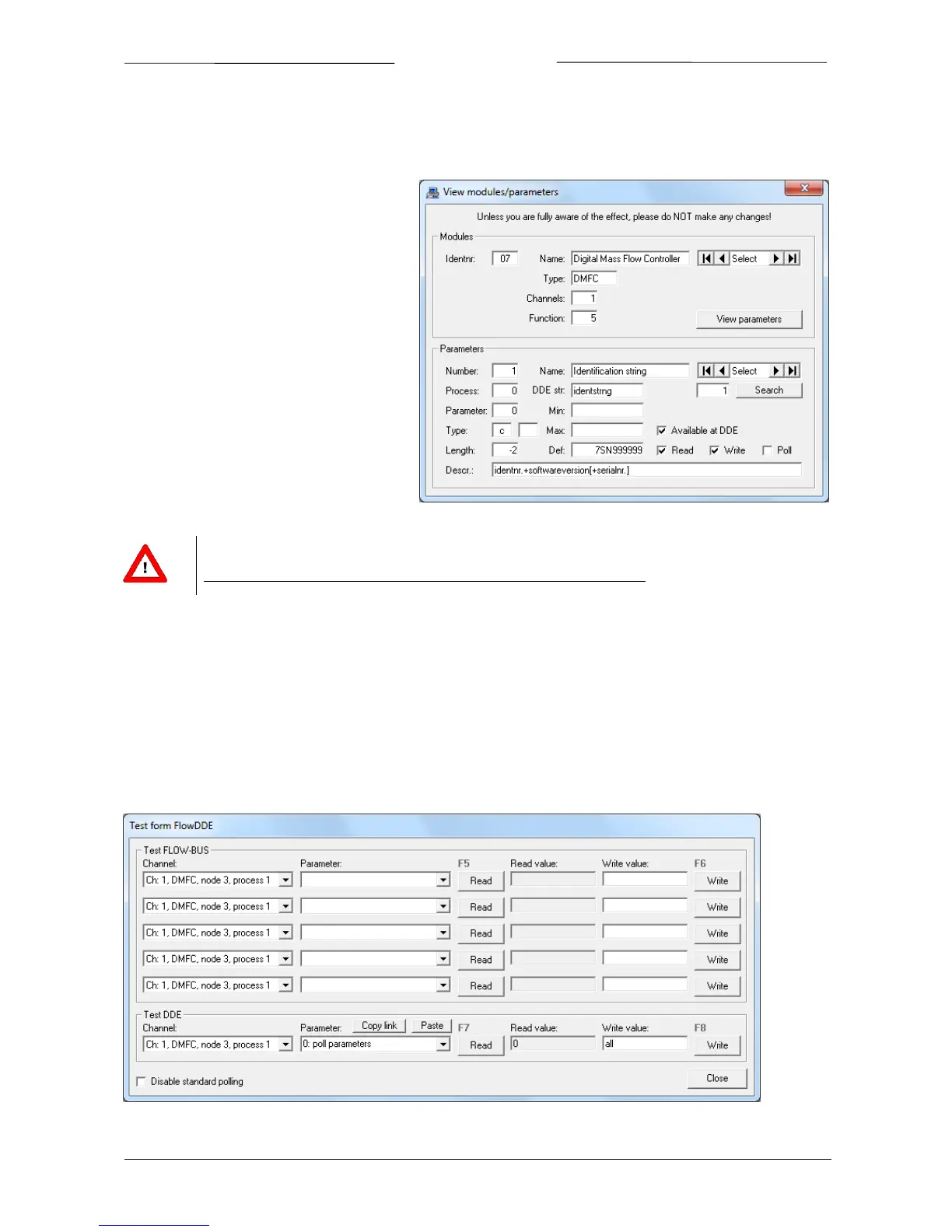
At the Parameters section, all properties of parameter can be viewed and changed. It is not advised to change
anything,butforperformanceimprovementitcanbeusefultoremoveaparameterfromthepolllistorfromDDEat
all.Thesetwooptionsaredescribedhere.
To change a
property of a certain parameter,
find the correct parameter number, either by
theSelectbuttonsorbyenteringitsnumberin
the field below it and pressing Search. The
propertiesareshownnow.
To stop FlowDDE polling the parameter in its
poll sequence, uncheck the Poll checkbox. (To
start polling
a parameter, check it.) To store
the new value, change the parameter number
or close the window and answer the question
byYes.
Removing a parameter from DDE means that
clientapplicationscannotreachitandFlowDDE
does not read the parameter value from the
instrument.Toremoveaparameter
fromDDE,
uncheck the Available at DDE checkbox. By
defaultallparametersareavailable(checked).
ChangingparameterinformationcannotbeundoneotherthanbyreinstallingFlowDDE!
Unlessyouarefullyawareoftheeffect,pleasedoNOTmakeanychanges!
4.5 TESTCOMMUNICATION
Formaintenance andservice operations, it isoften required to read fromorwrite to a certain parameter.FlowDDE
contains two test facilities: one to test FLOW‐BUS and DDE communication and one to test lower level ProPar
communication.
4.5.1 TestFLOW‐BUSandDDE
Open the FlowDDE test form from the menu FLOW‐BUS >> Test FLOW‐BUS and DDE or F6. The following window
appears.



 To Next Page