BRONKHORST®
Page15FlowDDE 9.17.067
Thewindowconsistsof two sections.AttheTestFLOW‐BUSsectionparameterscanbereadandwrittendirectlyto
theinstrument,regardlessoftheDDEbehaviourthataseparatepollcommandisrequiredtoreadaparametervalue
andonlychangesarewrittentotheinstrument.TheDDEvalueis
updatedonread,butnotonwrite.
Onthecontrary,attheTestDDEsectionparameterscanbereadandwrittenlikeanyDDEclient woulddo.Pressing
ReadshowsthecurrentvalueattheDDElevel,buttheactualinstrumentvalue isnotreadand maybedifferent.At
WritethevalueiswrittentotheDDEleveland,becauseofthenatureofDDE,onlyifitisdifferentthantheprevious
value,thevalueiswrittentotheinstrument.
AttheTestDDEsectionlinks
to client applications, e.g.
MicrosoftExcel,canbeeasily
made. Select the channel
and parameter to which a
linkistobemade.
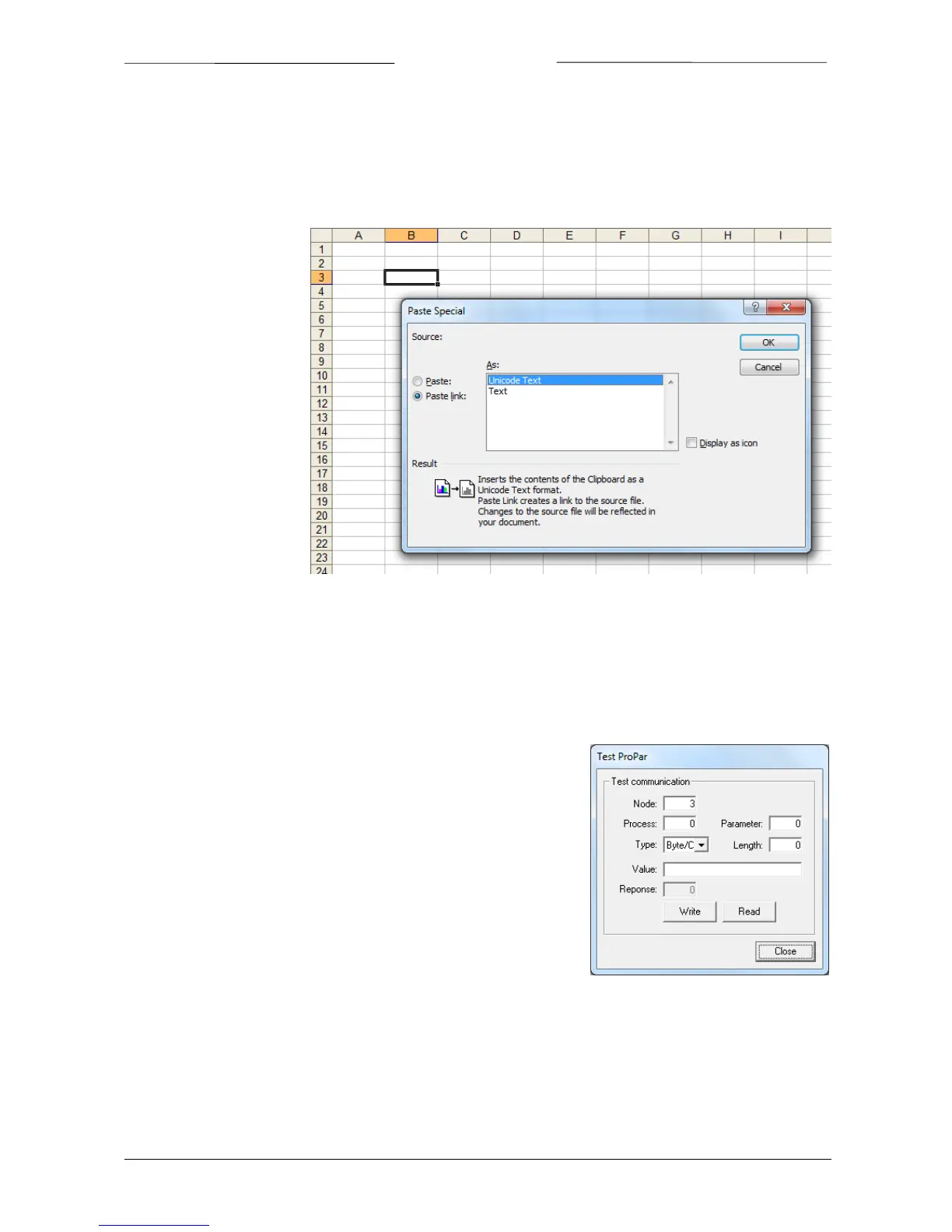
Press Copy link to copy the
link to the clipboard. In the
client application, use the
Paste Special option and
selectPastelinktopastethe
link (e.g. Paste Special in
Microsoft Excel, see image).
Any parameter valuechange
will
be sent to the client
application.
The other way around is
possible as well. Copy a link
from any application (e.g.
copy a cell from Excel). In the test form, press Paste. Any change in the application’s field result in the parameter
valueinFlowDDEtobeupdated.Notethat
whenthecommunicationisclosed,alllinkswillbeterminatedandwillnot
berestoredwhenthecommunicationisopenedagain.
DisablestandardpollingtemporarilystopsFlowDDEfrompollingtheselectedparametersandonlythereadactionsin
thistestform(oranyclient)areperformedontheinstrument.
4.5.2 TestProPar
For low level testing purposes, FlowDDE contains the Test Propar form, in
which individual FLOW‐BUS messages may be read and written to an
instrument.ThisformreplacestheformerDLLtestapplication.
This form can only be opened when the communication is closed by
Communication>>TestPropParor
Shift+F6.Usingthisform,messagescan
besent at thenode/process/parameterlevel,so evenparametersthatare
notintheFlowDDEdatabasecanbereadand/orwritten.
As soon as the Read or Write button is pressed for the first time, the
communicationisopened.Whenthewindowisclosed,
thecommunication
isclosedaswell.
4.6 SERVICELOG
In case of problems with your instrument(s) and you need to contact an expert (e.g. Bronkhorst® Support), all
parametervaluesofyourinstrumentcanbelogged toafile.Tocreate suchaservicelog,clickFile>>Servicelogor
Ctrl+Landenterthefilename.



 To Next Page