Table of Contents
i
1
Introduction
Using This Manual................................................................................. 1
Finding Information .............................................................................. 1
Symbols Used In This Manual.............................................................. 2
About Fax Machines.............................................................................. 2
Fax Tones and Handshake..................................................................... 2
ECM (Error Correction Mode) (For FAX-525DT Only)...................... 3
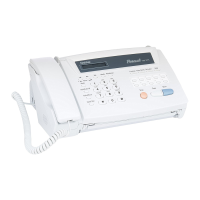
FAX-515 Control Panel Overview....................................................... 4
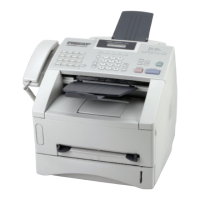
FAX-525DT Control Panel Overview................................................. 6
Installation
Packing List ............................................................................................ 9
Choosing a Location ............................................................................ 10
Caution .................................................................................................. 10
Assembly ............................................................................................... 11
Load the recording paper .................................................................... 11
Connect the handset ............................................................................ 13
Connect the Power Cord ..................................................................... 14
Connect the Telephone Line ............................................................... 14
Attach the document support. ............................................................. 15
Multi-Line Connections (PABXs) ...................................................... 15
If you are installing the machine to work with a PABX: ........... 15
Ringer Equivalence Number (REN) ................................................... 16
Using Extension Telephones ............................................................... 17
Connecting an External Telephone Answering Device (TAD) ........... 18
Connections .................................................................................... 18
Outgoing Message (OGM) of External TAD ................................. 18
Sequence of External TAD Reception ............................................ 19
Connecting an External Telephone ..................................................... 20
On-Screen
Programming
User-Friendly Programming.............................................................. 21
Function Mode .................................................................................... 21
Alternating Displays ........................................................................... 22
Function Selection Table..................................................................... 22
Initial
Setup
Getting Started ..................................................................................... 27
Setting the Dialling Mode (Tone/Pulse) ............................................. 27
Setting the Date and Time................................................................... 27
Setting the Station ID.......................................................................... 28



 To Next Page