5. PREPARATION BEFORE SEWING
23
BAS-342G
5-5. Installing the bobbin case
CAUTION
Turn off the power switch before installing the bobbin case.
If the foot switch is depressed by mistake, the sewing machine might start operating and injury could result.
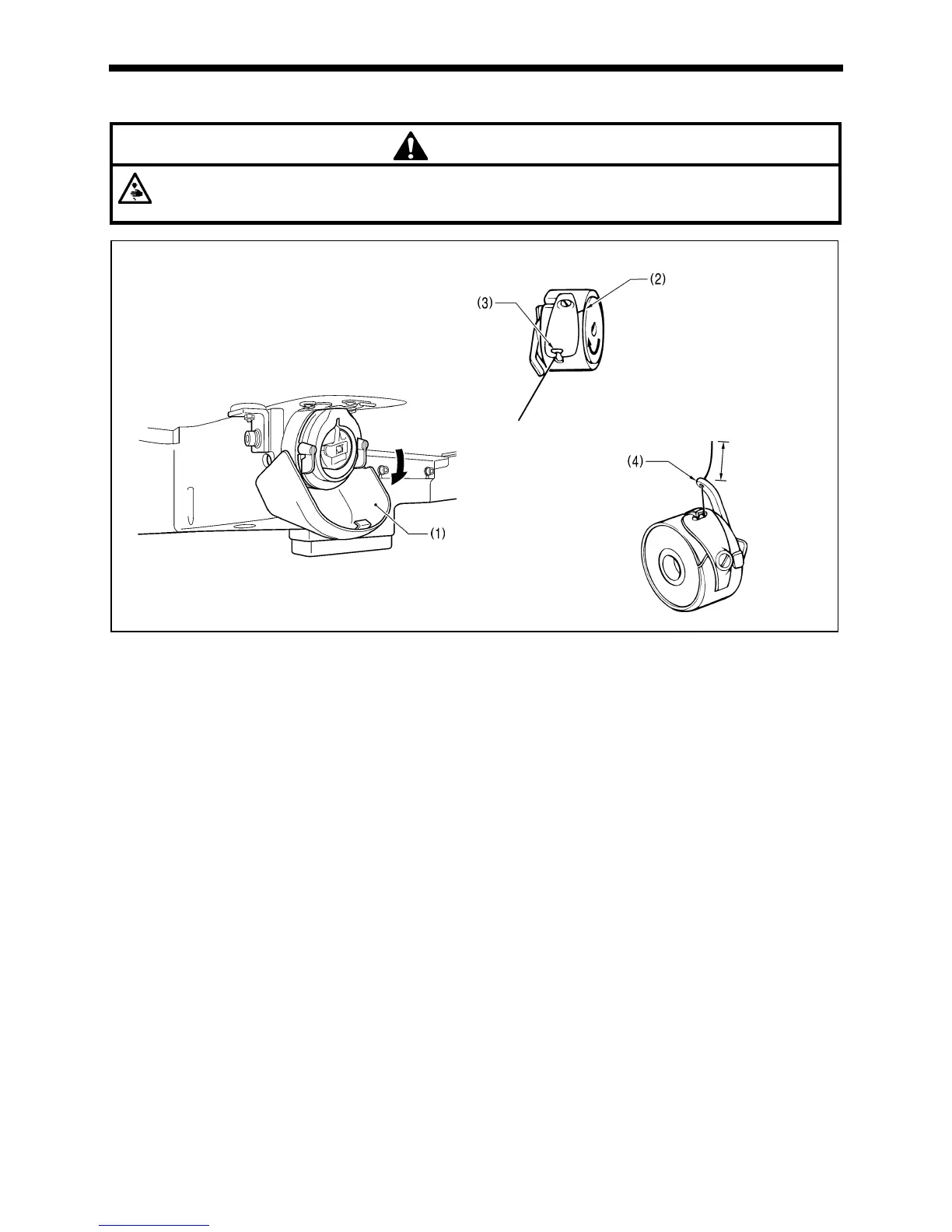
1. Pull the shuttle race cover (1) downward to open it.
2. While holding the bobbin so that the thread winds to the right, insert the bobbin into the bobbin case.
3. Pass the thread through the slot (2) and pull it out from the thread hole (3).
4. Check that the bobbin turns in the direction of the arrow when the thread is pulled.
5. Pass the thread through the lever thread hole (4), and then pull out approximately 30 mm of thread.
6. Hold the latch on the bobbin case and insert the bobbin case into the rotary hook.
2534Q
2535Q
30mm
4002M





 To Next Page