Replacing the Presser Foot 37
1
Removing the presser foot
holder
Remove the presser foot holder when cleaning the
sewing machine or when installing a presser foot that
does not use the presser foot holder, such as the
quilting foot. Use the screwdriver to remove the
presser foot holder.
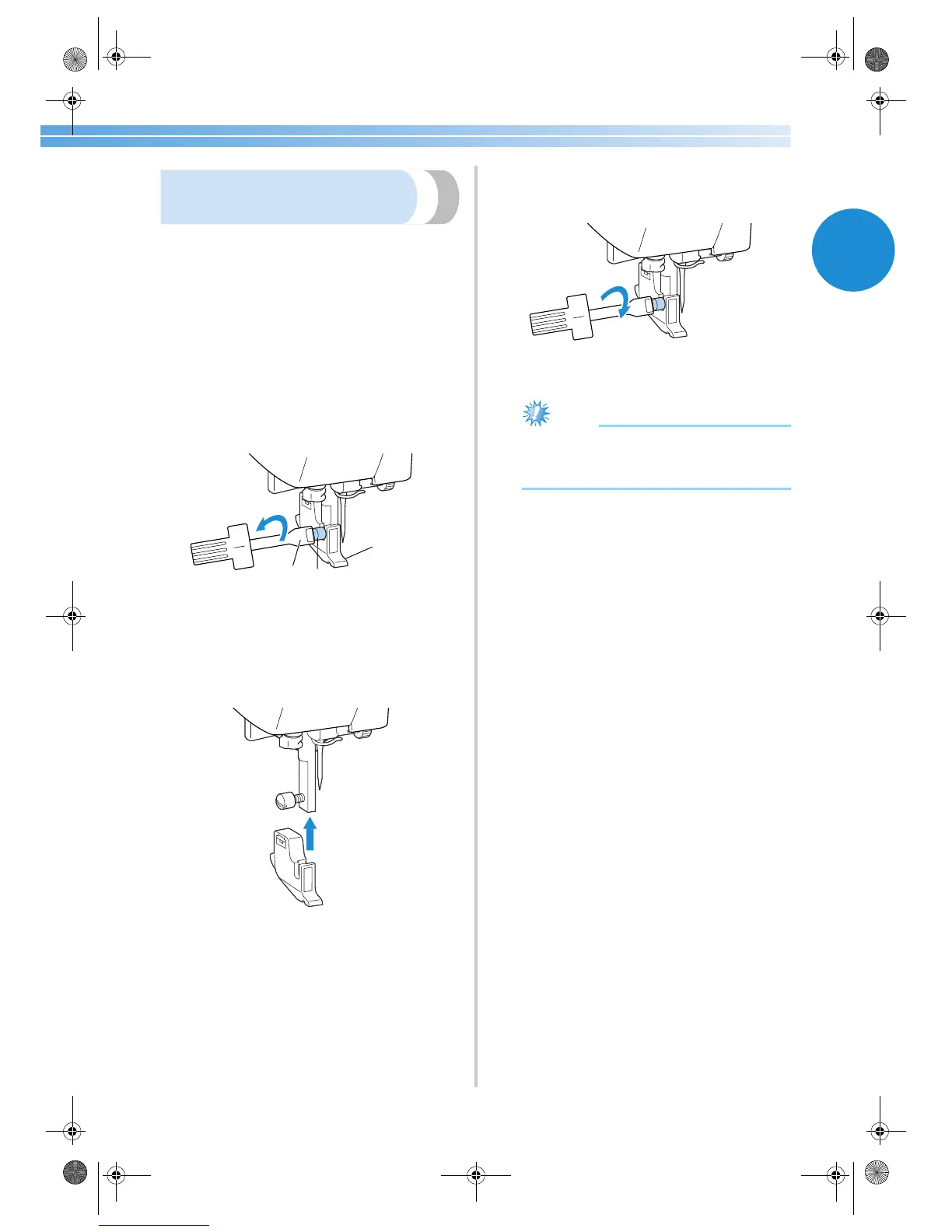
■ Removing the presser foot holder
1
Remove the presser foot.
• For details, refer to “ Replacing the presser
foot” (page 35).
2
Use the screwdriver to loosen the presser foot
holder screw.
1 Screwdriver
2 Presser foot holder
3 Presser foot holder screw
■ Attaching the presser foot holder
1
Align the presser foot holder with the lower-
left side of the presser bar.
2
Hold the presser foot holder in place with
your right hand, and then tighten the screw
using the screwdriver in your left hand.
1 Screwdriver
Note
● If the presser foot holder is not correctly
installed, the thread tension will be
incorrect.
1
3
2
S2_brotherE.book Page 37 Thursday, February 13, 2003 11:03 AM


 To Next Page
 Loading...