5
2
2
Address Template 2
Specify the IP addresses that will be used for the IPsec connection conditions. A maximum of 10
Address Template can be used.
a Start your web browser.
b Type “http://machine’s IP address/” into your browser (where “machine’s IP address” is the machine’s IP
address).
For example:
http://192.168.1.2/
c No password is required by default. Enter a password if you have set one and press .
d Click the Network tab.
e Click Security.
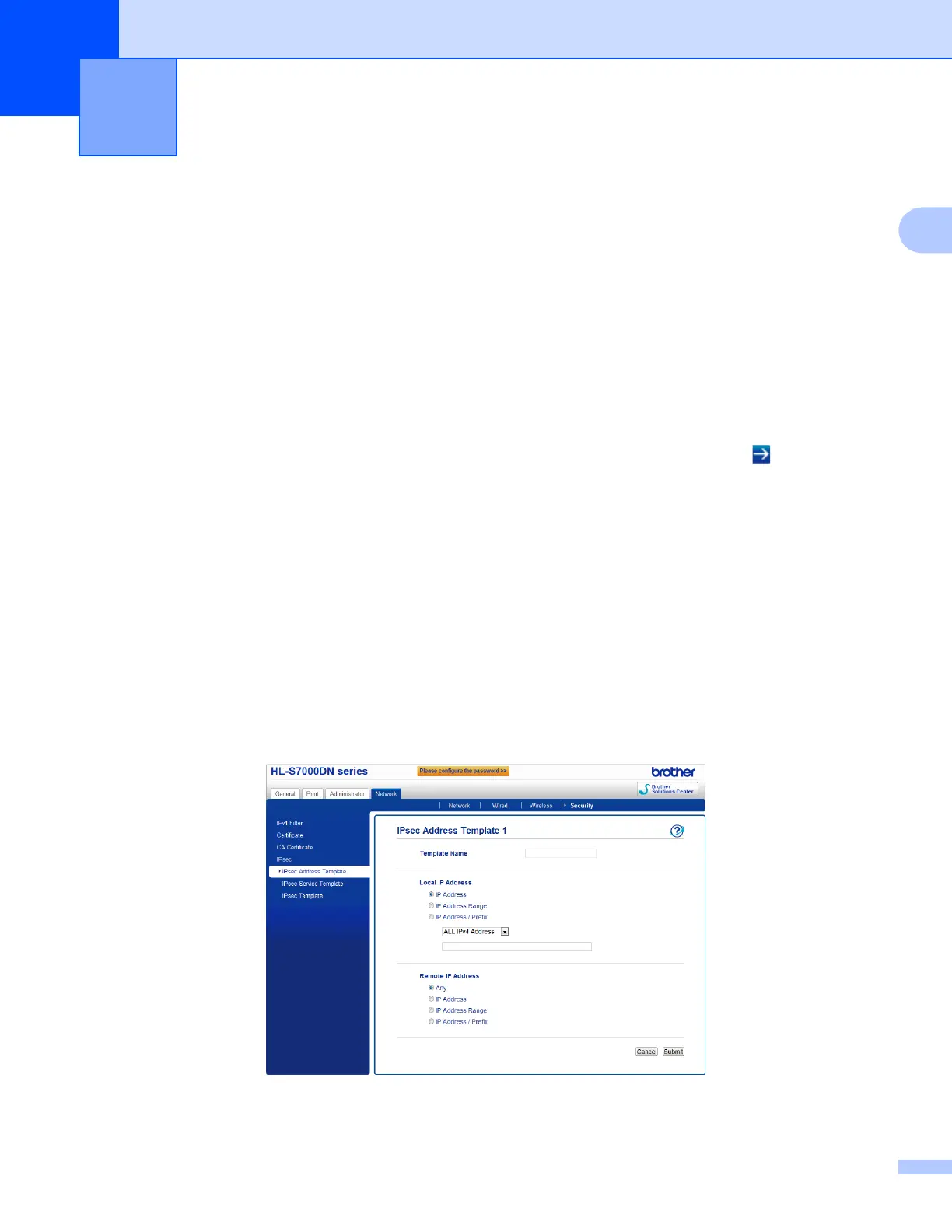
f Click IPsec Address Template.
10 Address Template will be displayed. If the Address Template has not been configured,
Not Configured will be displayed.
Delete
Click this button to delete the selected Address Template. However, the currently used
Address Template cannot be deleted.
g Click the number for the Address Template that you want to create. Specify the IP address that you
want to use IPsec in the screen below, and create the IPsec Address Template.
IPsec Settings 2



 To Next Page
 Loading...












