EasyManua.ls Logo

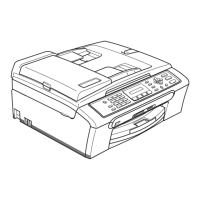
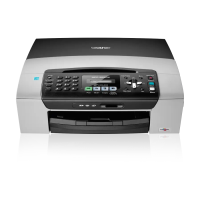
Brother MFC-230C - User Manual

Brother MFC-230C
148 pages
Print Icon
To Next Page IconTo Next Page
Loading...
USER’S GUIDE
MFC-230C

Table of Contents

Other manuals for Brother MFC-230C

Questions and Answers

  • H
    Harold MendozaSep 15, 2025
    Why does my Brother All in One Printer print received color faxes in black and white?
    • V
      Vincent DunlapSep 15, 2025
      If your Brother All in One Printer prints received color faxes only in black and white, replace any color ink cartridges that are empty or nearly empty, and then ask the sender to resend the color fax.
  • K
    Kenneth HunterAug 25, 2025
    Why is the print quality poor on my Brother All in One Printer?
    • W
      William MillerAug 25, 2025
      Poor print quality on your Brother All in One Printer can stem from several factors. Ensure the print quality setting is appropriate. Verify that the Printer Driver or Paper Type setting matches the paper you're using. Also, make sure your ink cartridges are fresh, as expired or improperly stored cartridges can cause clogging. Try using recommended paper types and ensure the printer's environment is between 68° F to 91° F (20° C to 33° C).
  • B
    Brenda DunnAug 25, 2025
    How to remove white horizontal lines in Brother All in One Printer output?
    • L
      lhooperAug 26, 2025
      To address white horizontal lines appearing in text or graphics from your Brother All in One Printer, try cleaning the print head. Also, consider using the recommended types of paper.
  • M
    Michael TylerAug 26, 2025
    Why is my Brother All in One Printer printing blank pages?
    • K
      Kristin KiddAug 27, 2025
      If your Brother All in One Printer is printing blank pages, try cleaning the print head.
  • B
    Benjamin BushSep 16, 2025
    How to fix cut off margins on Brother All in One Printer?
    • M
      martinsydneySep 16, 2025
      To resolve cut off left and right margins or a single page being printed on two pages by your Brother All in One Printer, turn on Auto Reduction.
  • R
    Ryan SanchezSep 23, 2025
    What does ‘Device Busy’ mean on my Brother All in One Printer?
    • R
      ryanrussellSep 23, 2025
      If your Brother All in One Printer displays ‘Device Busy’, make sure the machine is not showing an error message on the LCD.
  • H
    Heather AllenSep 8, 2025
    How to improve fax send quality on Brother All in One Printer?
    • C
      comptonjanetSep 8, 2025
      To improve the fax send quality on your Brother All in One Printer, try increasing the resolution to Fine or S.Fine. Create a copy to assess your machine's scanner operation; if the copy quality is poor, clean the scanner.
  • A
    april60Sep 9, 2025
    How to fix skewed text or images on Brother All in One Printer?
    • S
      Stacey SmithSep 9, 2025
      To correct skewed text or images from your Brother All in One Printer, ensure the paper is loaded correctly in the paper tray and the paper side guide is adjusted properly. Additionally, make sure the Jam Clear Cover is correctly set.
  • C
    Christopher AllenSep 2, 2025
    What to do if I cannot send a fax from my Brother All in One Printer?
    • M
      Margaret TurnerSep 2, 2025
      If you're unable to send a fax from your Brother All in One Printer, first, ensure that the Fax key is illuminated, indicating that the machine is in Fax mode. It's also good to ask the recipient to verify their machine has paper. You can also print the Transmission Verification Report to check for any errors.
  • E
    Eric WilliamsAug 31, 2025
    How to prevent paper jams from double feeding on Brother All in One Printer?
    • A
      Ashley SimpsonSep 1, 2025
      To prevent paper jams caused by double feeding on your Brother All in One Printer, make sure you pull out the paper support until it clicks and unfold the paper support flap.

Brother MFC-230C Specifications

General IconGeneral
BrandBrother
ModelMFC-230C
CategoryAll in One Printer
LanguageEnglish

Related product manuals